320 / 374
SOCT User Manual Version 10.0 rev. A
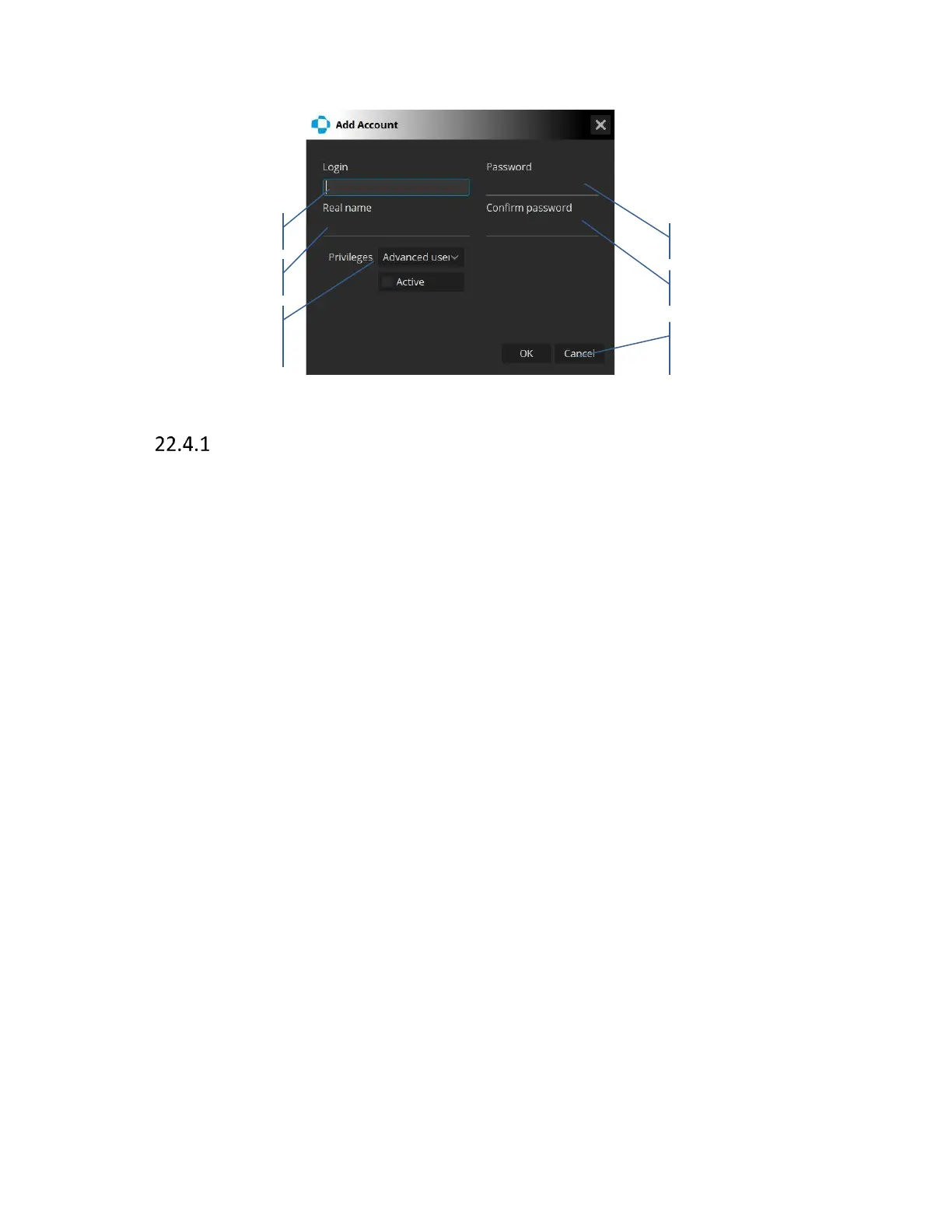
Figure 312. Users tab. Creating new user.
Creating user accounts
In order to create a new user account, press add new user and the window [Add Account] will pop
up. The required fields in order to successfully create a user are Login, Password, Confirm
Password and Privileges. Real name is not necessary to proceed. When the password is being
typed in, it will show as asterisks, therefore ensure that the password is entered correctly.
Privileges drop-down list allows to set the user rights. It is then possible to search for patient
records by association with users. Software automatically and permanently associates saved scans
with the current user when saving. Each operator can have own default scan parameters and
printouts styles.
• Admin – entitles the user to perform, review and analyze all results. Also, this user is able
to remove and/or edit patient data. It also allows the creation of additional modified user
accounts and management of the application global setup
• Advanced user – entitles the user to perform, review and analyze all results with the
option to export and import examinations
• Operator – entitles the user to perform, review and analyze all results with the option to
export examinations. This user is unable to enter application setup, delete patients, move
patients’ exams, modify patients’ data and import images as well as patient examinations
The last field is a checkbox [Active] which if left unchecked, will disallow the user to login. This is
useful in order to disable specific user accounts for any reason.



 To Next Page