68 / 374
SOCT User Manual Version 10.0 rev. A
Operation on the fundus preview
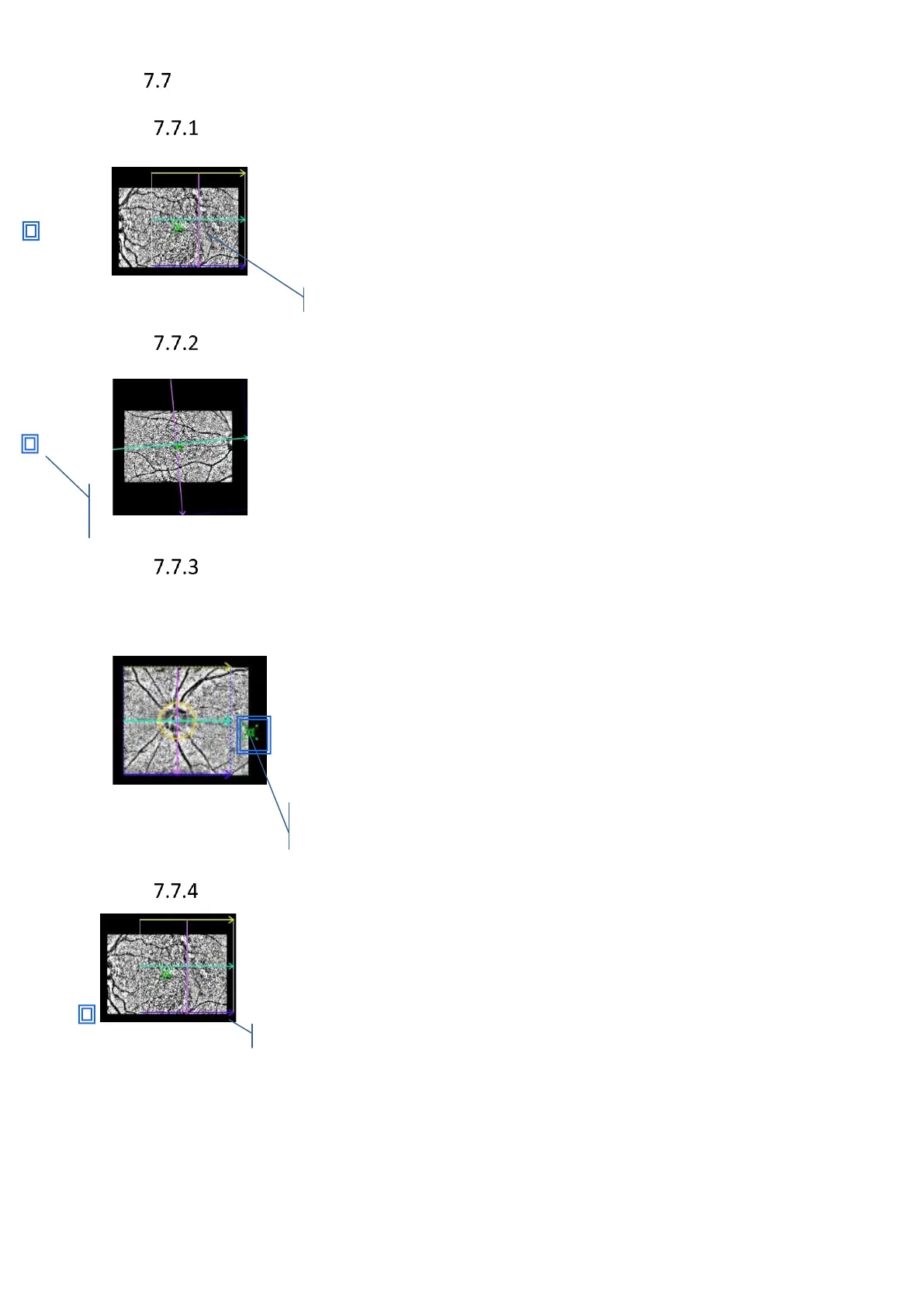
Moving the Scanning Area
Drag the scanning area on the pSLO Live fundus preview to change scanner
offset. To reset the offset into the center of the fundus preview, double
click on the scanned area and the fixation target will come back to default
position.
Rotation of the Scanning Angle
For Raster and B-scan programs it is possible to rotate the scan angle.
Adjustment angle range is -90
0
to 90
0
with 1-degree step. Double click on
the scanned area to reset scanners rotation.
Moving the Internal Fixation target
Drag the internal fixation target mark in the pSLO Live fundus preview. When retina/disc cross-
section is visible in OCT live preview, system displays pSLO image of the fundus, then the
operator may move the internal fixation position. In order to do it, drag
the green cross into the desired position. Ask patient to follow the
moving point. To reset the scanning area into the center of the fundus
preview, double click on the fundus preview, and the fixation target will
come back to default position.
Changing the scan width
Drag the corner of scanning area on the pSLO Live fundus preview to change
scan width. Scan width step is 1 mm.



 To Next Page