178 / 374
SOCT User Manual Version 10.0 rev. A
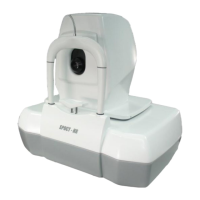
[Edit shape] – Opens “Manual disc contour edition” window which allows the physician to
draw manually the shape of the disc.
This window allows the user to redefine shape of disc and its
position.
[Apply] – applies the changes of the disc and closes the window.
[Cancel] – exits the window without changes.
[Reset] – resets a disc shape to condition which was before
opening the window.
[ Clear] – clears the disc’s factors. New shape of disc should be drawn manually.
There are two ways to correct shape of disc.
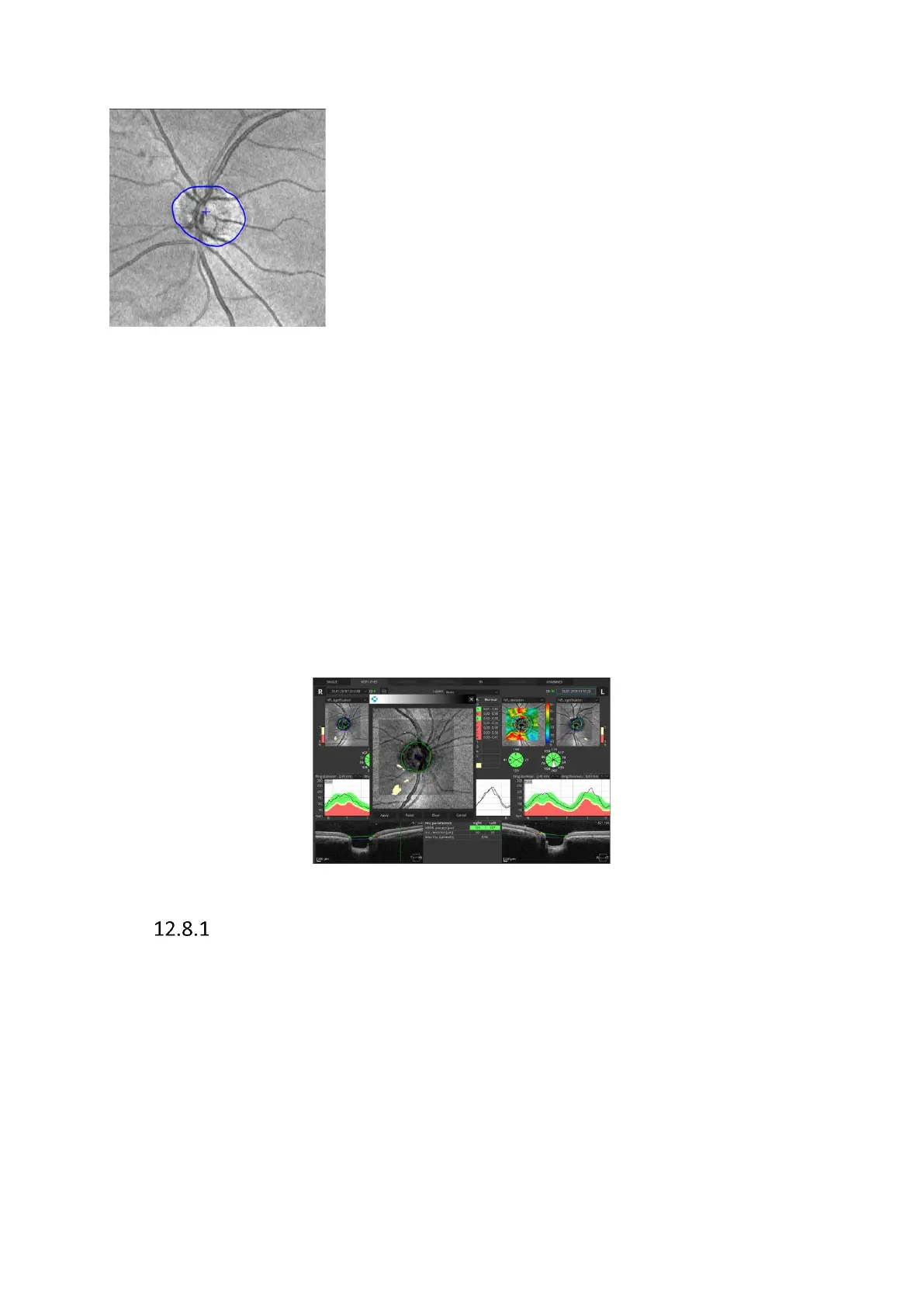
One is to remove contour of disc by using [Clear] button and drawing it again. To draw a new
shape of the disc, click on the center of a disc and at least two points on the edge of a disc.
Recognition of the disc will be automatically circled between selected points around disc
center. All other points will be automatically added after [Apply] button is used. If operator
decides to draw disc contour more accurately (with non-elliptic shape) it's possible to add
more disc points manually by clicking on the image
The other way is to redraw existing shape.
The disc shape adjustment window can be opened by double clicking on the NFL signification
map in either the SINGLE or BOTH EYES view.
Redraw the disc contour
Operator can redraw disc contour position in two ways:
Click and hold left mouse button and draw desired shape.
Put the cursor over the blue point to activate it. Point will highlight. To move active point to
new position click left mouse button and move mouse. To delete active point click right mouse
button on it – the point will disappear and white disc contour line will be updated to connect
two neighboring points.


 To Next Page