170 / 374
SOCT User Manual Version 10.0 rev. A
AOD500: Angle Opening Distance of 500 micron measured between two upper points along
the posterior cornea surface. One of this point shall be located on sclera spur, the
second one on the cornea surface away from sclera spur. Another point has to be
located on Iris.
AOD750: Angle Opening Distance of 750 micron.
TISA: Trabecular Iris Segment Area.
NOTE: Only when border air-anterior surface is correct are AOD and TISA
measurements accurate. Verify recognition correction before judging the Anterior
Angle morphology.
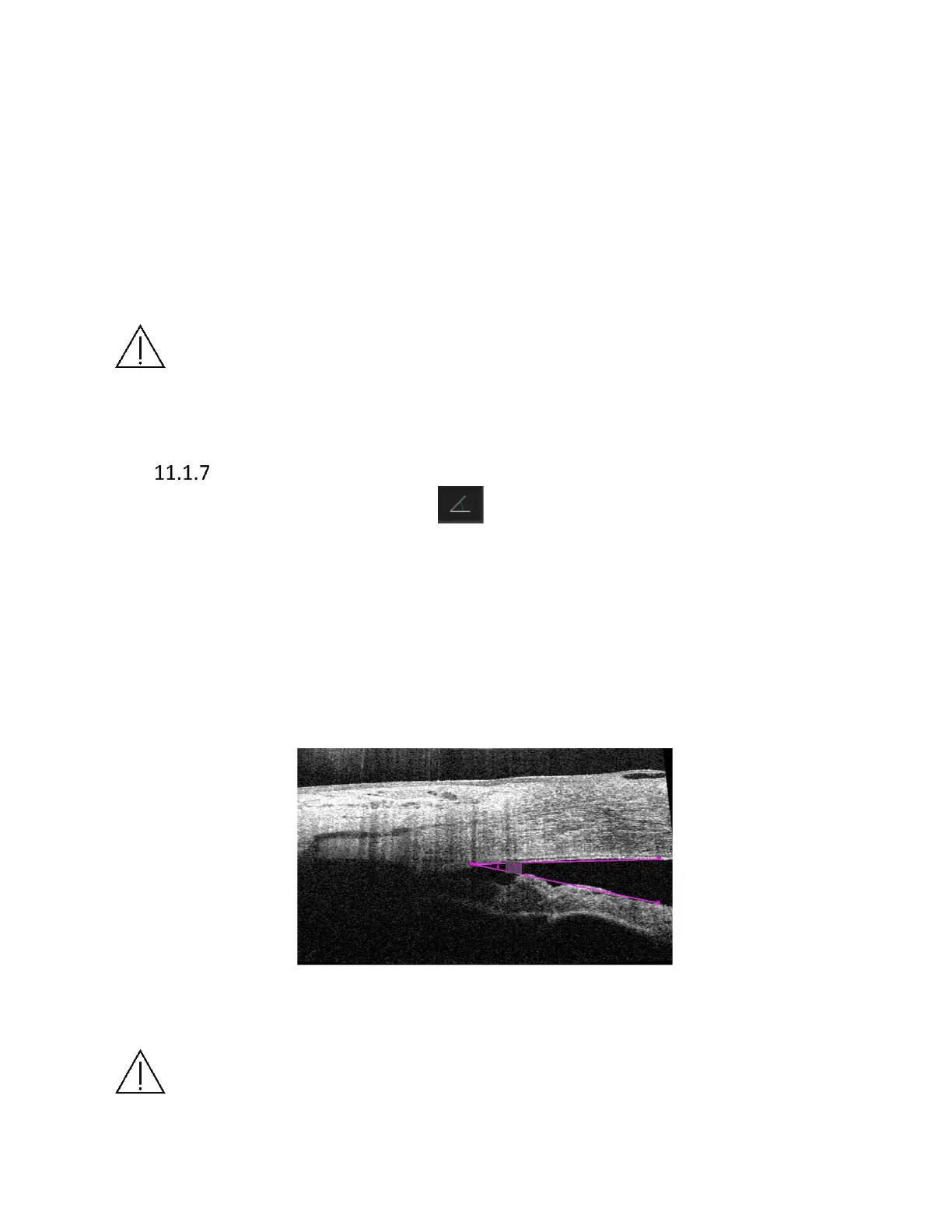
Angle measurement tool
This tool enables to measure an angle. Click ‘Angle measurement’ button, put mouse cursor
over the place where you want the apex of the angle and click left-mouse button. Now click in the
place where you want to set one of the arms, place cursor of the angle to the desired position and
click for the second time. Information about angle will be displayed between the angle sides.
Measurements are expressed in degrees. It is also possible to move the position of the angle and
its measurement, by dragging and dropping its apex and the 2 points of measurement. The
measurement checkbox will affect also the angle visibility in the tomogram window, so select or
deselect this in order to show or hide the angle measurement.
NOTE: Only when border air-anterior surface is correct Angle measurement is accurate.
Verify recognition correction before judging the Anterior Angle morphology.



 To Next Page