287 / 374
SOCT User Manual Version 10.0 rev. A
Figure 284. Manual examination process
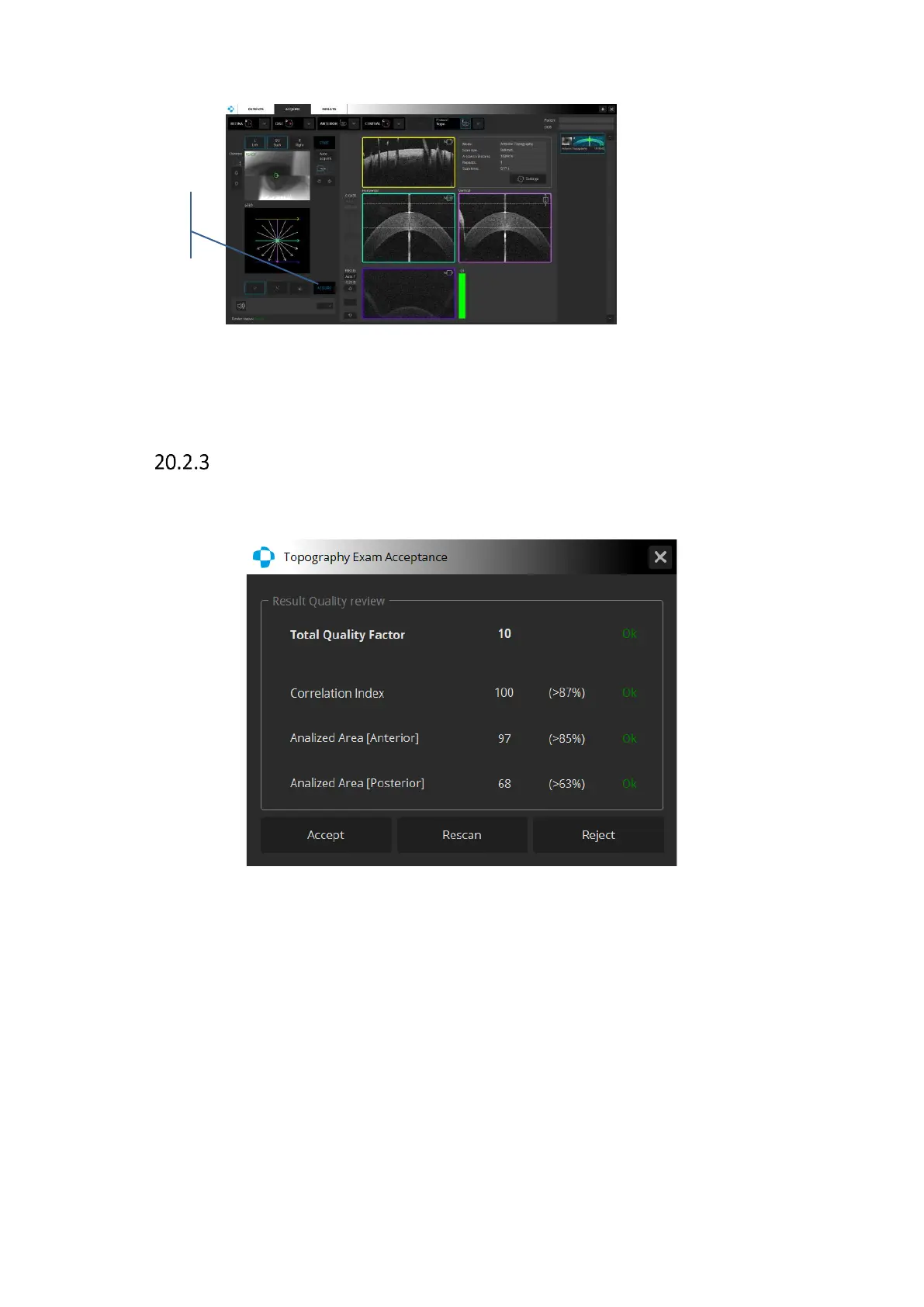
6. After the examination is over the system will display an acceptance screen.
Acceptance screen
After capturing a topography examination the system checks if all measurement parameters
are on an acceptable level. If any of them is not, the system displays an Acceptance window.
Figure 285. Topography Exam Acceptance window
[Rescan] – the examination is saved with the NG information. The system is ready to repeat
the examination.
[Accept] - the examination is saved.
[Reject] - the examination is rejected and the system returns to the acquire window.
If [Rescan] is selected, pressing the right mouse button on the tomogram in the acquire
window initiates automatic alignment of tomograms along the X and Y axis. The Z axis remains
the same. If Auto Acquire check is selected the system automatically acquires a scan.



 To Next Page