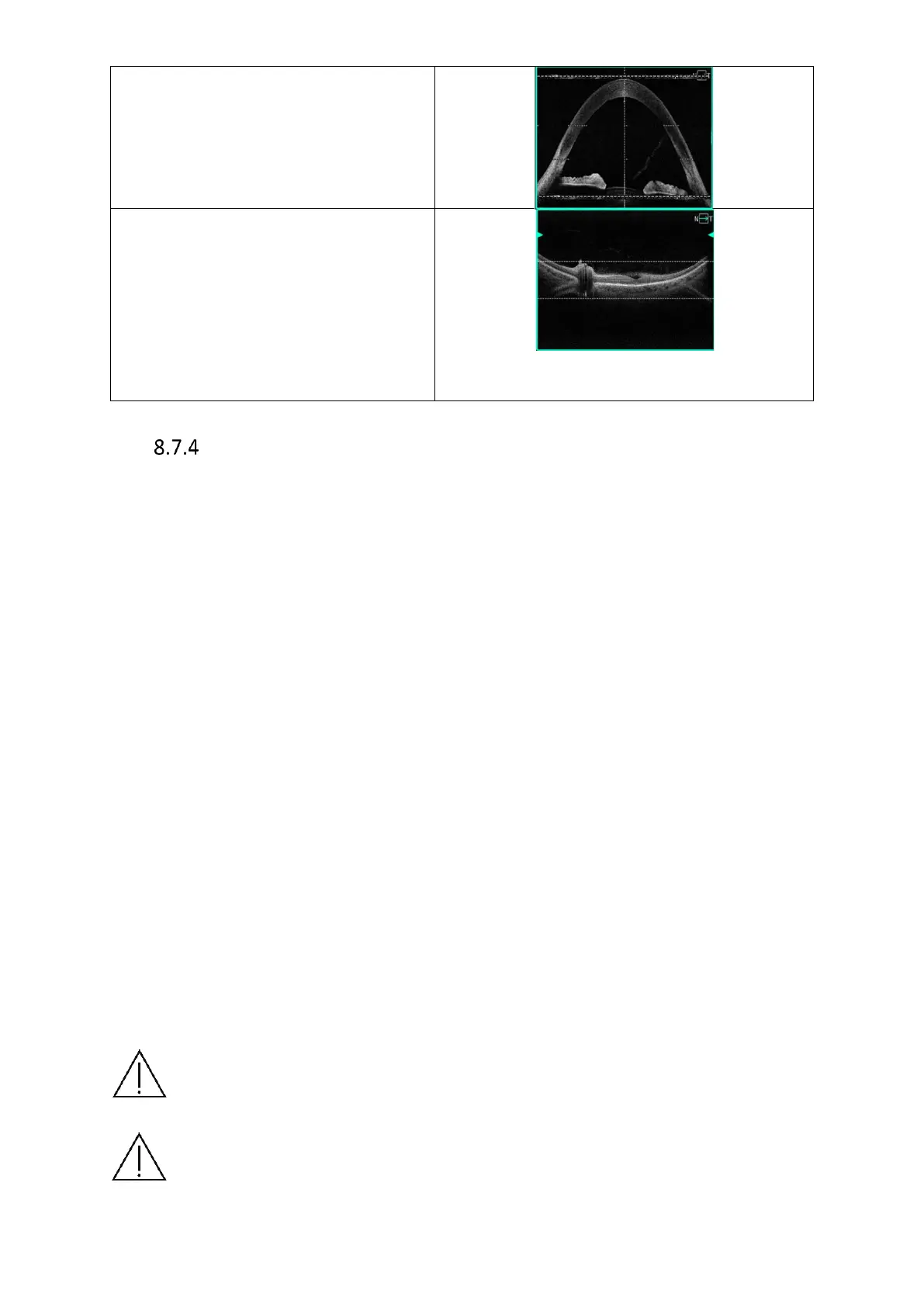
Full Range Posterior, for the best image
quality align the retina between the two
dashed horizontal lines indicating the
area with the highest scanning
sensitivity. If, however, the user wants to
broaden the visualization range above or
below the retina, the image can be
aligned below or above the dashed lines.
Tips to Successfully Scan Difficult Patients
Problem: A patient with poor sight has difficulty following the fixation, causing the scan to
be invalid.
Possible solution: Utilize the large fixation or external fixation (see chapter 8.4) as an aid in
keeping the scanned eye in the scanning area. If the eye moves outside of the scanning area,
stop the scan and help the patient relax and focus on the fixation. Re-scan the patient.
Patients with large refraction error may be challenging for the automated processes to find
the retina.
In this case, the refraction error has to be compensated manually with C-Gate scrolling until
the retinal structure is recognized. If the issue still persists, verify pupil position and adjust if
necessary. Utilize the large fixation target. It is important to enter patient refraction error to
each patient so that the system can automatically adjust C-Gate in further scans.
Stressed, nervous or scared patients are likely to have excessive upward-downward
movements in the scan window causing poor scans.
Patient movement will not necessarily affect scan sequence, but will always affect the quality
(observe QI index bar). Action is required if such movements occur. Try asking the patient to
minimize movement during scan.
Also, try moving the device head slightly towards or away from the patient to stabilize the scan
window.
Lastly, the stability of the table can be utilized. If possible, position the table low enough so
that the patient can rest their head firmly in the headrest and ask them to wrap their arms
around the base of the device. This will place the patient in a firm and locked position and
minimize movements.
Note: If after scanning the patient begins to drift, remind them to continue being in
this same position in case a repeat would be necessary.
NOTE: Patients are usually nervous and stressed during an examination. Therefore,
it is advisable to be informative about the progress of the examination to minimize
movement.



 To Next Page