340 / 374
SOCT User Manual Version 10.0 rev. A
MWL settings
The module communicates with the Modality Work List whose ID (AE Title) and TCP/IP address
can be configured in MWL screen settings.
The Modality Work List client module collects demographic data of patients registered for tests
from an external Modality Work List. Orders are created from the patient data which, together
with orders from other data exchange systems, are added to the Work Manager list.
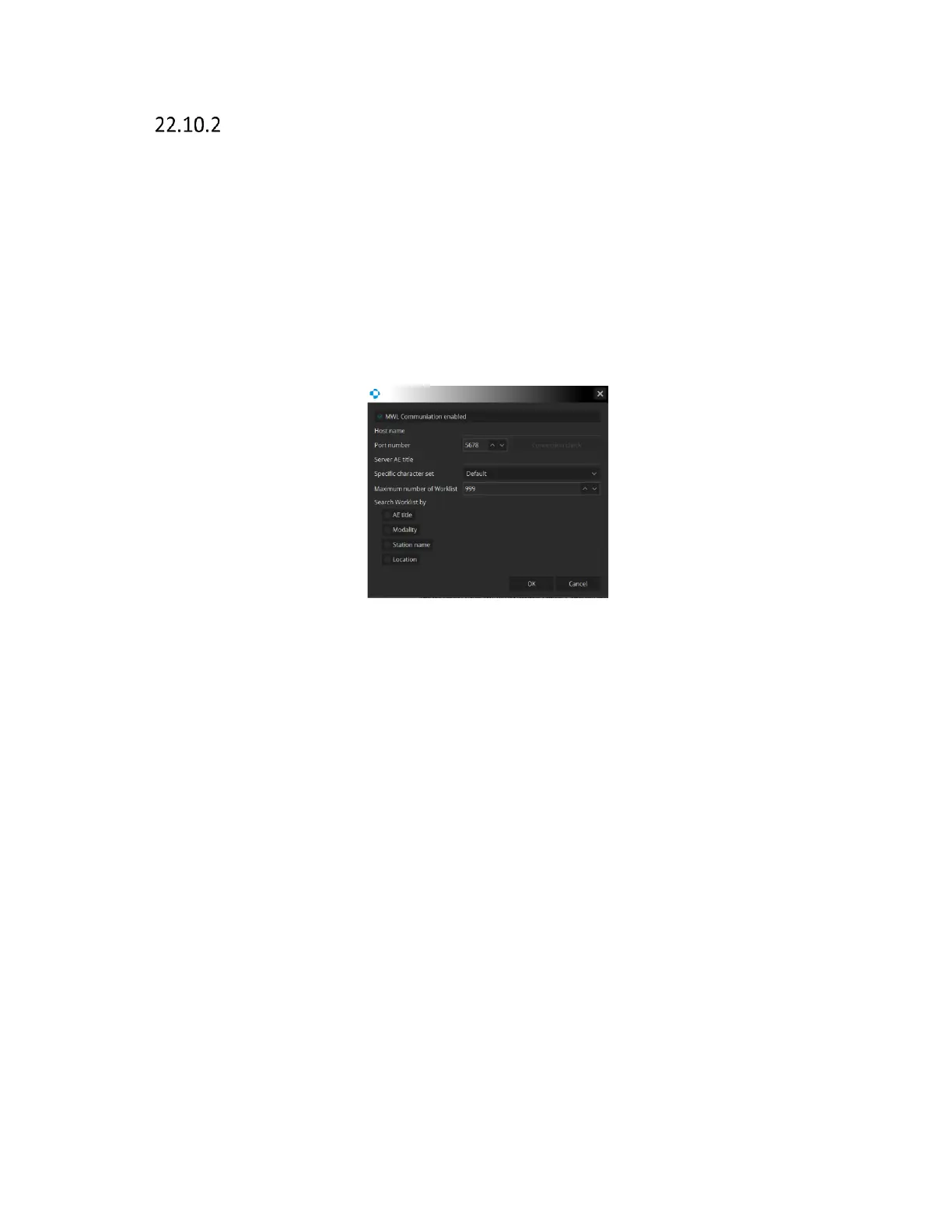
When the MWL settings is selected a new window will appear.
Figure 333. MWL Interface Settings.
MWL Communication enable Activate Work list. When selected the application will monitor the
work list on the configured host on a continuous basis. Order records are created from the
identified patient data, and are added to the Work Manager list.
Host Name Enter the Host name
Port Number Enter the port number.
Server AE Title Enter the server AE title. Be sure to input the value.
Specific Character Set Select the specific character set.
Maximum number of worklist Maximum length of worklist.
Search Worklist by Retrieve the records from the Worklist sort by AE Title,
Modality, Station name, Location.
[Connection check] Check the connection with DICOM server. . After you check
the communication and compatibility of the settings, you will



 To Next Page