63 / 374
SOCT User Manual Version 10.0 rev. A
OCT Angiography programs with Fundus Photo available with ANGIO module:
* Programs available only for the REVO FC (OCT with Fundus Camera).
Selection of protocol
The Protocol function enables operators to use a set of predefined scanning programs to
capture tomograms according to certain diseases and the anatomy being examined. After
acquisition of a tomogram, the system automatically loads the next scanning program from
the selected protocol. Check the contents full of the protocol beforehand and select one that
is appropriate for tomogram captured.
On opening the Acquire tab the Retina 3D scan pattern is selected by default. You may change
to load the protocol on opening the Acquire tab. It is possible to edit, add or remove protocols.
See more details in chapter 22.5.2.1 Protocol tab.
User can select the desired protocol from protocol panel by clicking mouse cursor on the
[Protocol] and selecting the required protocol from the list box.
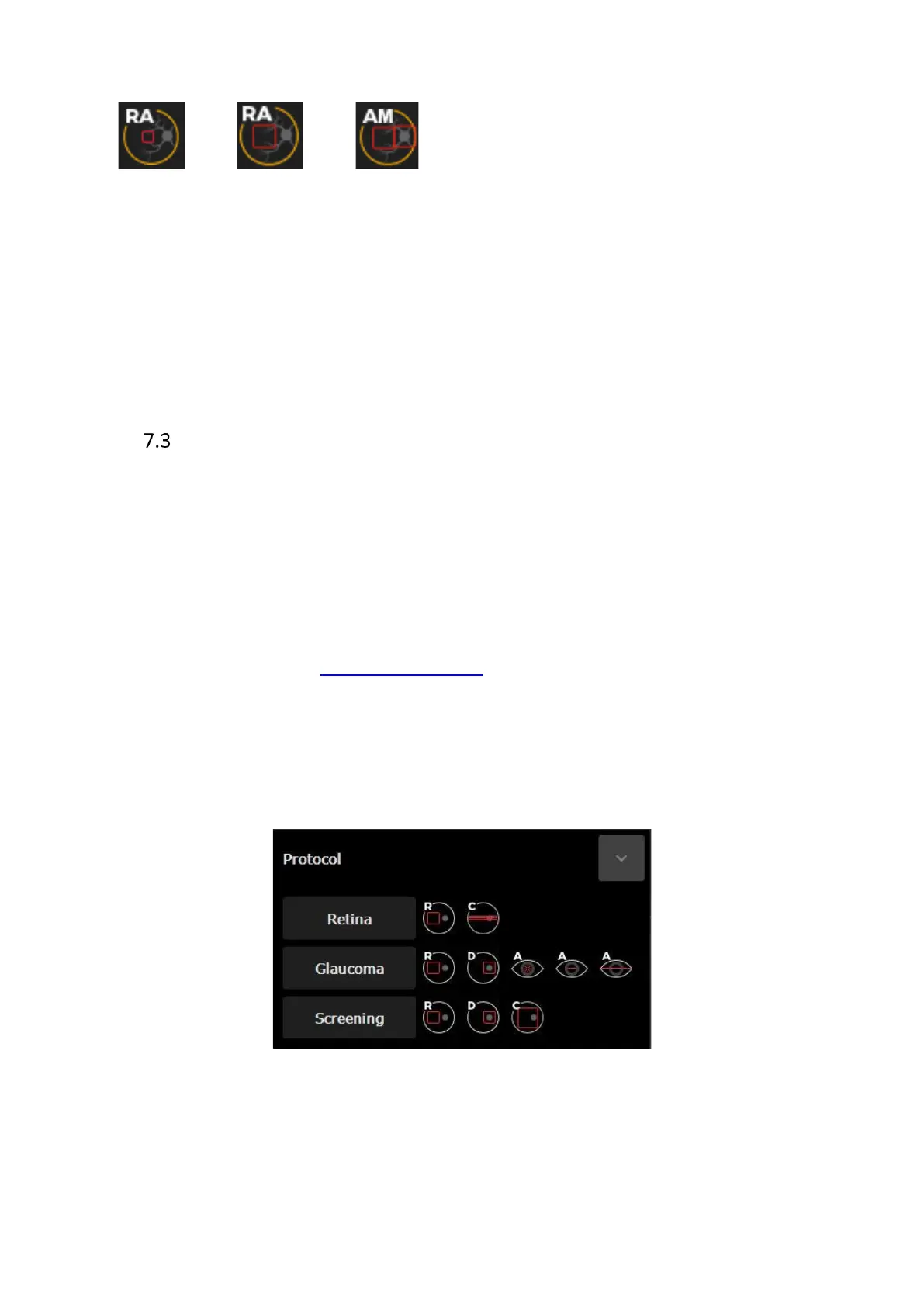
Three protocols sets are registered in the SOCT by default. Types of proposed Protocols:
Figure 16. Protocol selection tab.
[Retina] This program set captures tomograms by doing a 3D scan of the macula and
Raster of central region of retina. Scan programs: [Macula 3D] and [Central
Raster]



 To Next Page