97 / 374
SOCT User Manual Version 10.0 rev. A
Examination tips
NOTE: Patients are usually nervous and stressed during an examination. Therefore,
it is advisable to be informative about the progress of the examination to minimize
unexpected movement.
Tips for Automatic Eye Alignment
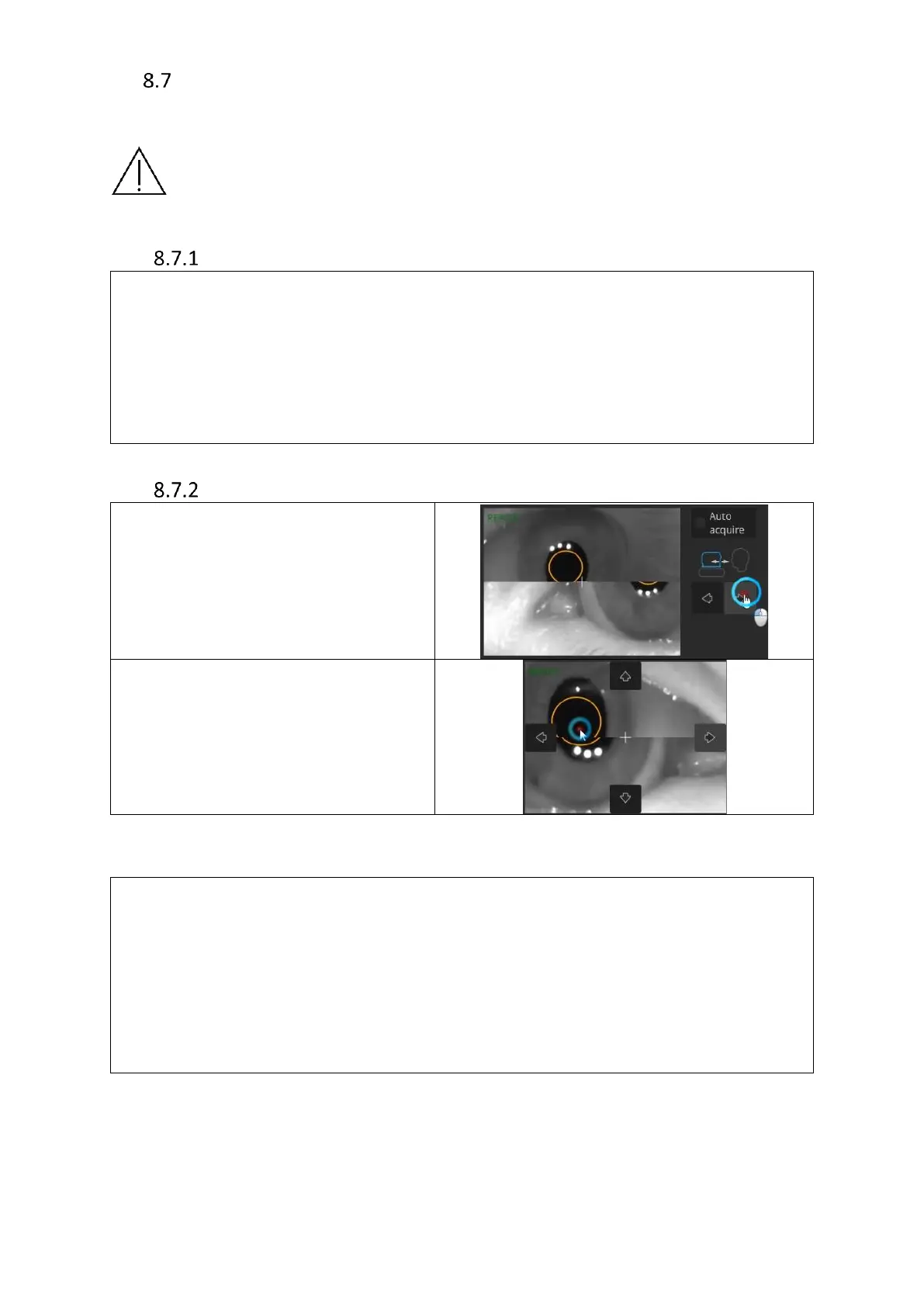
Tips for Manual Eye Alignment
To align the pupil position, move the
device forward using the back/forth
controls until both halved images (top
and bottom) combine.
Correctly aligned pupil will have a white
cross in the middle.
If the white cross is not in the middle,
click it into place after both halved
images combine.
The white cross has to be placed in the
middle of the pupil.
Tips in case of the [START] button being inactive:
▪ verify pupil recognition;
▪ check for obstructions such as eyelids or eyelashes;
▪ verify chinrest height;
▪ verify head position;
▪ If necessary, adjust device position using Up/Down and Left/Right controls available
when hovering over live eye preview. Red arrows indicate incorrect patient position.
In case of issues with C-Gate:
▪ check if the pupil is centered;
▪ verify whether the patient has a large refraction (if so, make a note in patient profile);
▪ if the issue persists, check for eyelids or eyelashes obscuring the scan area;
▪ verify whether focus is set correctly;
▪ if issue remains unresolved, verify whether the patient’s forehead is still fully against
the frame and set correctly;
▪ manually scroll C-Gate;



 To Next Page