237 / 374
SOCT User Manual Version 10.0 rev. A
VFA tool
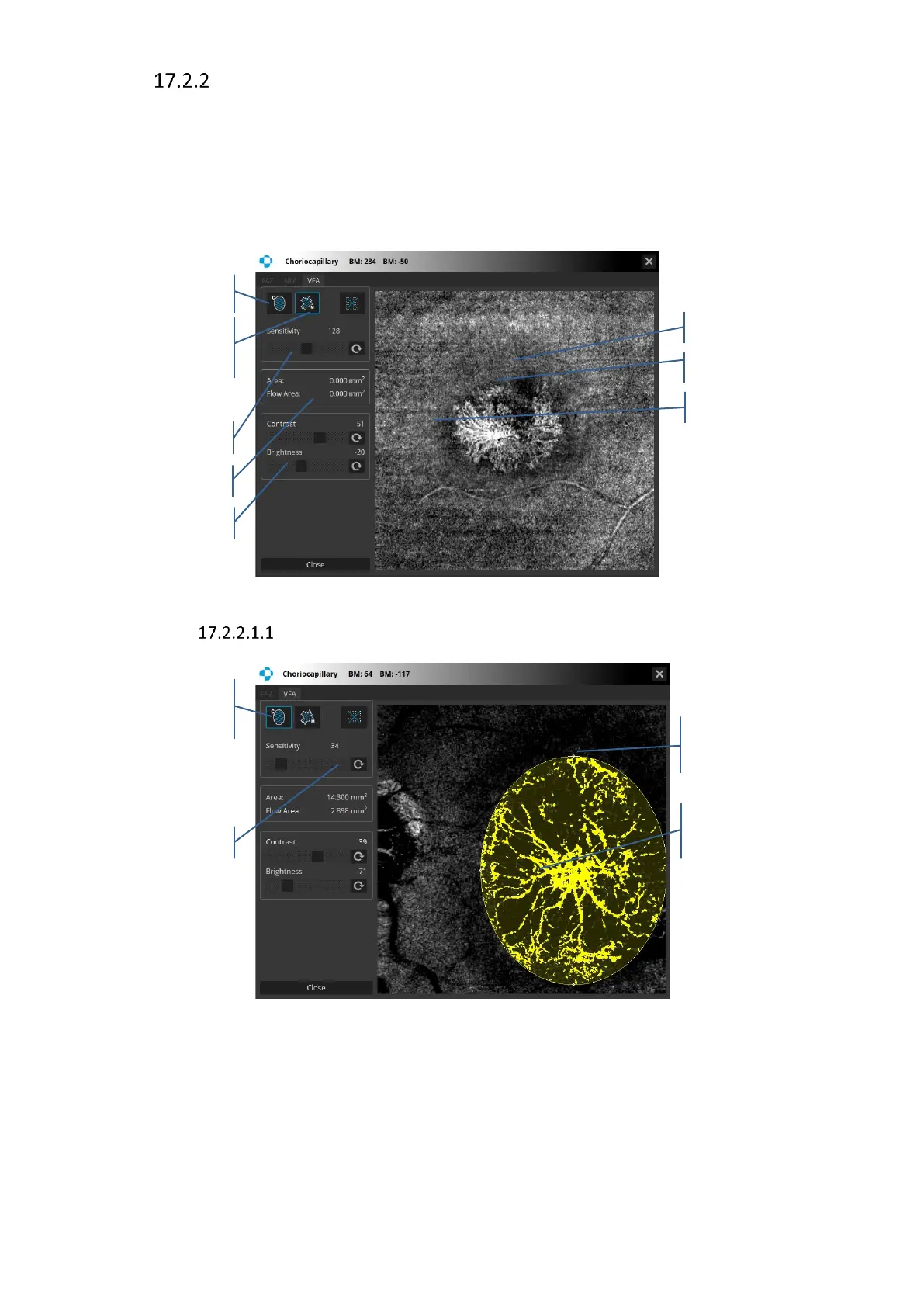
Vascular Flow Area measurement is based on Angio scans detecting the white vessels which
usually run in the pre-defined layers. To use VFA (Vascular Flow Area tool) double click on the
Angiogram object. This tool is available only for outer retina and Choricapillary, Vitreous and
Choroid layers and allows to measure the area and the area of vasculature inside the selected
area. The flow detection can be performed either by using the circle tool or the manual pointer.
In the selected space the area and the flow area parameters will be provided [mm
2
].
Figure 237. Vascular Flow Area tool
VFA tool – Circle Area Tool
Figure 238. Vascular Flow Area tool – Circle Area Tool
Circle Area Tool. To draw an oval selection simply click at the point where you want to position
the middle of the selection, then hold your mouse button down and move it in the desired
direction until the object or area is surrounded by the selection outline. Release your mouse
button to complete the selection. You may correct the selection by grabbing the oval and



 To Next Page