236 / 374
SOCT User Manual Version 10.0 rev. A
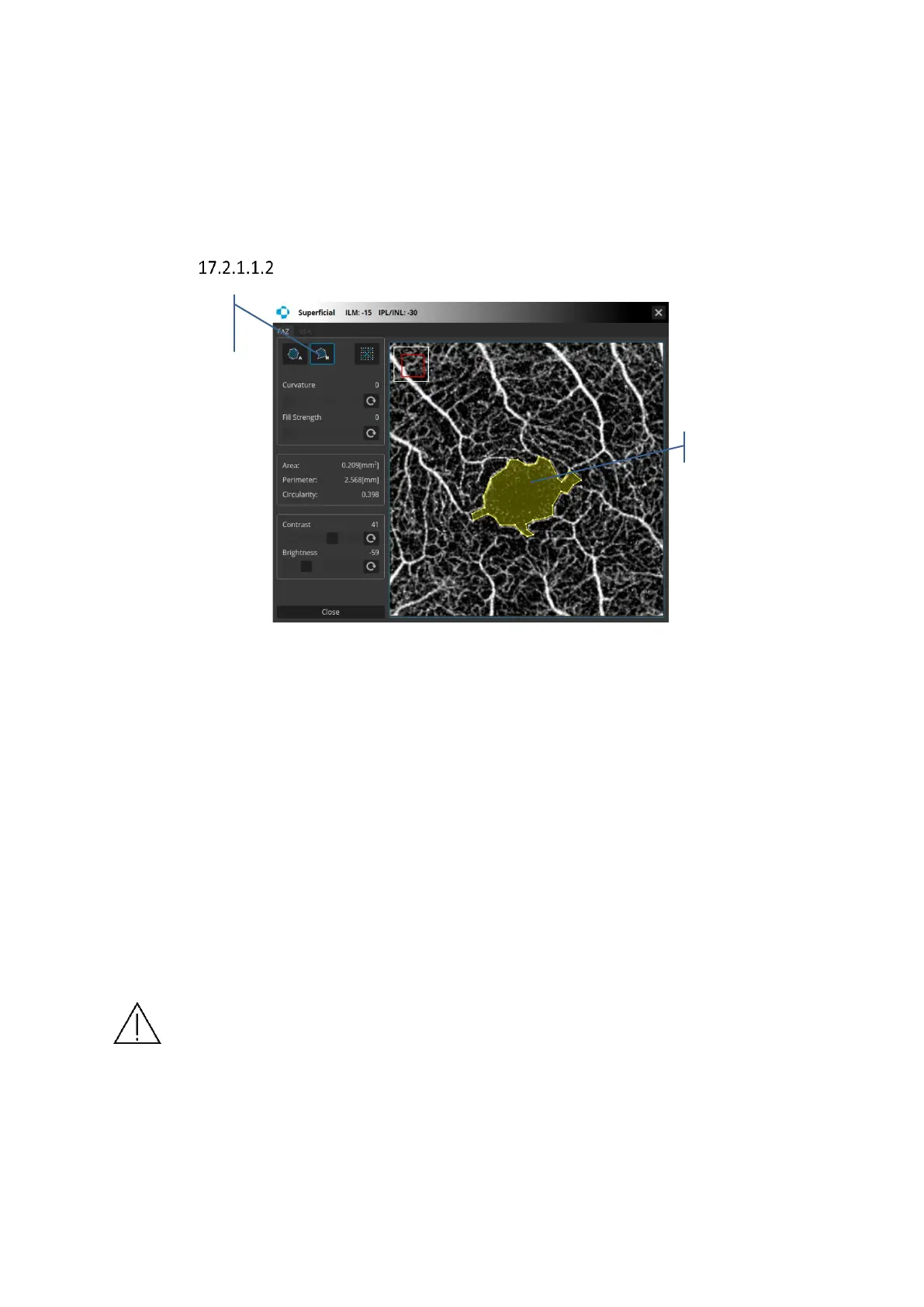
Figure 235. Foveal Avascular Zone tool – Semi Auto
Curvature and strength sliders allow to manually adjust the automatic FAZ area detection. For
best results it is recommended to click on the measured area and set the value of the strength
slider to 0. Then adjust the curvature value to get the best shape of the measured area. Adjust
the strength sliders for the best coverage of the measured are.
Brightness and contrast adjustment – two sliders for brightness and contrast adjustment.
Foveal Avascular Zone – Manual
Figure 236. Foveal Avascular Zone tool – Manual
FAZ – Manual – Click where you want the first node and click again where you want to put the
next one to begin. Continue clicking to create further nodes. CTRL + z keys combination
removes the last seed.
Close the selection border by doing either of the following:
Position the pointer over the starting point and click. The mouse pointer changes to a hand
icon when you are over the starting point.
If the pointer is not over the starting point click the right mouse button.
After closing to polygon, the user can correct the position of each node by grabbing and
moving it. You may also grab and move the polygon. Over the node the mouse pointer changes
to a hand icon. The area inside the polygon has a yellow mask.
NOTE: The final measurement depends on the brightness, contrast and sensitivity
adjustments. The user is responsible for the right adjustment of the brightness,
contrast and sensitivity to highlight only the proper structure of the changes.
OPTOPOL Technology Sp. z o.o. cannot be held responsible for misdiagnosis of
results.



 To Next Page