252 / 374
SOCT User Manual Version 10.0 rev. A
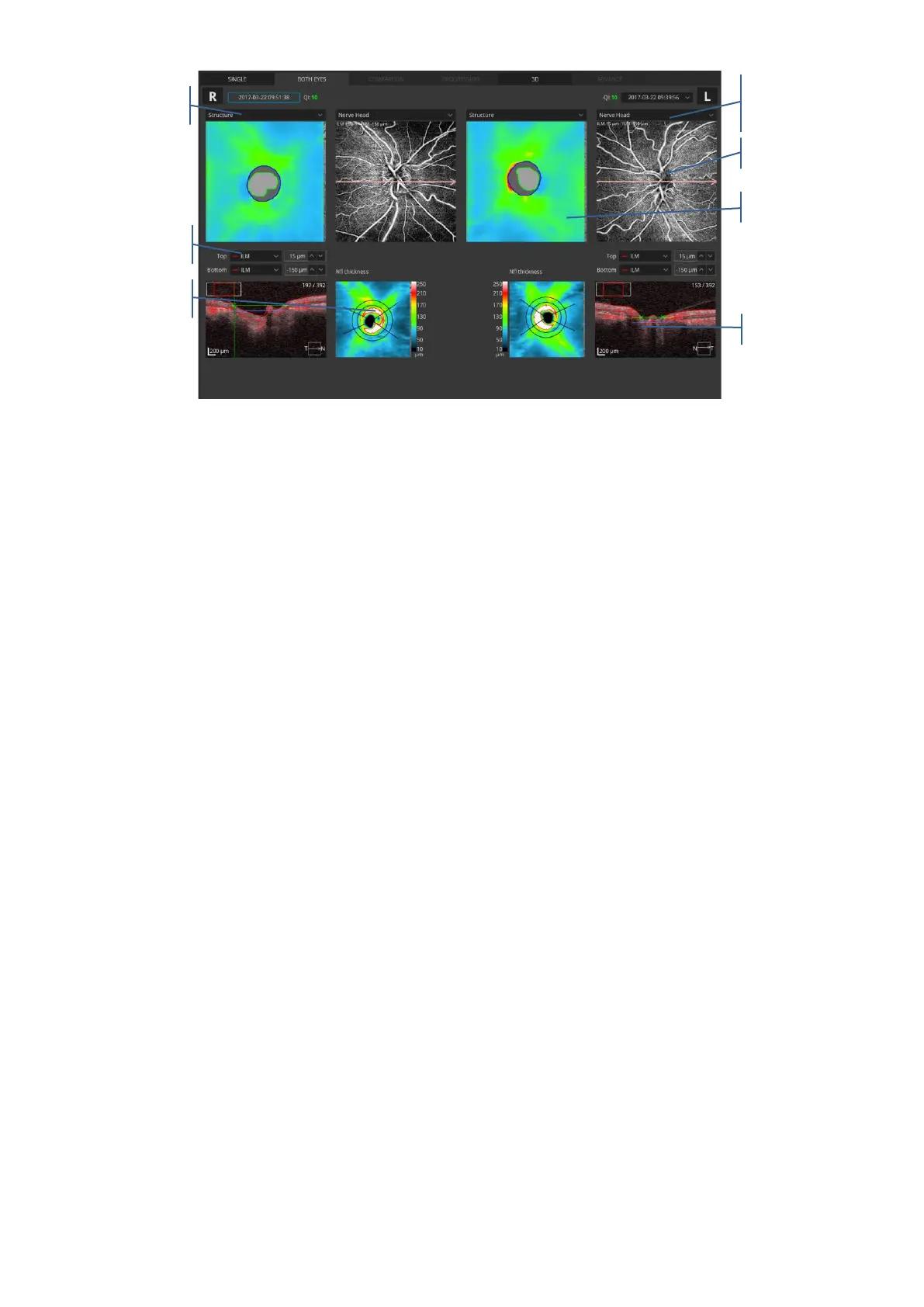
Figure 253. Both Discs Angio view
Enface window: to display an object, select it from the enface drop down menu.
- Enface- displays an enface image generated between the boundaries from the active
angiogram window.
- Structure - shows a color-coded thickness map of the retina. Sector dimension on the
map is 1/3 mm in diameter.
- pSLO - shows the location of the Angio scan on the pSLO image of the retina.
In the angiogram window the user can select one of the predefined vasculature layers which
are based on the position of the recognized retina layer. The vascular layer can be selected
from the drop list box.
- Nerve Head
- Superficial
- Vitreous
- RPC
- Deep
- Outer
- Choroid
- Depth Coded
- Custom view
Tomogram window shows the selected tomogram overlaid with the boundaries of layers from
the active angiogram window. On the tomogram, a semitransparent, red decorrelation mask
is overlaid. It is possible to change the position of the desired layer. You can type in the offset
over the tomogram window or grab and move it to the selected layer. Offset is expressed in



 To Next Page