265 / 374
SOCT User Manual Version 10.0 rev. A
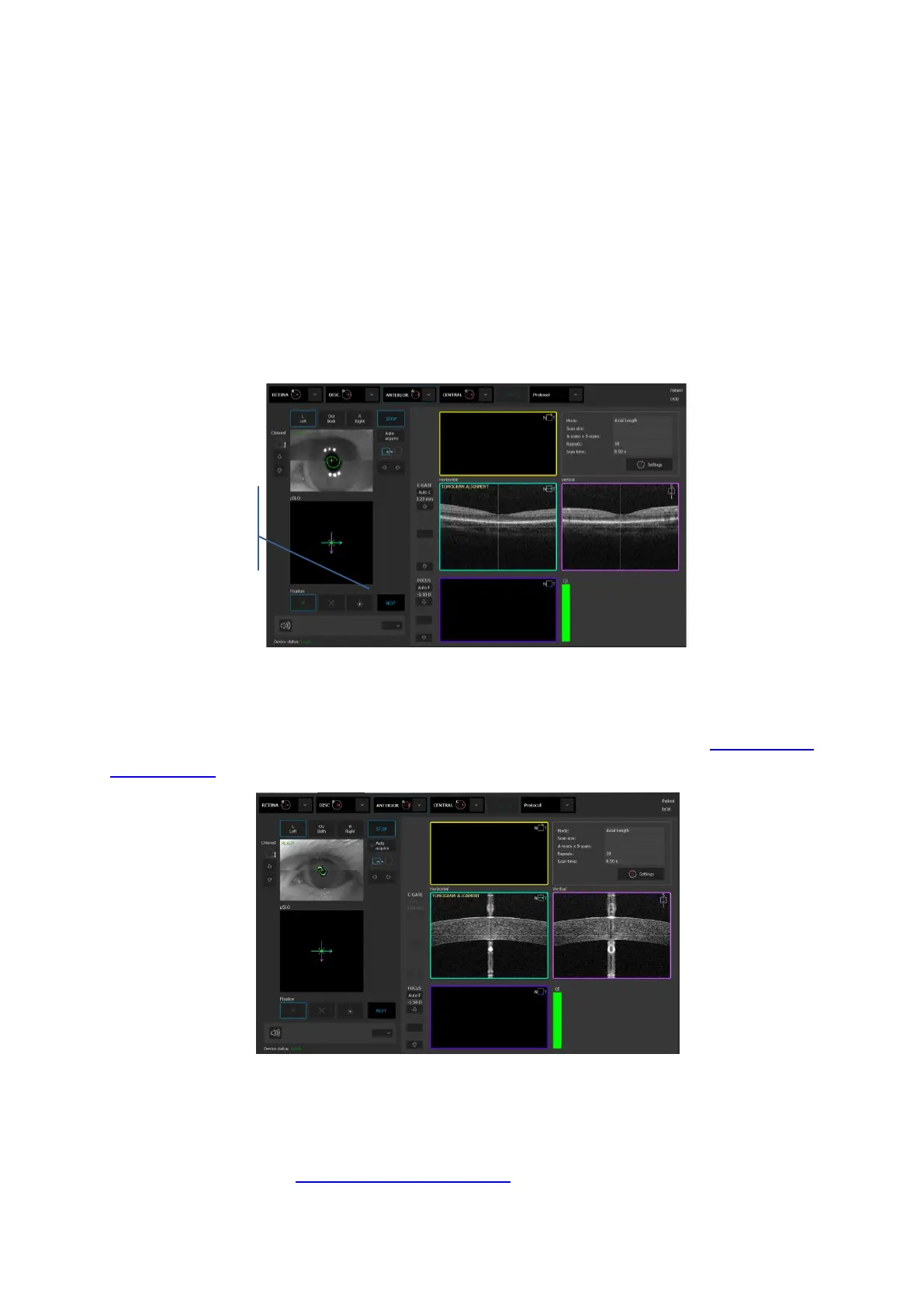
2. Retina OCT signal should appear in tomogram preview. If not adjust C Gate manually by
moving the sliding bar or scroll over the tomogram window. If you cannot find adjust the
patient refraction value and try to find the signal one more time.
3. Some refracting correction may be needed to obtain the best quality of tomogram.
Observe the QI bar in order to obtain the best signal while changing [FOCUS] bar position.
4. Verify position of the retina which should be placed on the one dashed horizontal line. If
possible, the center of the foveola should be set on the vertical dashed line.
5. Once the retina position is aligned press NEXT button.
NOTE: In dense cataract patient we can achieve only weak signal of retina. It will be enough
Figure 263. Manual examination process.
6. System will move to align the cornea signal. Operator can press [Start] button for automatic
cornea alignment or align and optimize cornea manually as explained in chapter 8.3.6 Anterior
measurement. Once cornea OCT image is optimized press the NEXT button.
Figure 264. Proper position of the cornea.
6. System will move to align the intraocular lens or IOL if selected. Operator can press [Start]
button for automatic lens alignment or align and optimize lens position manually as
explained in chapter 8.3.6 Anterior measurement.



 To Next Page