356 / 374
SOCT User Manual Version 10.0 rev. A
29 TROUBLESHOOTING
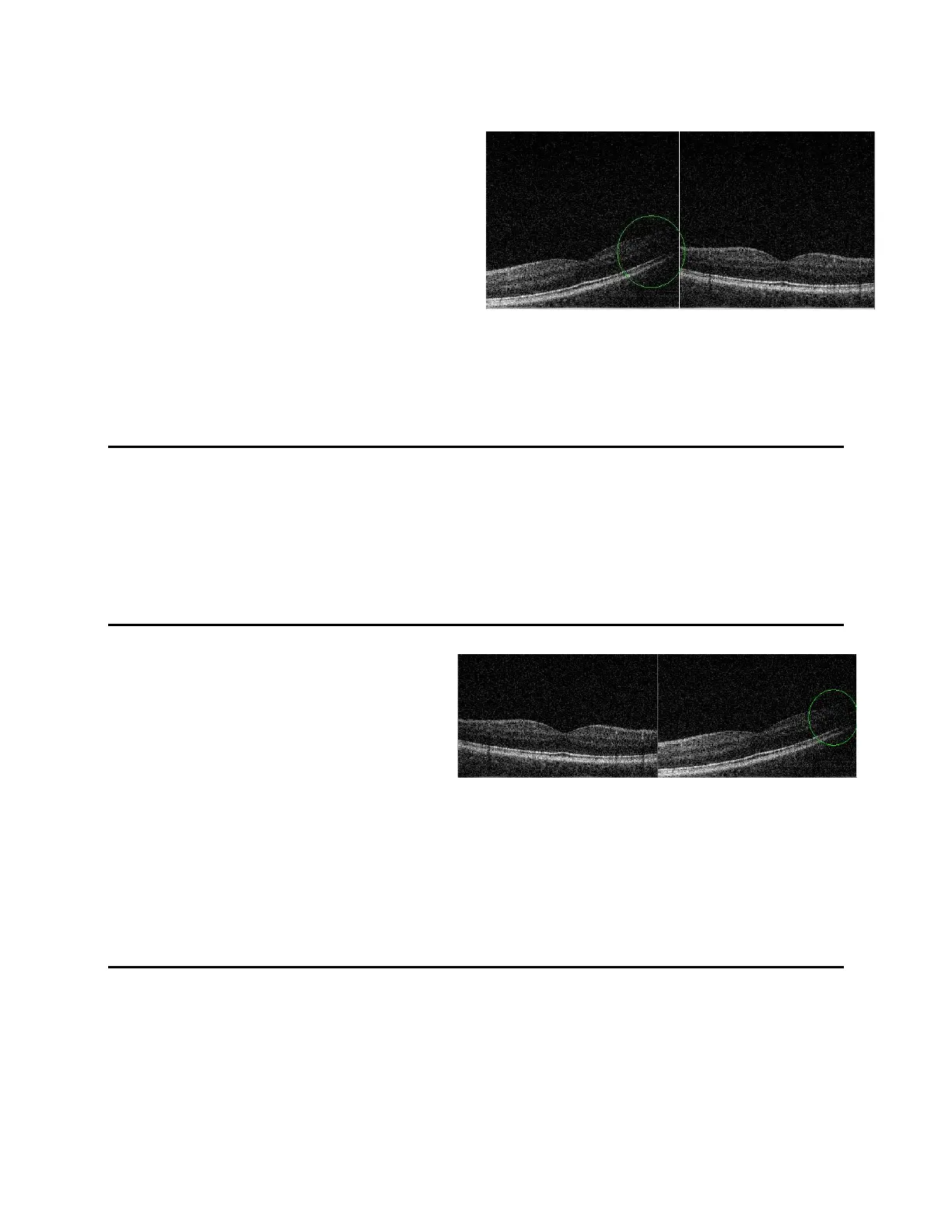
Q1: The tomogram images have good quality,
but there is a shadow at horizontal
tomogram image (left image) on the left
or right edge and the image is diagonal.
A1: The scanning beam is not centered on
the pupil in the horizontal direction. This effect is observed mostly for very small pupils
and wide scanning ranges. Grab and move the tomogram to left or right to obtain the best
image quality.
Q2: The tomogram images have good quality, but the horizontal retina cross section image is
diagonal.
A2: See A1
Q3: The tomogram images have good
quality, but there is shadow at
vertical tomogram image (right
image) on the left or right edge and
image is diagonal.
A3: The scanning beam is not centered on the pupil in the vertical direction. This effect is
observed mostly for very small pupils and wide scanning ranges. Grab and move slightly
tomogram (in this case in right direction) on Vertical window right to obtain equal image
saturation.
Q4: The tomogram images have good quality, but the vertical tomogram image (right image) is
diagonal.
A4: See A3



 To Next Page