48 / 374
SOCT User Manual Version 10.0 rev. A
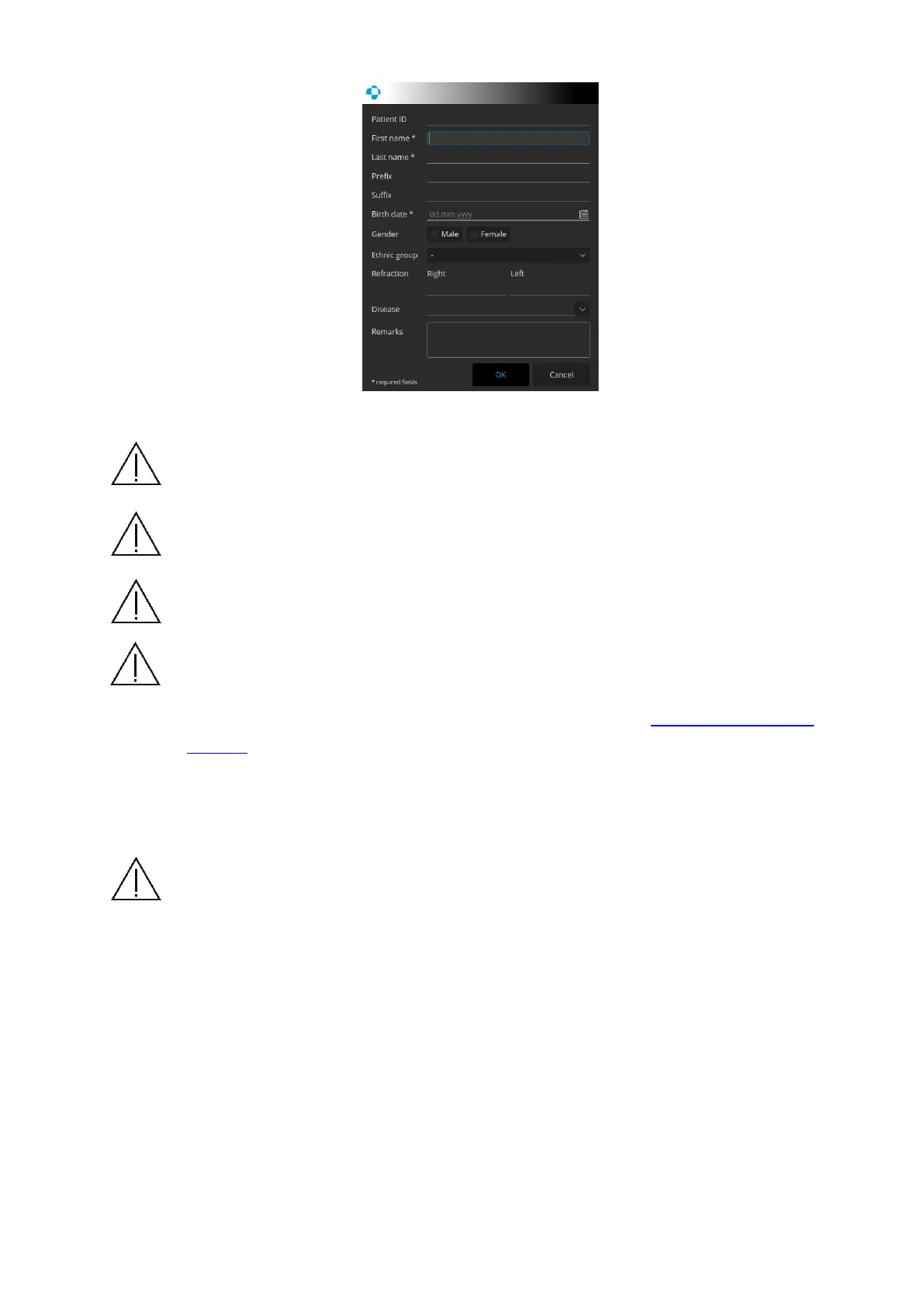
Figure 11. Patient edit screen
NOTE: Fields “Last name”, “First name” and “Date of birth” are obligatory and must
be properly filled in. Other fields are optional and can be left empty.
NOTE: For patients with refractive error bigger than -/+ 5D it is recommended to
fill in refraction during adding patients to the system.
NOTE: Filling refraction fields transfers information into correction of focus in
measurement mode.
NOTE: Disease field can use a user predefined dictionary of diseases as set up. The
user can also set the obligatory fields in the Patient registering window to meet the
regional regulations. For more information go to chapter 22.5.8 Input settings
window.
When all the data are entered, click [Enter] to confirm registration. The system will check if the
data are correct. If not, it will ask for correction.
NOTE: Make sure you entered correct patient name and date of birth. It prevents
you from data loss and helps to avoid empty records in the patients list.
If system detects that the patient entered is already registered in the database, a warning
message will appear.
[Patient with same Name, Last Name, DOB and unspecified or different Ref No.
is already registered. Do you want to [Edit details] or [Cancel].
If the system detects that the name of currently entered patient is already in the database but
the Reference number is different, a warning message will be displayed.
[Patient with same Name, Last Name, DOB with different Ref No. is already
registered. Do you want to register a new one? [Yes], [Cancel]



 To Next Page