Because RFL™ and Hubbell® have a policy of continuous product improvement, we reserve the right to change designs and specifications without notice.
4.4 USING THE CM4, GROUP AND SET/NEXT SWITCHES
Use the GROUP and SET/NEXT switches to view and, when applicable, to set various CM4 functions.
CM4 functions include the following:
1. Setup options, such as SF and ESF (frame formats).
2. Current status conditions, such as RxY1 (yellow alarm).
3. Informational items, such as CM4 firmware revision.
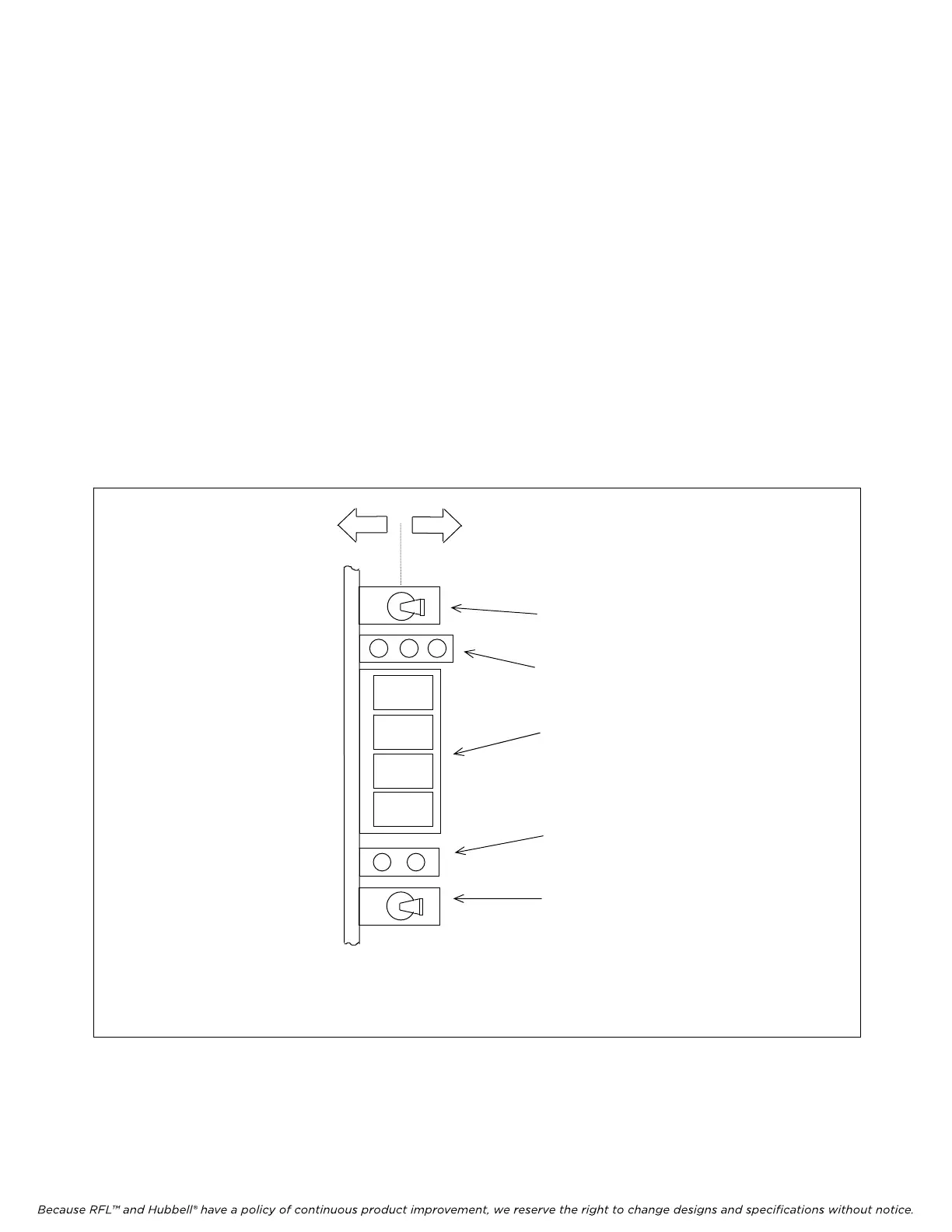
CM4 functions are organized into groups. As shown in Figure 4-2, the GROUP switch selects a
particular group of functions. The SET/NEXT switch lets you view and set functions within the
currently selected group. The four-character alphanumeric function display shows both group and
function names. Tables 2-16 and 2-17 list all CM4 functions, organized by group. Detailed
explanations of CM4 functions appear in the paragraphs that follow.
UP *
DOWN *
GROUP SWITCH
FUNCTION DISPLAY
ON/OFF (BI-LEVEL) LED
SET/NEXT SWITCH
CM4 MODULE
Press up or down to
select a particular
group of functions
Activity Indicator
Displays group and
function names
Indicates status of the
currently displayed function
Press up twice to set
the displayed function,
or
Press down to move to
next function *
Figure 4-2. CM4 switches and indicators used to display and set functions
*Note: This module is installed vertically in the multiplexer. Therefore, “up” means to the right, or
away from the circuit board, and "down" means to the left, or towards the circuit board.
M-DACS-T1 RFL Electronics Inc.
July 18, 2008 4-3 (973) 334-3100



 To Next Page