Because RFL™ and Hubbell® have a policy of continuous product improvement, we reserve the right to change designs and specifications without notice.
7.2.2 MOUNTING M-DACS SHELF
After unpacking, each IMUX 2000 M-DACS equipment must be securely mounted following the
instructions in the following paragraphs.
Each IMUX 2000 M-DACS Shelf is normally shipped pre-configured, with common and channel
modules already installed. Except for the power supplies, all modules and Module Adapters can remain
installed while the Shelf is bolted into its equipment rack.
Procedures are provided for mounting individual chassis, interconnected chassis installed in racks or
cabinets, and interconnected chassis mounted on shipping rails. Use the procedure that suits your
equipment. Ventilation requirements are also provided.
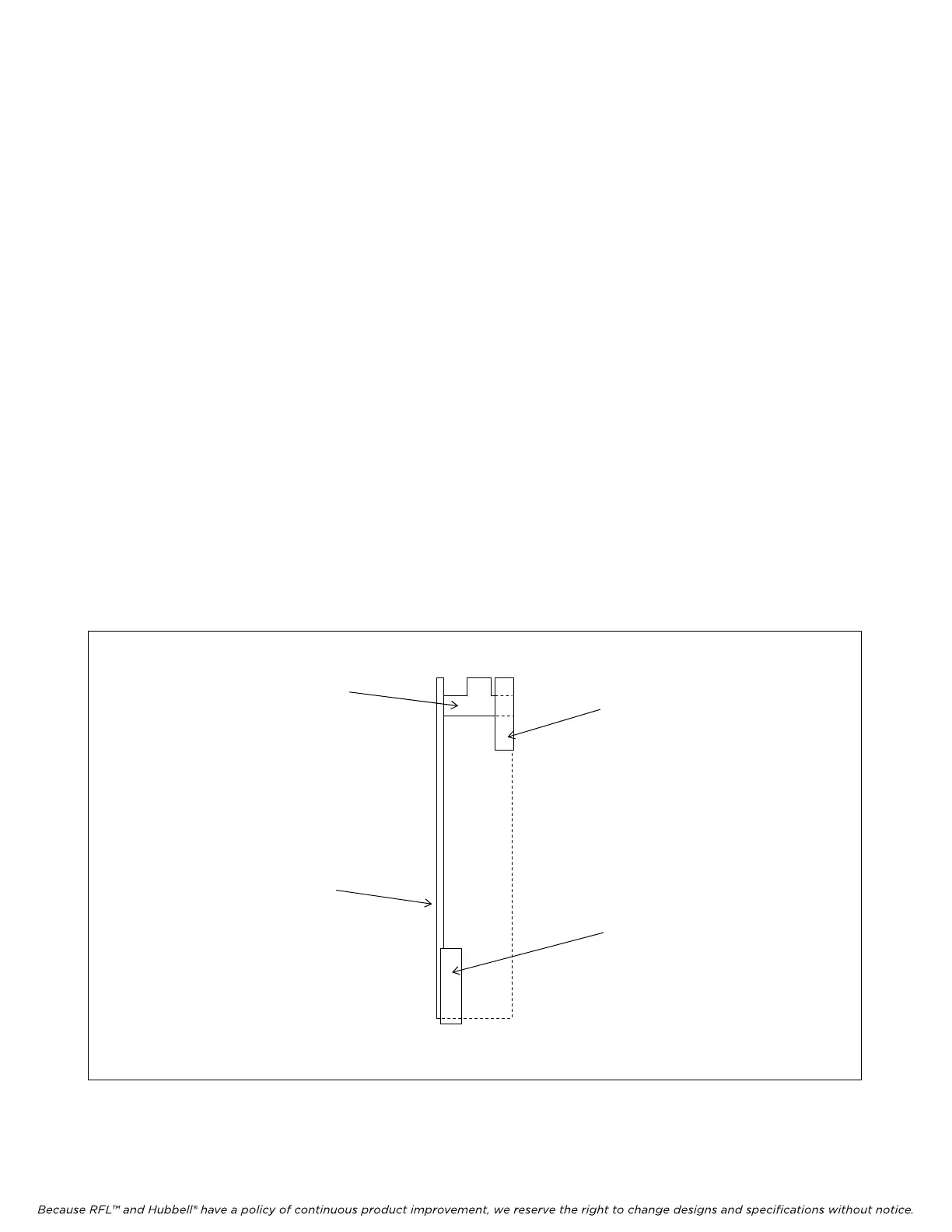
1. Refer to Figure 7-1 and remove all power supplies from the Shelf.
a. Open the front hinged cover and locate the power supplies on the left side of the chassis.
b. Lift the black locking lever to unlock the power supply heat sink.
c. Pull down on the white, module ejector lever and pull the power supply out of the chassis.
2. Make sure all remaining modules and Module Adapters are seated properly.
3. Bolt the Shelf into its 19-inch equipment rack.
ALUMINUM
HEAT SINK
POWER
SUPPLY
CIRCUIT
BOARD
BLACK
LOCKING
LEVER
WHITE MODULE
EJECTOR AND
HANDLE
Figure 7-1. Power supply removal and installation
M-DACS-T1 RFL Electronics Inc.
October 25, 2004 7-3 (973) 334-3100



 To Next Page