Because RFL™ and Hubbell® have a policy of continuous product improvement, we reserve the right to change designs and specifications without notice.
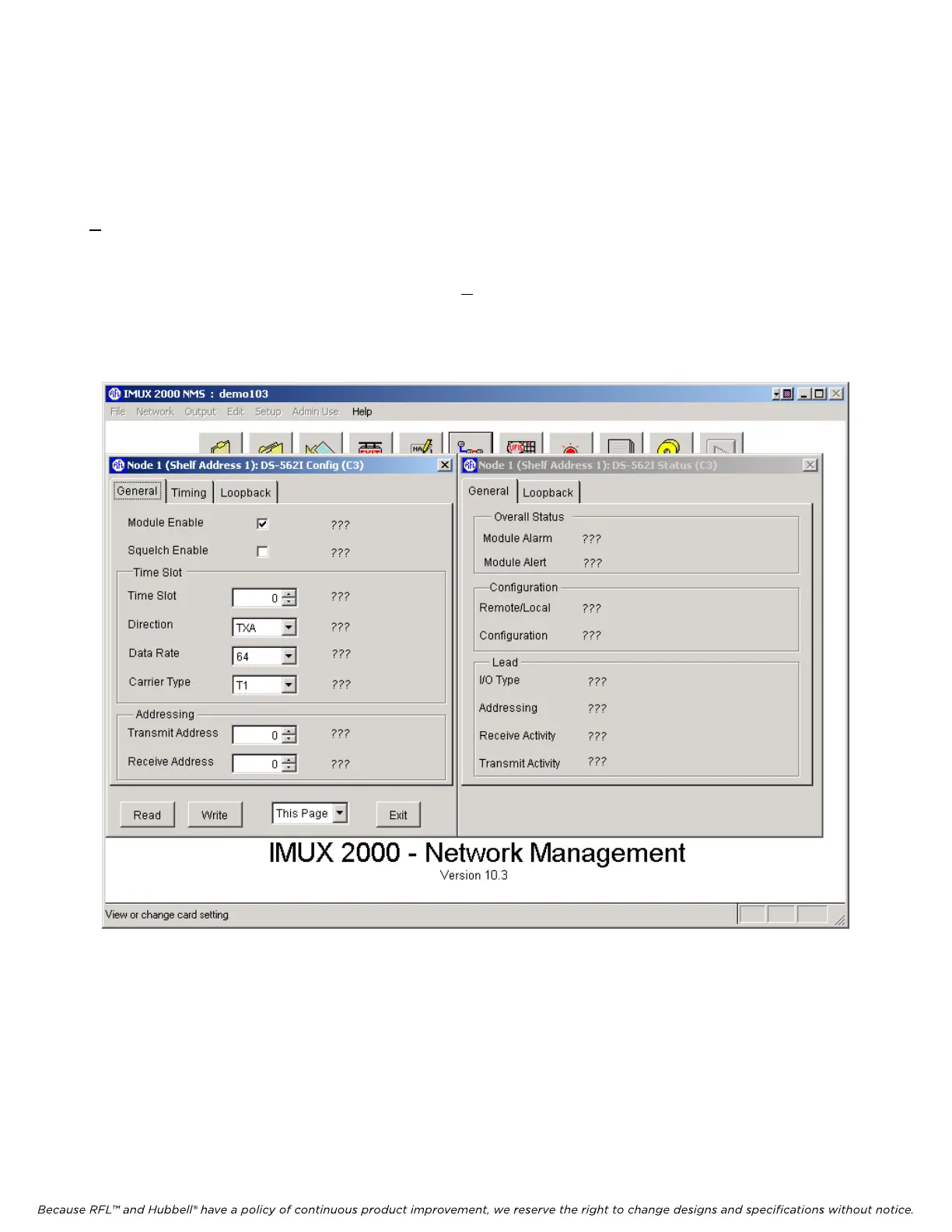
5.5.3.7.10 CONFIGURATION AND STATUS WINDOW FOR THE DS562I
The Configuration and Status window for the DS562I is shown in Figure 5-32. The user can change
parameters by making selections in the control boxes. The actual values appear immediately to the
right of the control boxes. When finished with either viewing or changing the DS562I settings, click on
Exit to return to the Display/Change Node window as shown in Figure 5-16. This completes the
configuration of all cards and modules for Node 1.
From the Display/Change Node window click on Exit. This will return you to the Network View
window shown in Figure 5-15. To complete this example, proceed to configure all cards, modules and
the DACS modules maps for Nodes 2, 3, 4 and 5. The list of modules and cards that must be
configured for each node are listed in Table 5-1.
Figure 5-32. Configuration and Status window for the DS562I
M-DACS-T1 RFL Electronics Inc.
February 28, 2006 5-49 (973) 334-3100



 To Next Page