Because RFL™ and Hubbell® have a policy of continuous product improvement, we reserve the right to change designs and specifications without notice.
5.5.3.7.6 DACS MODULE STATUS WINDOWS
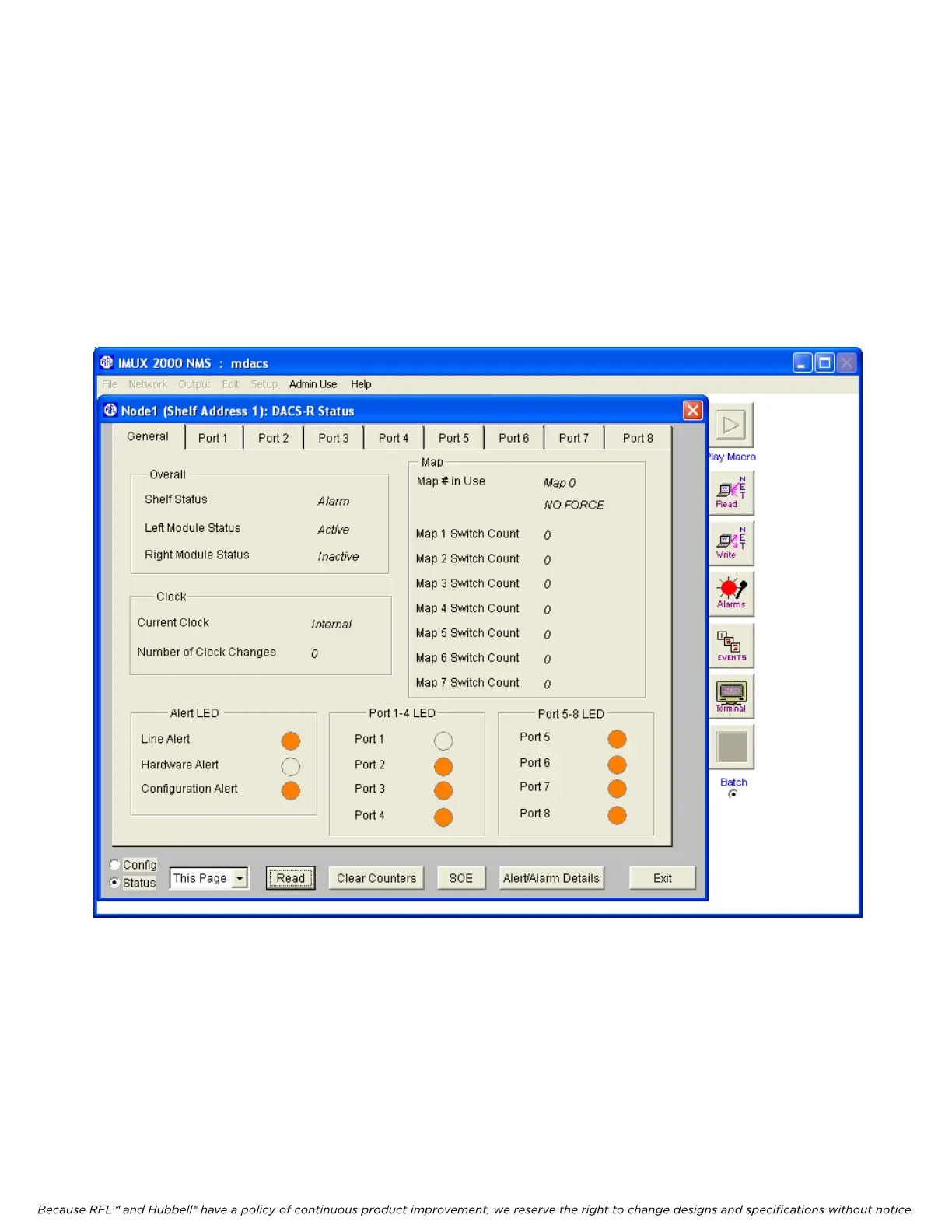
The DACS module Status Window is shown in figure 5-27. This is where the user can view general
status information for the DACS module. For more detailed information on the Alert/Alarm and Ports
(1-8) LEDs, click on the “Alert/Alarm Details” button which will bring you to the DACS-R
Alert/Alarm Details screen shown in figure 5-28. Table 5-2 provides a general description of those
LEDs.
Port 1 to Port 8 status tabs allow the user to monitor the received T1 signal for any errors.
Figure 5-27. DACS Module Status window
M-DACS-T1 RFL Electronics Inc.
February 28, 2006 5-43 (973) 334-3100



 To Next Page