Because RFL™ and Hubbell® have a policy of continuous product improvement, we reserve the right to change designs and specifications without notice.
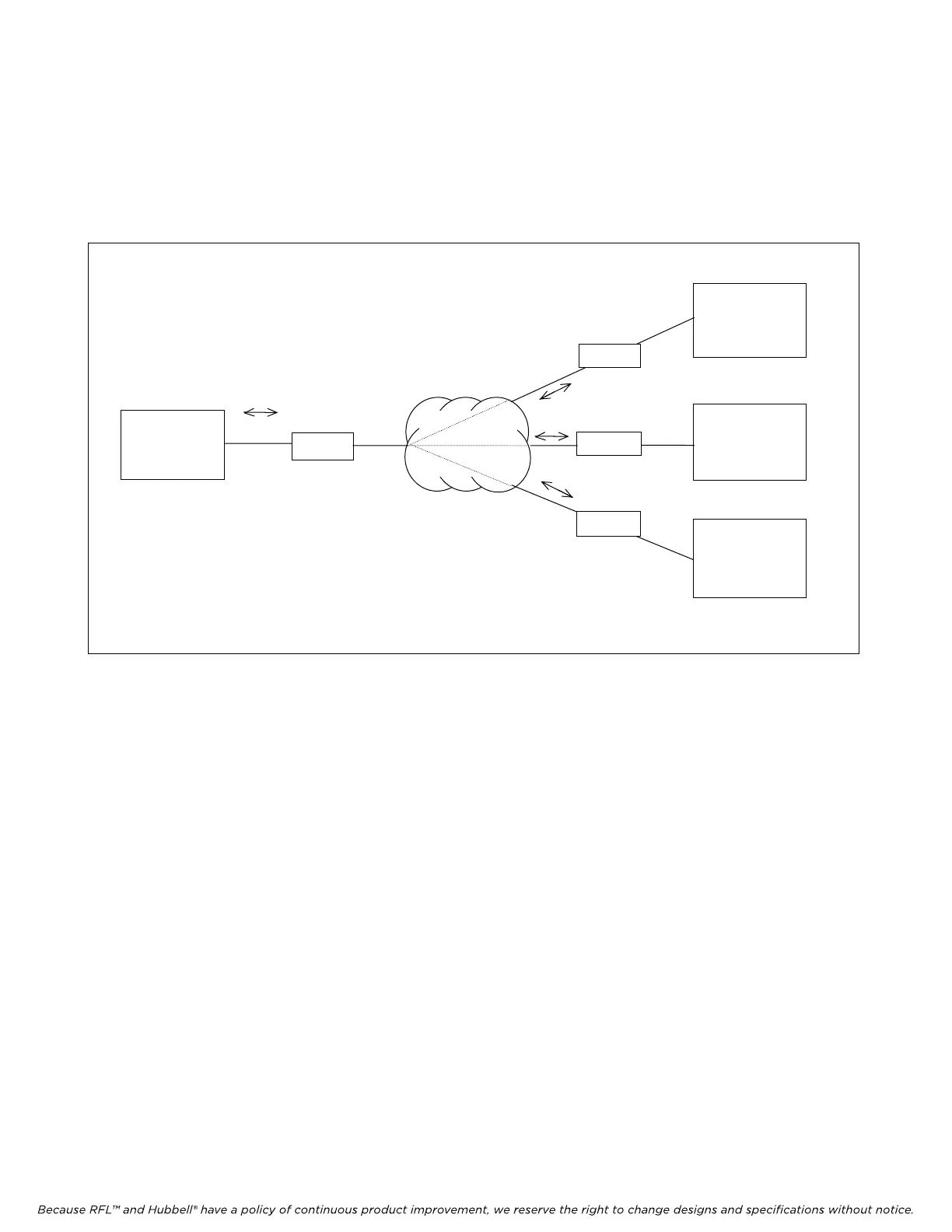
IMUX 2000 Series multiplexers can also be connected to a controller over a public switched network
(Figure 6-3). This can be DDS, X.25, or any type of data network capable of providing asynchronous
RS-232 interfaces for the IMUX 2000 M-DACS remote ports. SCL commands issued over switched
network circuits may include the network address of the "target" multiplexer to facilitate record
keeping and network management.
PC or
TERMINAL
IMUX 2000
M-DACS
MULTIPLEXE
R
Address=11
Modem
Modem
Public
Switched Network
Command addressed
to specific shelf
Modem
IMUX 2000
M-DACS
MULTIPLEXER
Address=7
IMUX 2000
M-DACS
MULTIPLEXER
Address=4
Modem
*
*
Figure 6-3. Remote connection over a public switched network
6.2.3 HANDSHAKING
Current IMUX 2000 software does not support hardware or software flow control or "handshaking".
This is not an issue when entering SCL commands manually from a terminal or PC keyboard.
However, if you plan to download IMUX 2000 setup information, or poll IMUX 2000 multiplexers for
status information using a PC or any other type of automated controller, be aware that flow control
must be handled by the controller itself. Generally, this means that controller software must be
designed to wait until it has received a response to the last command sent to a given IMUX 2000 Series
multiplexer before issuing another command to the same multiplexer.
M-DACS-T1 RFL Electronics Inc.
October 25, 2004 6-3 (973) 334-3100



 To Next Page