Because RFL™ and Hubbell® have a policy of continuous product improvement, we reserve the right to change designs and specifications without notice.
REMOTE CONTROL USING NMS
PROGRAMMING THE VF-16B MODULE
Refer to the IMUX 2000 or IMUX 2000E Instruction Manuals for information on using NMS. While
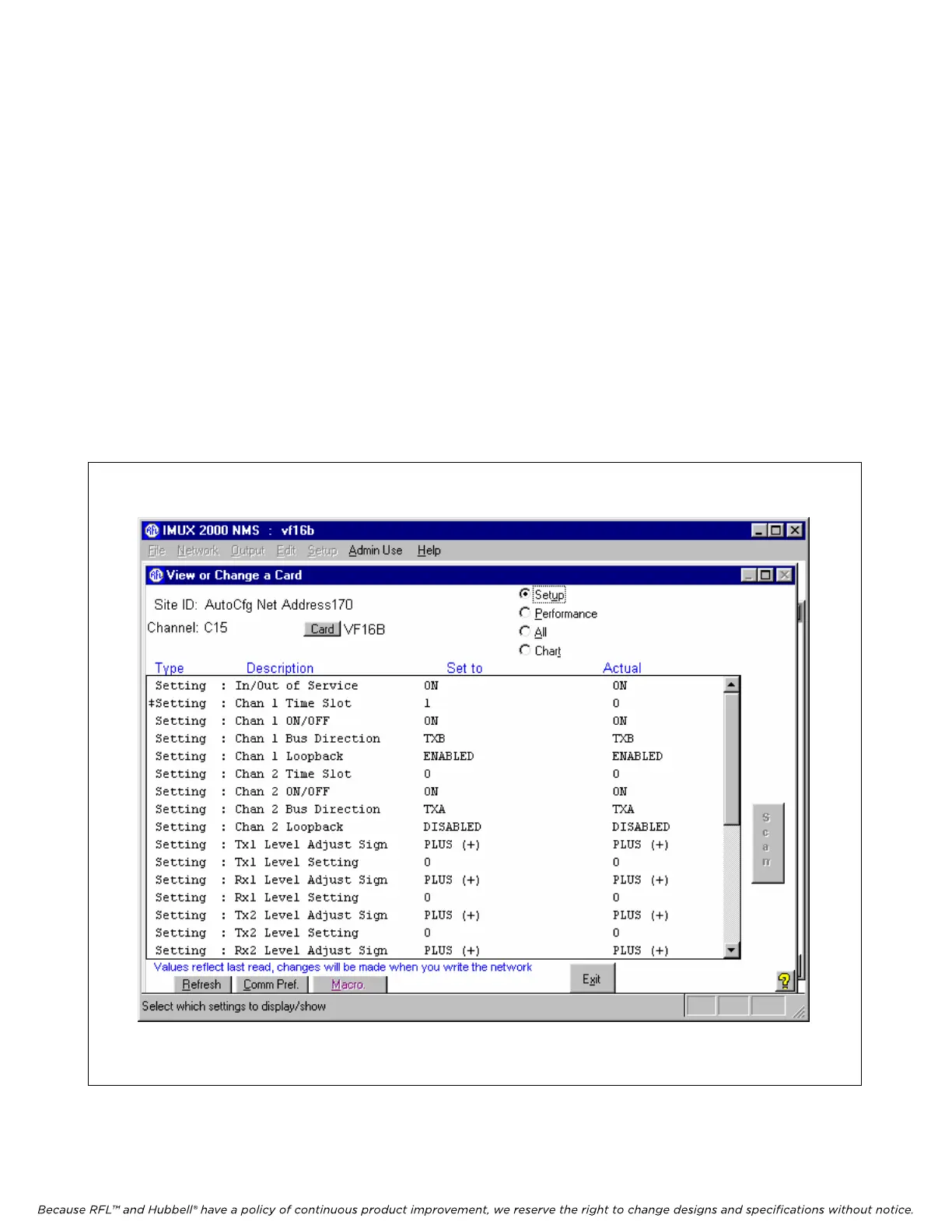
in NMS, select the “View or Change a Card” screen for the VF-16B module. An NMS window will be
seen similar to the one shown in Figure 9. You must scroll down the parameter list to see all of the
parameters. Select and set each parameter as required by double clicking on the desired parameter
name. For example, double click on the “Timeslot” parameter, and a dialog box will appear with all
available time slot choices. Click on the desired time slot number to make your selection. Then click
on “OK” to confirm your selection. This will return you to the parameter window.
After all VF-16B parameter selections have been made they must be written to the VF-16B card in the
network. This is done by using the “WRITE” operation as described in Section 7 of The IMUX 2000
Instruction Manual.
Figure 9. Typical NMS VF-16B window
RFL VF-16B RFL Electronics Inc.
January 17, 2007 25 (973)
334-3100



 To Next Page