IMAGE FUSING AND PAPER EXIT
B121 Series/B259 Series 6-64 SM
Temperature Control
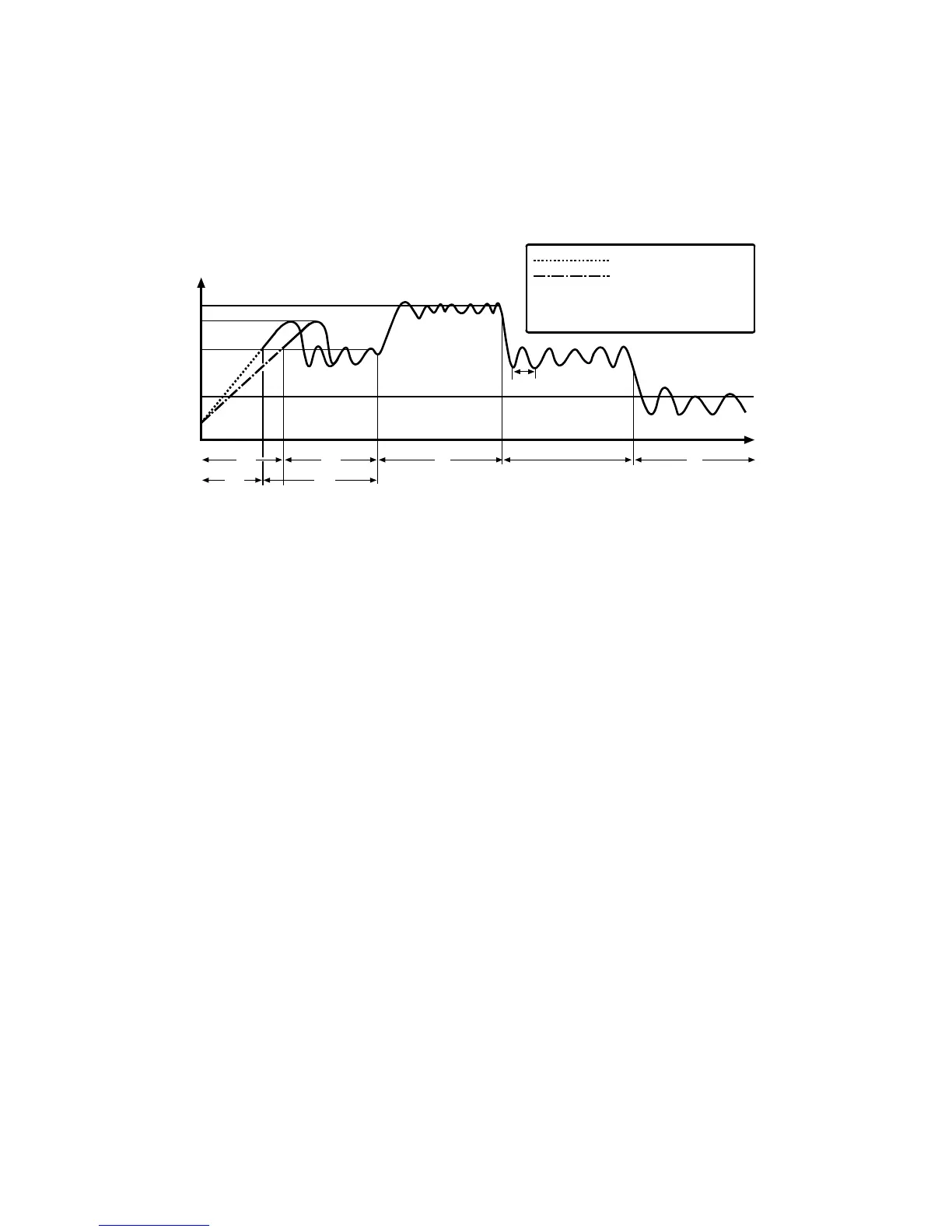
According to the operation mode, the fusing temperature is controlled. The diagram
illustrates the transition of fusing temperature. After you turn the main switch on,
the fusing temperature rises from the room temperature (t
0
) to one of the specified
temperatures. You can adjust some of the temperatures.
A1 Regular Start Mode/A2 Cold Start Mode (SP1-107-1/2)
Turning the fusing lamp on and off may affect the voltage of the power source in
the room, causing the fluorescent lights in the room to flicker. To lighten this
problem, you can reduce the checking repetition to 20 times.
When machine initialization ends, the fusing temperature is set to one of the
following temperatures:
• The Standby Temperature (T
2
: SP1-105-3/4) when there is no print job
• The First Print Temperature when the copier has received a print request
during machine initialization
You cannot directly adjust the First Print Temperature. This temperature is 10°C
higher (up to 185°C) than the Copying Temperature ( Copying Mode).
C Copying Mode
When the copier is making copies, the fusing temperature is set to one of the
following temperatures:
• The Warm Up Temperature (SP1-105-1/2) to output the first print after the
Low Power Mode ( Low Power Mode)
• The Copying Temperature (T
4
: SP1-105-5/6) to output the second print (and
after the second)
You can raise the Warm Up Temperature to make better the fusing quality of the
first print. While the copier is adjusting the fusing temperature to the Warm Up
Temperature, the message "Copy starts after warm up" is displayed.
c Thick Paper Mode
B121D910.WMF
Temperature
Time
t
3
T
2
T
1
A2
t
0
: Regular Start
: Cold Start
b2
c e
b1
G
A1
T
4
UPPER CASE : Adjustable by SP
lower case : Not adjustable












 To Next Page