U.3.14
SEL-421 Relay User’s Guide Date Code 20090715
PC Software
Expression Builder
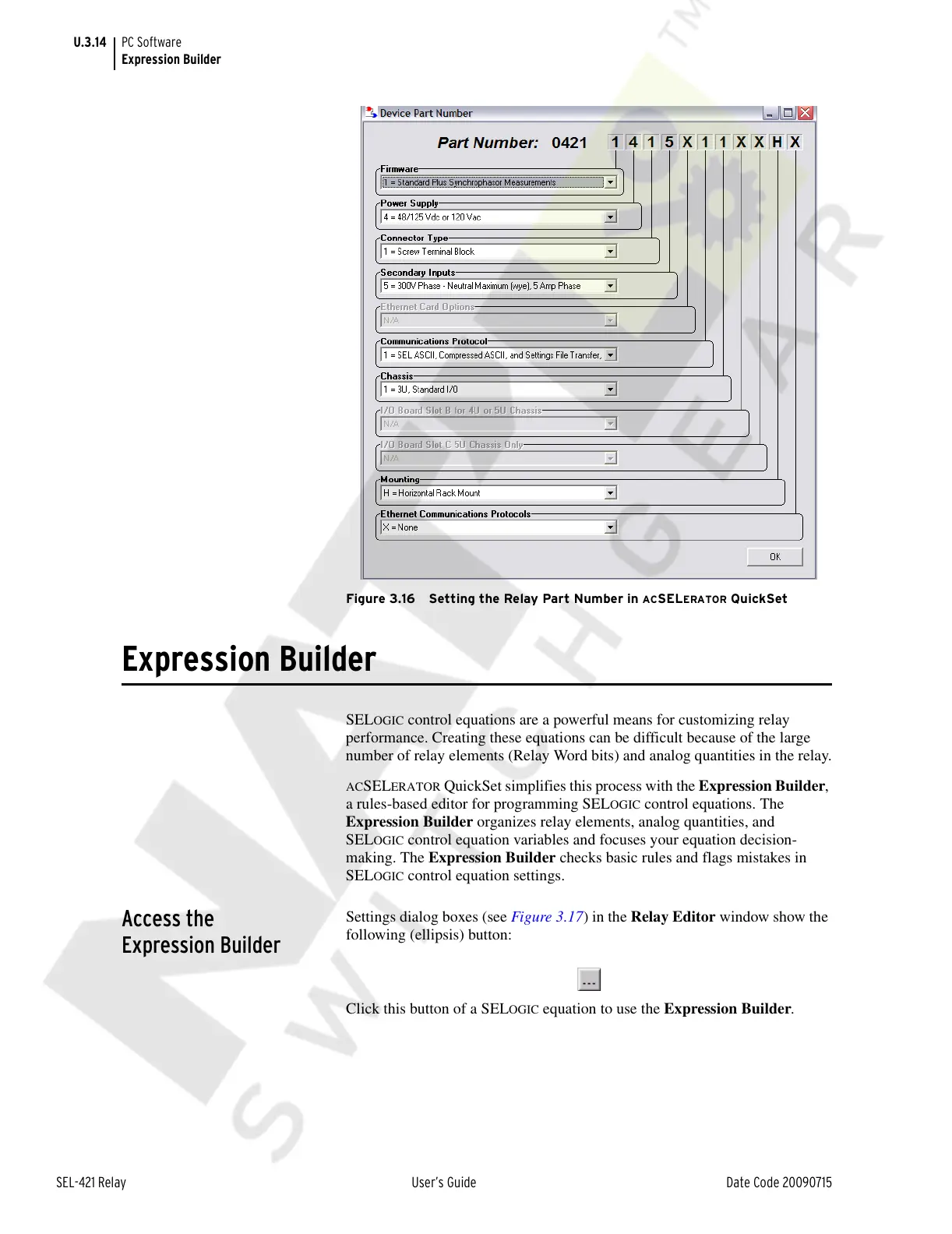
Figure 3.16 Setting the Relay Part Number in ACSELERATOR QuickSet
Expression Builder
SELOGIC control equations are a powerful means for customizing relay
performance. Creating these equations can be difficult because of the large
number of relay elements (Relay Word bits) and analog quantities in the relay.
ACSELERATOR QuickSet simplifies this process with the Expression Builder,
a rules-based editor for programming SEL
OGIC control equations. The
Expression Builder organizes relay elements, analog quantities, and
SEL
OGIC control equation variables and focuses your equation decision-
making. The Expression Builder checks basic rules and flags mistakes in
SEL
OGIC control equation settings.
Access the
Expression Builder
Settings dialog boxes (see Figure 3.17) in the Relay Editor window show the
following (ellipsis) button:
Click this button of a SELOGIC equation to use the Expression Builder.
Courtesy of NationalSwitchgear.com



 To Next Page