U.5.23
Date Code 20090715 User’s Guide SEL-421 Relay
Front-Panel Operations
Front-Panel Menus and Screens
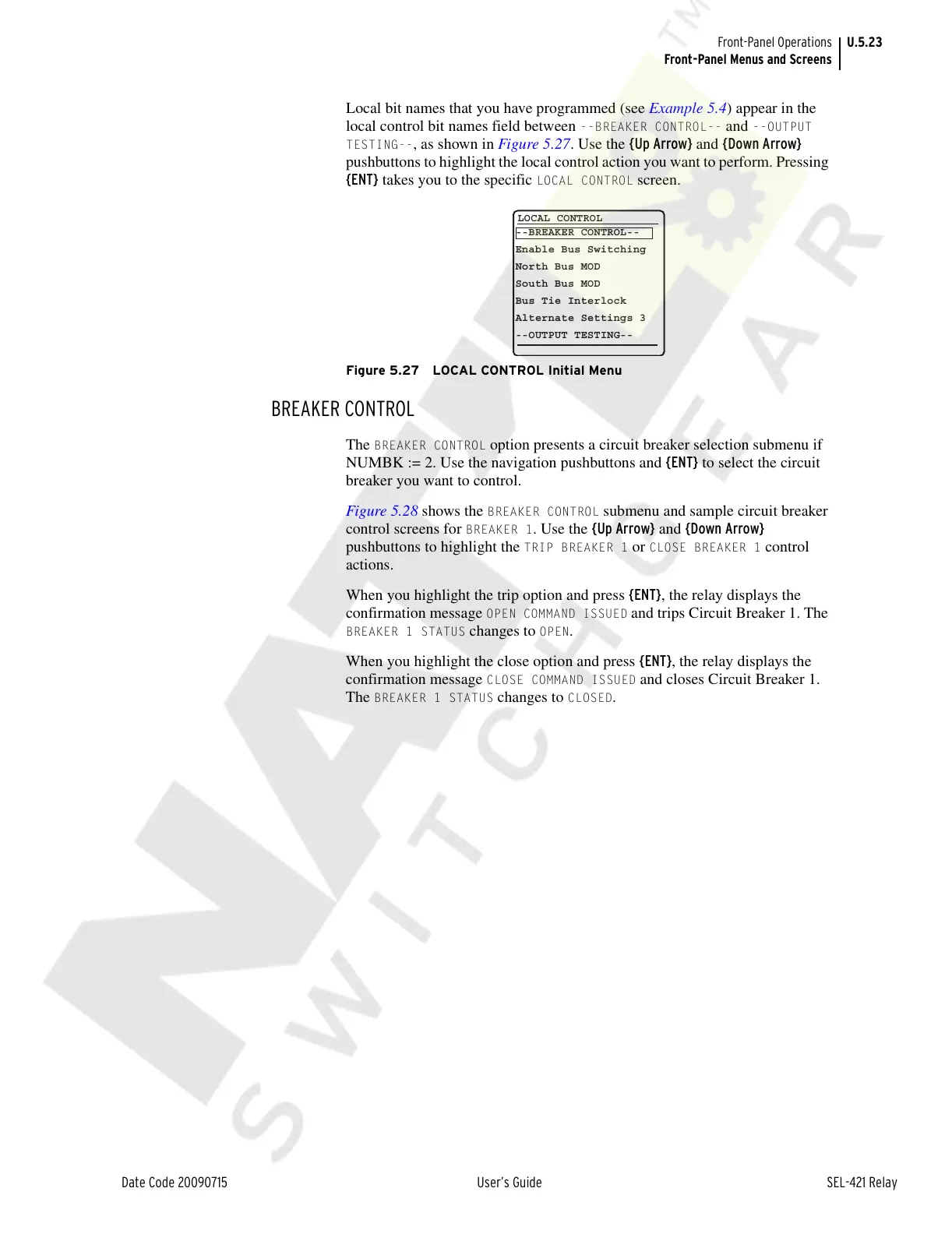
Local bit names that you have programmed (see Example 5.4) appear in the
local control bit names field between
--BREAKER CONTROL-- and --OUTPUT
TESTING--
, as shown in Figure 5.27. Use the {Up Arrow} and {Down Arrow}
pushbuttons to highlight the local control action you want to perform. Pressing
{ENT} takes you to the specific
LOCAL CONTROL screen.
Figure 5.27 LOCAL CONTROL Initial Menu
BREAKER CONTROL
The BREAKER CONTROL option presents a circuit breaker selection submenu if
NUMBK := 2. Use the navigation pushbuttons and {ENT} to select the circuit
breaker you want to control.
Figure 5.28 shows the
BREAKER CONTROL submenu and sample circuit breaker
control screens for
BREAKER 1. Use the {Up Arrow} and {Down Arrow}
pushbuttons to highlight the
TRIP BREAKER 1 or CLOSE BREAKER 1 control
actions.
When you highlight the trip option and press {ENT}, the relay displays the
confirmation message
OPEN COMMAND ISSUED and trips Circuit Breaker 1. The
BREAKER 1 STATUS changes to OPEN.
When you highlight the close option and press {ENT}, the relay displays the
confirmation message
CLOSE COMMAND ISSUED and closes Circuit Breaker 1.
The
BREAKER 1 STATUS changes to CLOSED.
LOCAL CONTROL
--BREAKER CONTROL--
Enable Bus Switching
North Bus MOD
South Bus MOD
Bus Tie Interlock
Alternate Settings 3
--OUTPUT TESTING--
Courtesy of NationalSwitchgear.com



 To Next Page