U.4.54
SEL-421 Relay User’s Guide Date Code 20090715
Basic Relay Operations
Reading Oscillograms, Event Reports, and SER
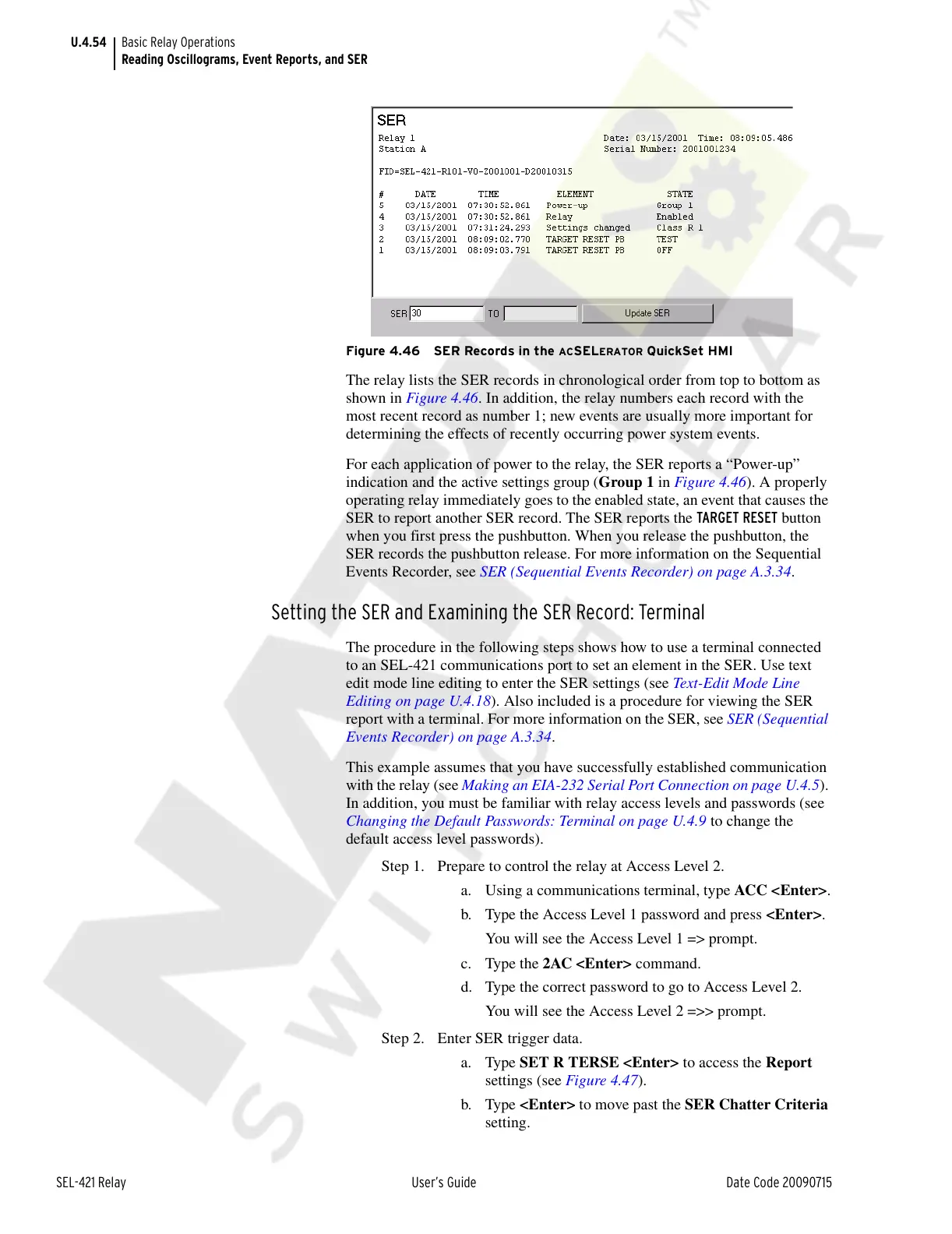
Figure 4.46 SER Records in the ACSELERATOR QuickSet HMI
The relay lists the SER records in chronological order from top to bottom as
shown in Figure 4.46. In addition, the relay numbers each record with the
most recent record as number 1; new events are usually more important for
determining the effects of recently occurring power system events.
For each application of power to the relay, the SER reports a “Power-up”
indication and the active settings group (Group 1 in Figure 4.46). A properly
operating relay immediately goes to the enabled state, an event that causes the
SER to report another SER record. The SER reports the TARGET RESET button
when you first press the pushbutton. When you release the pushbutton, the
SER records the pushbutton release. For more information on the Sequential
Events Recorder, see SER (Sequential Events Recorder) on page A.3.34.
Setting the SER and Examining the SER Record: Terminal
The procedure in the following steps shows how to use a terminal connected
to an SEL-421 communications port to set an element in the SER. Use text
edit mode line editing to enter the SER settings (see Text-Edit Mode Line
Editing on page U.4.18). Also included is a procedure for viewing the SER
report with a terminal. For more information on the SER, see SER (Sequential
Events Recorder) on page A.3.34.
This example assumes that you have successfully established communication
with the relay (see Making an EIA-232 Serial Port Connection on page U.4.5).
In addition, you must be familiar with relay access levels and passwords (see
Changing the Default Passwords: Terminal on page U.4.9 to change the
default access level passwords).
Step 1. Prepare to control the relay at Access Level 2.
a. Using a communications terminal, type ACC <Enter>.
b. Type the Access Level 1 password and press <Enter>.
You will see the Access Level 1 => prompt.
c. Type the 2AC <Enter> command.
d. Type the correct password to go to Access Level 2.
You will see the Access Level 2 =>> prompt.
Step 2. Enter SER trigger data.
a. Type SET R TERSE <Enter> to access the Report
settings (see Figure 4.47).
b. Type <Enter> to move past the SER Chatter Criteria
setting.
Courtesy of NationalSwitchgear.com



 To Next Page