U.4.47
Date Code 20090715 User’s Guide SEL-421 Relay
Basic Relay Operations
Reading Oscillograms, Event Reports, and SER
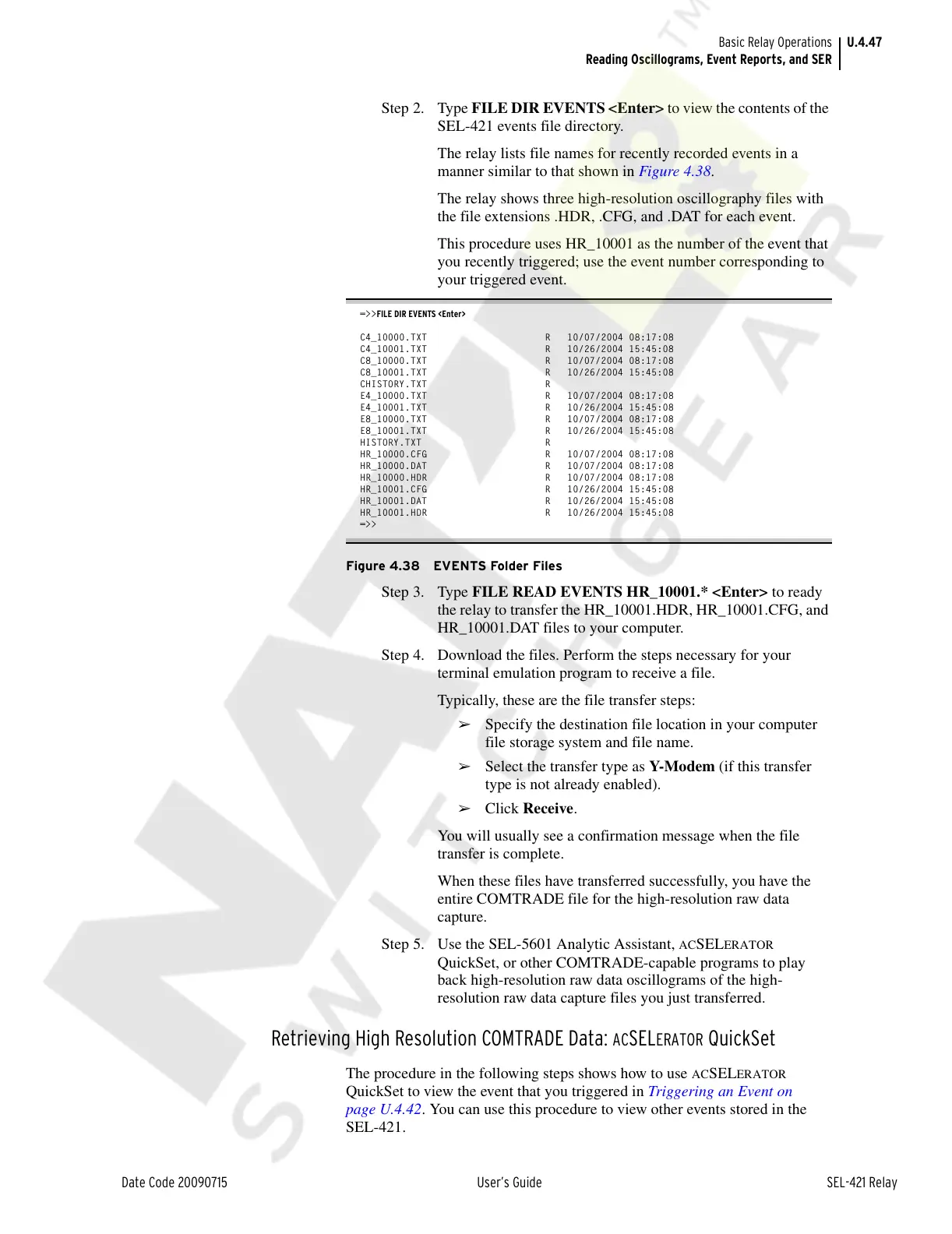
Step 2. Type FILE DIR EVENTS <Enter> to view the contents of the
SEL-421 events file directory.
The relay lists file names for recently recorded events in a
manner similar to that shown in Figure 4.38.
The relay shows three high-resolution oscillography files with
the file extensions .HDR, .CFG, and .DAT for each event.
This procedure uses HR_10001 as the number of the event that
you recently triggered; use the event number corresponding to
your triggered event.
=>>FILE DIR EVENTS <Enter>
C4_10000.TXT R 10/07/2004 08:17:08
C4_10001.TXT R 10/26/2004 15:45:08
C8_10000.TXT R 10/07/2004 08:17:08
C8_10001.TXT R 10/26/2004 15:45:08
CHISTORY.TXT R
E4_10000.TXT R 10/07/2004 08:17:08
E4_10001.TXT R 10/26/2004 15:45:08
E8_10000.TXT R 10/07/2004 08:17:08
E8_10001.TXT R 10/26/2004 15:45:08
HISTORY.TXT R
HR_10000.CFG R 10/07/2004 08:17:08
HR_10000.DAT R 10/07/2004 08:17:08
HR_10000.HDR R 10/07/2004 08:17:08
HR_10001.CFG R 10/26/2004 15:45:08
HR_10001.DAT R 10/26/2004 15:45:08
HR_10001.HDR R 10/26/2004 15:45:08
=>>
Figure 4.38 EVENTS Folder Files
Step 3. Type FILE READ EVENTS HR_10001.* <Enter> to ready
the relay to transfer the HR_10001.HDR, HR_10001.CFG, and
HR_10001.DAT files to your computer.
Step 4. Download the files. Perform the steps necessary for your
terminal emulation program to receive a file.
Typically, these are the file transfer steps:
➢ Specify the destination file location in your computer
file storage system and file name.
➢ Select the transfer type as Y-Modem (if this transfer
type is not already enabled).
➢ Click Receive.
You will usually see a confirmation message when the file
transfer is complete.
When these files have transferred successfully, you have the
entire COMTRADE file for the high-resolution raw data
capture.
Step 5. Use the SEL-5601 Analytic Assistant,
ACSELERATOR
QuickSet, or other COMTRADE-capable programs to play
back high-resolution raw data oscillograms of the high-
resolution raw data capture files you just transferred.
Retrieving High Resolution COMTRADE Data: ACSELERATOR QuickSet
The procedure in the following steps shows how to use ACSELERATOR
QuickSet to view the event that you triggered in Triggering an Event on
page U.4.42. You can use this procedure to view other events stored in the
SEL-421.
Courtesy of NationalSwitchgear.com



 To Next Page