U.5.28
SEL-421 Relay User’s Guide Date Code 20090715
Front-Panel Operations
Front-Panel Menus and Screens
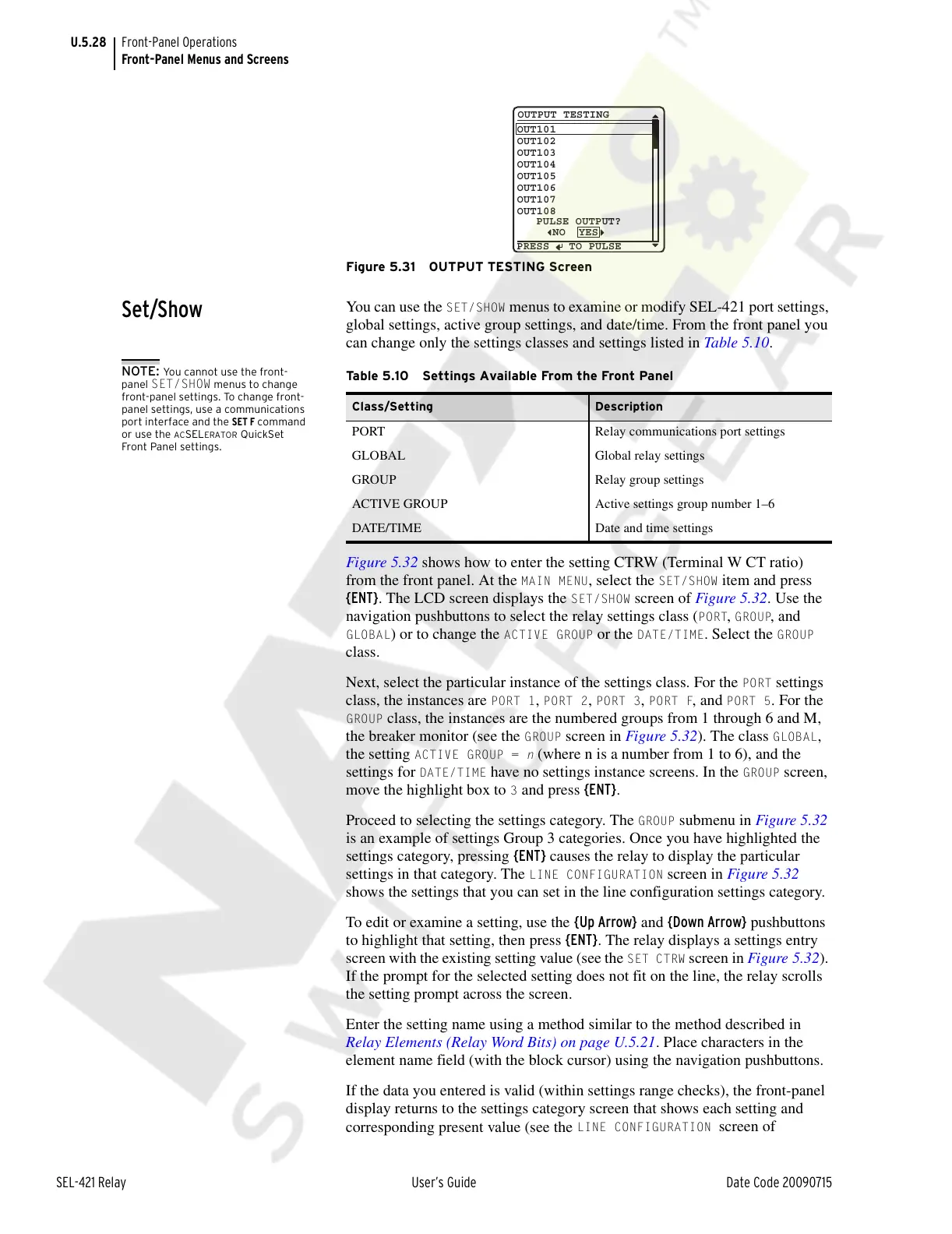
Figure 5.31 OUTPUT TESTING Screen
Set/Show
You can use the SET/SHOW menus to examine or modify SEL-421 port settings,
global settings, active group settings, and date/time. From the front panel you
can change only the settings classes and settings listed in Table 5.10.
NOTE: You cannot use the front-
panel
SET/SHOW menus to change
front-panel settings. To change front-
panel settings, use a communications
port interface and the SET F command
or use the
ACSELERATOR QuickSet
Front Panel settings.
Figure 5.32 shows how to enter the setting CTRW (Terminal W CT ratio)
from the front panel. At the
MAIN MENU, select the SET/SHOW item and press
{ENT}. The LCD screen displays the
SET/SHOW screen of Figure 5.32. Use the
navigation pushbuttons to select the relay settings class (
PORT, GROUP, and
GLOBAL) or to change the ACTIVE GROUP or the DATE/TIME. Select the GROUP
class.
Next, select the particular instance of the settings class. For the
PORT settings
class, the instances are
PORT 1, PORT 2, PORT 3, PORT F, and PORT 5. For the
GROUP class, the instances are the numbered groups from 1 through 6 and M,
the breaker monitor (see the
GROUP screen in Figure 5.32). The class GLOBAL,
the setting
ACTIVE GROUP = n (where n is a number from 1 to 6), and the
settings for
DATE/TIME have no settings instance screens. In the GROUP screen,
move the highlight box to
3 and press {ENT}.
Proceed to selecting the settings category. The
GROUP submenu in Figure 5.32
is an example of settings Group 3 categories. Once you have highlighted the
settings category, pressing {ENT} causes the relay to display the particular
settings in that category. The
LINE CONFIGURATION screen in Figure 5.32
shows the settings that you can set in the line configuration settings category.
To edit or examine a setting, use the {Up Arrow} and {Down Arrow} pushbuttons
to highlight that setting, then press {ENT}. The relay displays a settings entry
screen with the existing setting value (see the
SET CTRW screen in Figure 5.32).
If the prompt for the selected setting does not fit on the line, the relay scrolls
the setting prompt across the screen.
Enter the setting name using a method similar to the method described in
Relay Elements (Relay Word Bits) on page U.5.21. Place characters in the
element name field (with the block cursor) using the navigation pushbuttons.
If the data you entered is valid (within settings range checks), the front-panel
display returns to the settings category screen that shows each setting and
corresponding present value (see the
LINE CONFIGURATION screen of
OUTPUT TESTING
OUT101
OUT102
OUT103
OUT104
OUT105
OUT106
OUT107
OUT108
NO YES
PULSE OUTPUT?
PRESS TO PULSE
Table 5.10 Settings Available From the Front Panel
Class/Setting Description
PORT Relay communications port settings
GLOBAL Global relay settings
GROUP Relay group settings
ACTIVE GROUP Active settings group number 1–6
DATE/TIME Date and time settings
Courtesy of NationalSwitchgear.com



 To Next Page