U.4.38
SEL-421 Relay User’s Guide Date Code 20090715
Basic Relay Operations
Examining Metering Quantities
Step 2. Confirm the correct ACSELERATOR QuickSet passwords.
a. Reopen the Communication menu and click Port
Parameters.
b. Enter your Access Level 1 password in the Level One
Password text box, and your Access Level 2 password
in the Level Two Password text box.
c. Click OK to accept changes and close the dialog box.
Step 3. Set the relay to a nominal operation mode. Perform the initial
global settings relay setup of Making Initial Global Settings:
ACSELERATOR QuickSet on page U.4.25 to set the relay for
60-Hz operation, ABC phase rotation.
Step 4. Set a basic voltage and current configuration.
a. In the
ACSELERATOR QuickSet Settings tree view,
double-click the Global entry of the Settings tree view
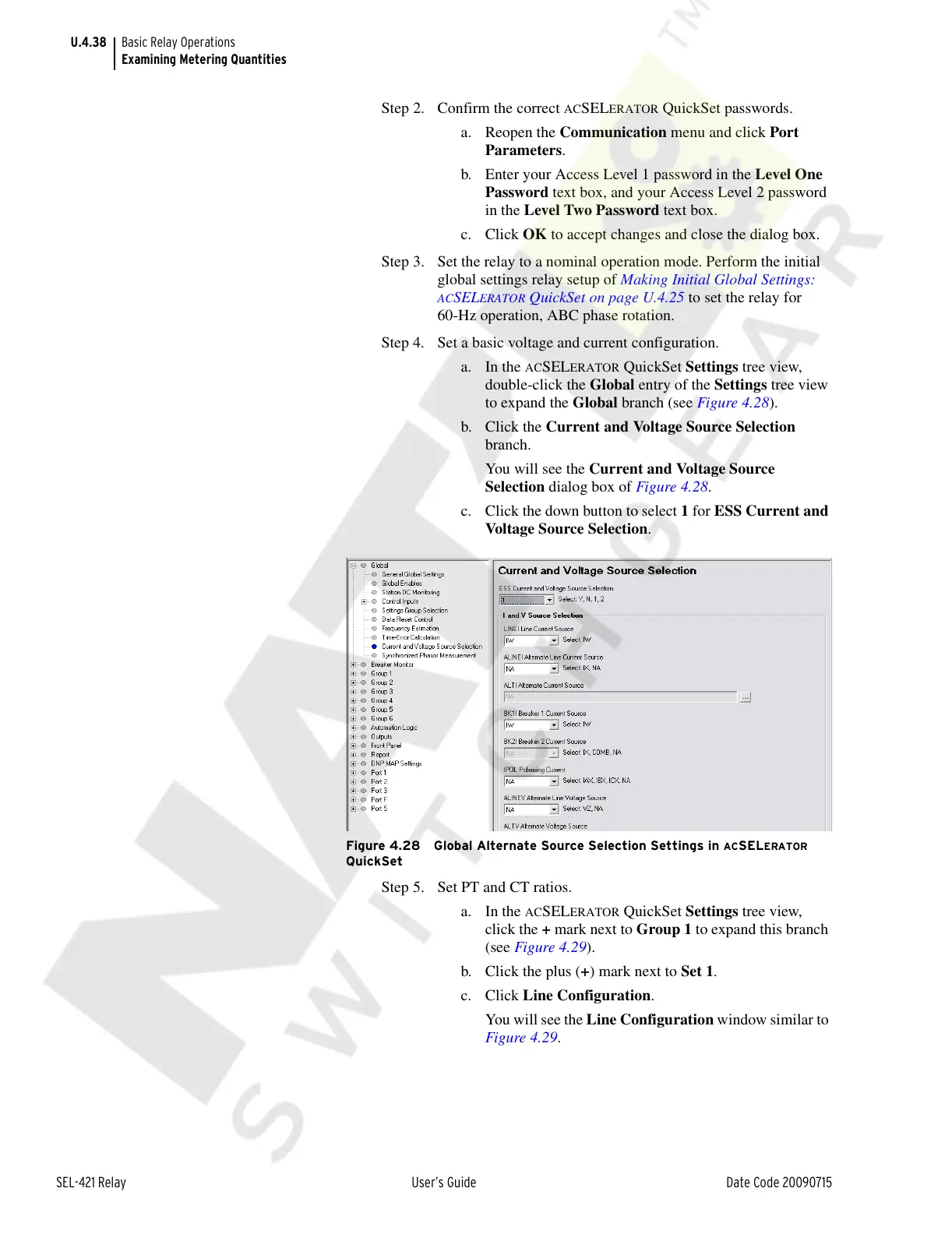
to expand the Global branch (see Figure 4.28).
b. Click the Current and Voltage Source Selection
branch.
You will see the Current and Voltage Source
Selection dialog box of Figure 4.28.
c. Click the down button to select 1 for ESS Current and
Voltage Source Selection.
Figure 4.28 Global Alternate Source Selection Settings in ACSELERATOR
QuickSet
Step 5. Set PT and CT ratios.
a. In the
ACSELERATOR QuickSet Settings tree view,
click the + mark next to Group 1 to expand this branch
(see Figure 4.29).
b. Click the plus (+) mark next to Set 1.
c. Click Line Configuration.
You will see the Line Configuration window similar to
Figure 4.29.
Courtesy of NationalSwitchgear.com



 To Next Page