U.4.59
Date Code 20090715 User’s Guide SEL-421 Relay
Basic Relay Operations
Operating the Relay Inputs and Outputs
b. Press the {ENT} pushbutton.
You will see the
LOCAL CONTROL submenu (the middle
screen in Figure 4.50).
Step 5. View the output testing screen.
a. Press the {Up Arrow} and {Down Arrow} navigation
pushbuttons to highlight the
--OUTPUT TESTING--
action item (see Figure 4.50, middle screen).
b. Press the {ENT} pushbutton.
The relay next displays the
OUTPUT TESTING submenu
(the last screen of Figure 4.50).
Step 6. Command the relay to pulse the control output.
a. Press the {Up Arrow} and {Down Arrow} navigation
pushbuttons to highlight
OUT104 (see Figure 4.50, last
screen).
b. Press the {Right Arrow} navigation pushbutton to
highlight
YES under PULSE OUTPUT?
c. Press the {ENT} pushbutton.
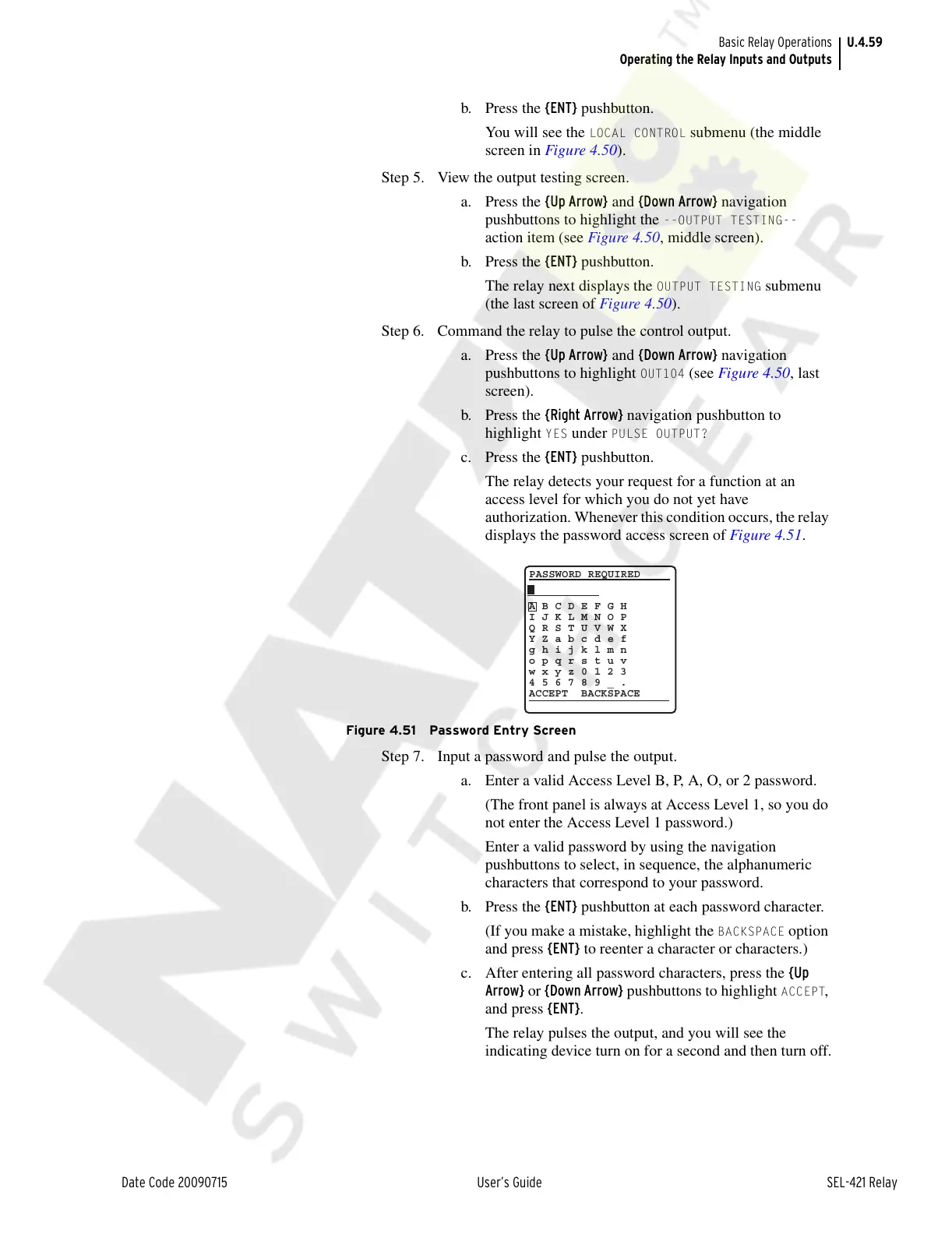
The relay detects your request for a function at an
access level for which you do not yet have
authorization. Whenever this condition occurs, the relay
displays the password access screen of Figure 4.51.
Figure 4.51 Password Entry Screen
Step 7. Input a password and pulse the output.
a. Enter a valid Access Level B, P, A, O, or 2 password.
(The front panel is always at Access Level 1, so you do
not enter the Access Level 1 password.)
Enter a valid password by using the navigation
pushbuttons to select, in sequence, the alphanumeric
characters that correspond to your password.
b. Press the {ENT} pushbutton at each password character.
(If you make a mistake, highlight the
BACKSPACE option
and press {ENT} to reenter a character or characters.)
c. After entering all password characters, press the {Up
Arrow} or {Down Arrow} pushbuttons to highlight
ACCEPT,
and press {ENT}.
The relay pulses the output, and you will see the
indicating device turn on for a second and then turn off.
A B C D E F G H
I J K L M N O P
Q R S T U V W X
Y Z a b c d e f
g h i j k l m n
o p q r s t u v
w x y z 0 1 2 3
4 5 6 7 8 9 _ .
ACCEPT BACKSPACE
PASSWORD REQUIRED
Courtesy of NationalSwitchgear.com



 To Next Page