U.5.4
SEL-421 Relay User’s Guide Date Code 20090715
Front-Panel Operations
Front-Panel Layout
To set FP_TO, use the SET F (set front panel) settings from any
communications port or use the Front Panel branch of the
ACSELERATOR
QuickSet Settings tree view. The maximum backlight time is one hour. Obtain
this 60-minute maximum backlight time by setting FP_TO to 60 or to OFF.
When the front-panel times out, the relay displays an automatic
ROTATING
DISPLAY
, described later in this section under Screen Scrolling on page U.5.5.
Navigating the Menus
The SEL-421 front panel presents a menu system for accessing metering,
settings, and control functions. Use the LCD and the six pushbuttons adjacent
to the display (see Figure 5.3) to navigate these front-panel menus.
The navigation pushbutton names and functions are the following:
➤ {ESC}—Escape pushbutton
➤ {ENT}—Enter pushbutton
➤ {Left Arrow}, {Right Arrow}, {Up Arrow}, and {Down Arrow}—
Navigation pushbuttons
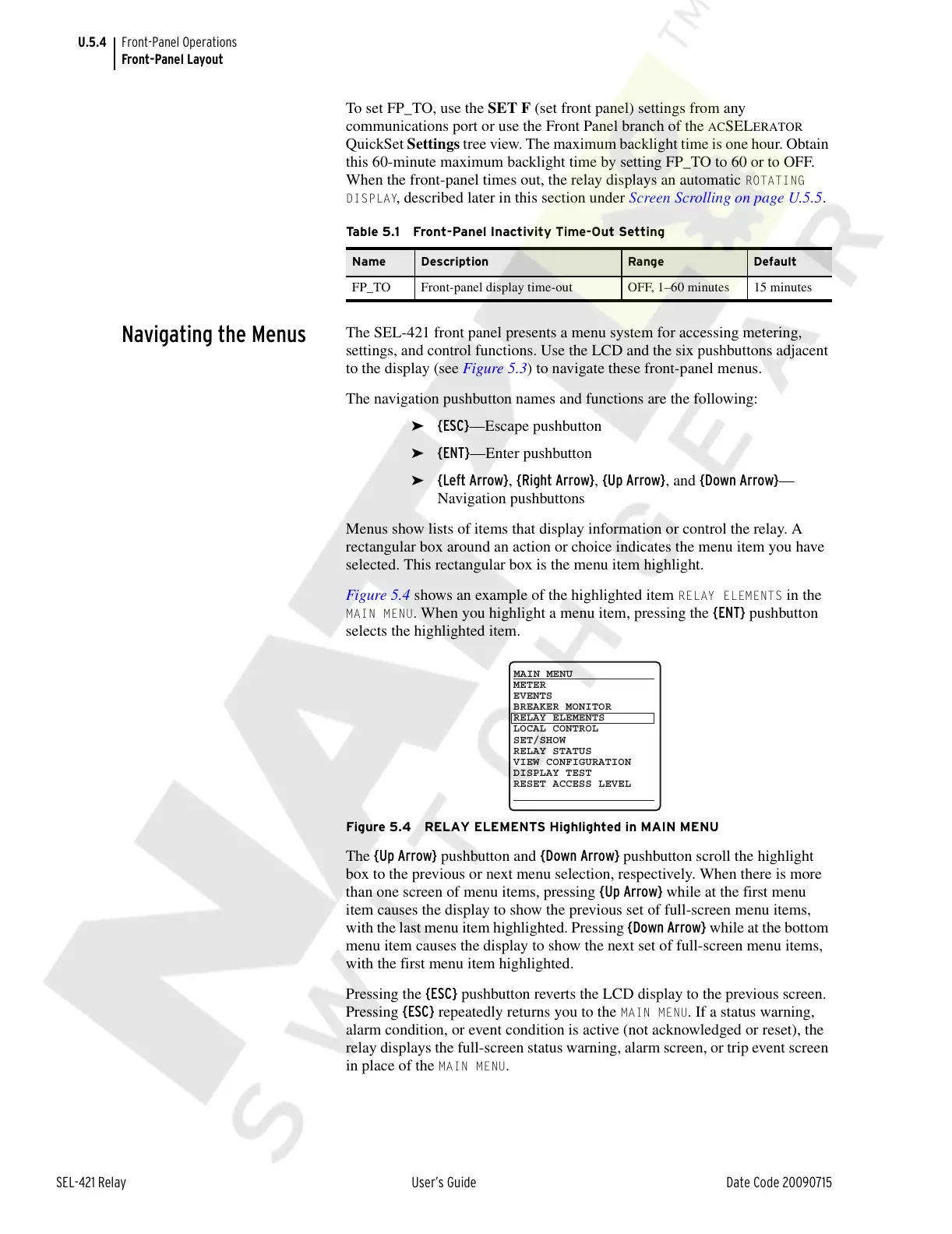
Menus show lists of items that display information or control the relay. A
rectangular box around an action or choice indicates the menu item you have
selected. This rectangular box is the menu item highlight.
Figure 5.4 shows an example of the highlighted item
RELAY ELEMENTS in the
MAIN MENU. When you highlight a menu item, pressing the {ENT} pushbutton
selects the highlighted item.
Figure 5.4 RELAY ELEMENTS Highlighted in MAIN MENU
The {Up Arrow} pushbutton and {Down Arrow} pushbutton scroll the highlight
box to the previous or next menu selection, respectively. When there is more
than one screen of menu items, pressing {Up Arrow} while at the first menu
item causes the display to show the previous set of full-screen menu items,
with the last menu item highlighted. Pressing {Down Arrow} while at the bottom
menu item causes the display to show the next set of full-screen menu items,
with the first menu item highlighted.
Pressing the {ESC} pushbutton reverts the LCD display to the previous screen.
Pressing {ESC} repeatedly returns you to the
MAIN MENU. If a status warning,
alarm condition, or event condition is active (not acknowledged or reset), the
relay displays the full-screen status warning, alarm screen, or trip event screen
in place of the
MAIN MENU.
Table 5.1 Front-Panel Inactivity Time-Out Setting
Name Description Range Default
FP_TO Front-panel display time-out OFF, 1–60 minutes 15 minutes
METER
EVENTS
BREAKER MONITOR
RELAY ELEMENTS
LOCAL CONTROL
SET/SHOW
RELAY STATUS
VIEW CONFIGURATION
DISPLAY TEST
RESET ACCESS LEVEL
MAIN MENU
Courtesy of NationalSwitchgear.com



 To Next Page