U.3.18
SEL-421 Relay User’s Guide Date Code 20090715
PC Software
Analyze Events
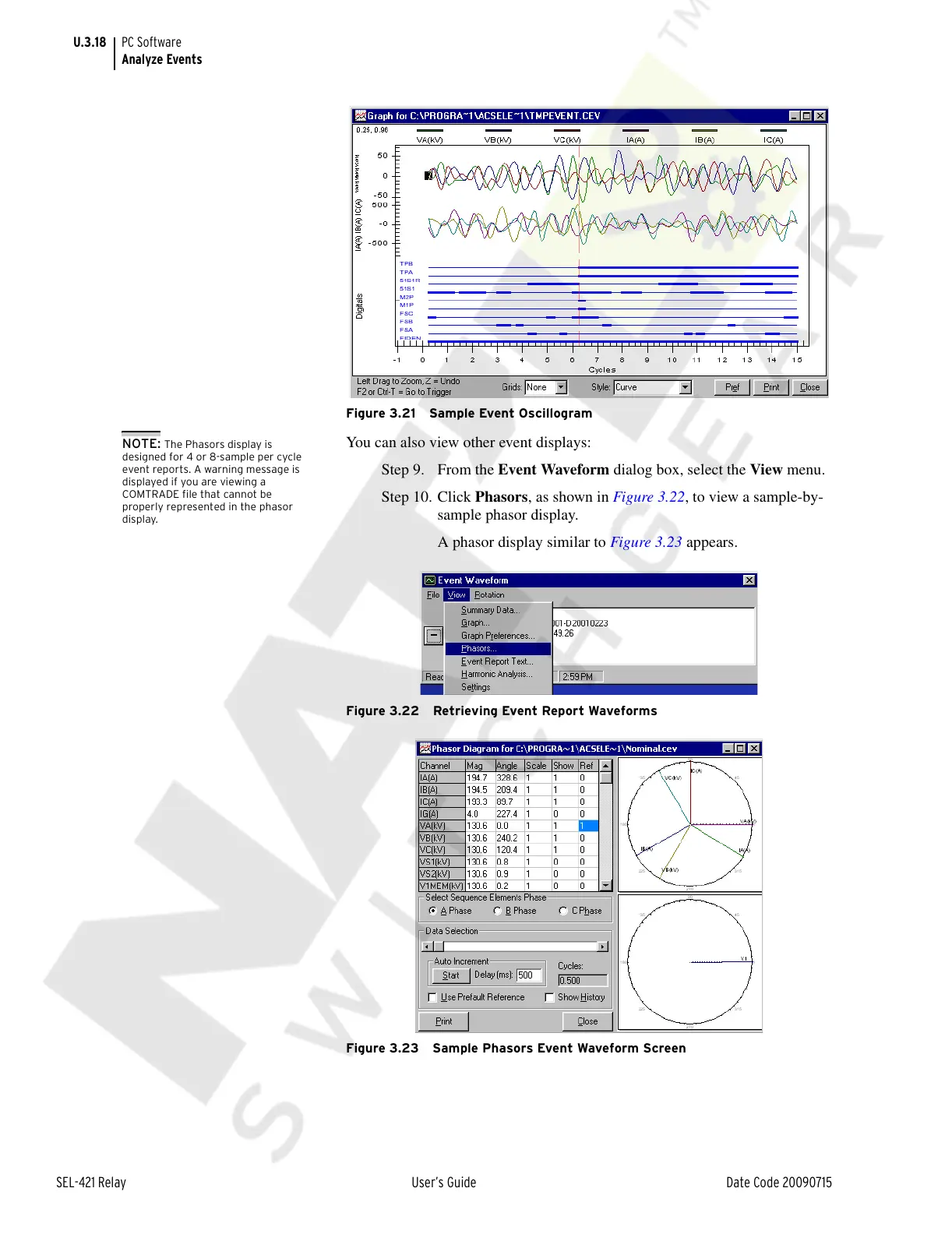
Figure 3.21 Sample Event Oscillogram
You can also view other event displays:
Step 9. From the Event Waveform dialog box, select the View menu.
Step 10. Click Phasors, as shown in Figure 3.22, to view a sample-by-
sample phasor display.
A phasor display similar to Figure 3.23 appears.
Figure 3.22 Retrieving Event Report Waveforms
Figure 3.23 Sample Phasors Event Waveform Screen
NOTE: The Phasors display is
designed for 4 or 8-sample per cycle
event reports. A warning message is
displayed if you are viewing a
COMTRADE file that cannot be
properly represented in the phasor
display.
Courtesy of NationalSwitchgear.com



 To Next Page