U.4.53
Date Code 20090715 User’s Guide SEL-421 Relay
Basic Relay Operations
Reading Oscillograms, Event Reports, and SER
Step 6. Click File > Save to save the new settings in ACSELERATOR
QuickSet.
Step 7. Upload the new settings to the SEL-421.
a. Click File > Send.
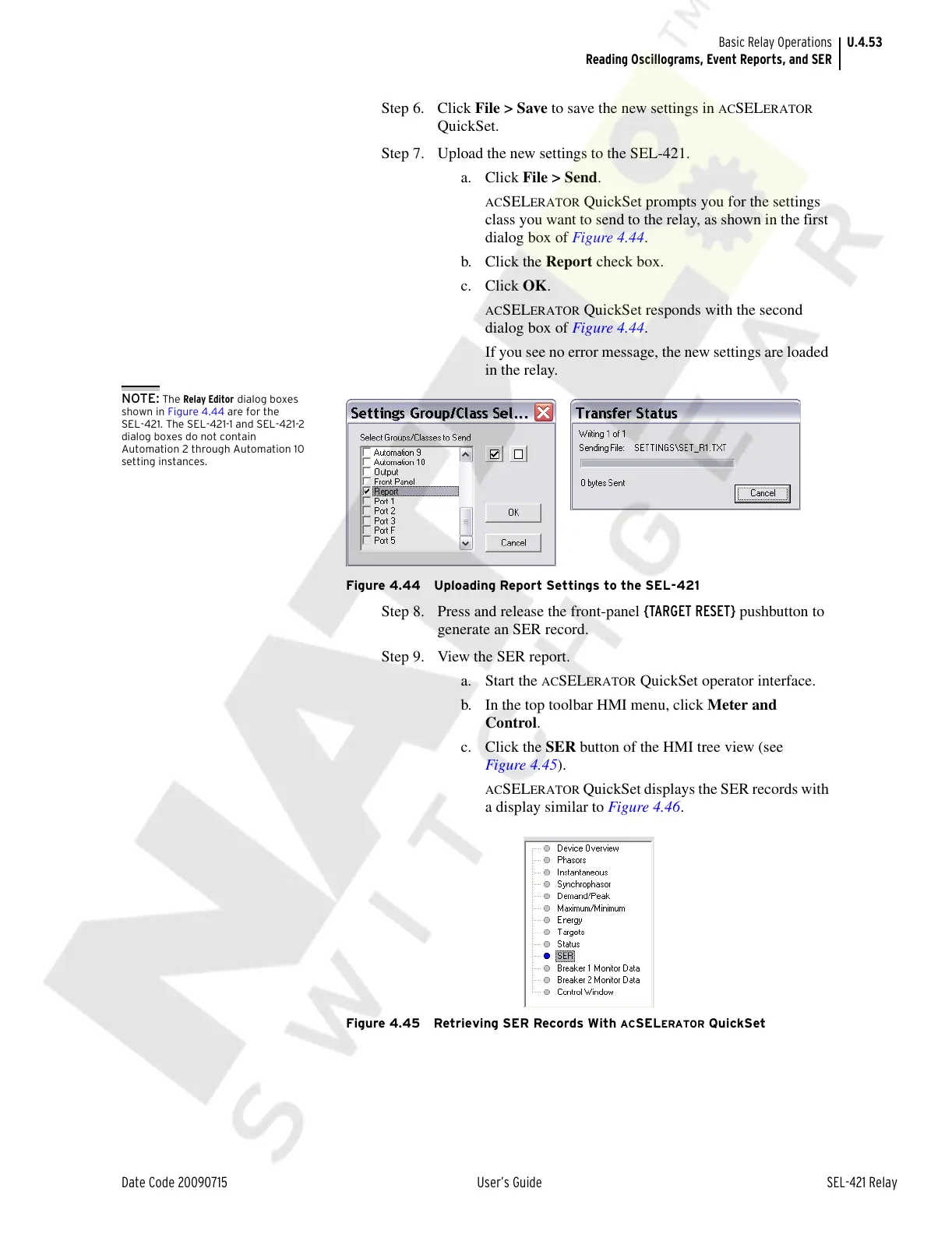
ACSELERATOR QuickSet prompts you for the settings
class you want to send to the relay, as shown in the first
dialog box of Figure 4.44.
b. Click the Report check box.
c. Click OK.
ACSELERATOR QuickSet responds with the second
dialog box of Figure 4.44.
If you see no error message, the new settings are loaded
in the relay.
NOTE: The Relay Editor dialog boxes
shown in Figure 4.44 are for the
SEL-421. The SEL-421-1 and SEL-421-2
dialog boxes do not contain
Automation 2 through Automation 10
setting instances.
Figure 4.44 Uploading Report Settings to the SEL-421
Step 8. Press and release the front-panel {TARGET RESET} pushbutton to
generate an SER record.
Step 9. View the SER report.
a. Start the
ACSELERATOR QuickSet operator interface.
b. In the top toolbar HMI menu, click Meter and
Control.
c. Click the SER button of the HMI tree view (see
Figure 4.45).
ACSELERATOR QuickSet displays the SER records with
a display similar to Figure 4.46.
Figure 4.45 Retrieving SER Records With ACSELERATOR QuickSet
Courtesy of NationalSwitchgear.com



 To Next Page