U.4.41
Date Code 20090715 User’s Guide SEL-421 Relay
Basic Relay Operations
Examining Metering Quantities
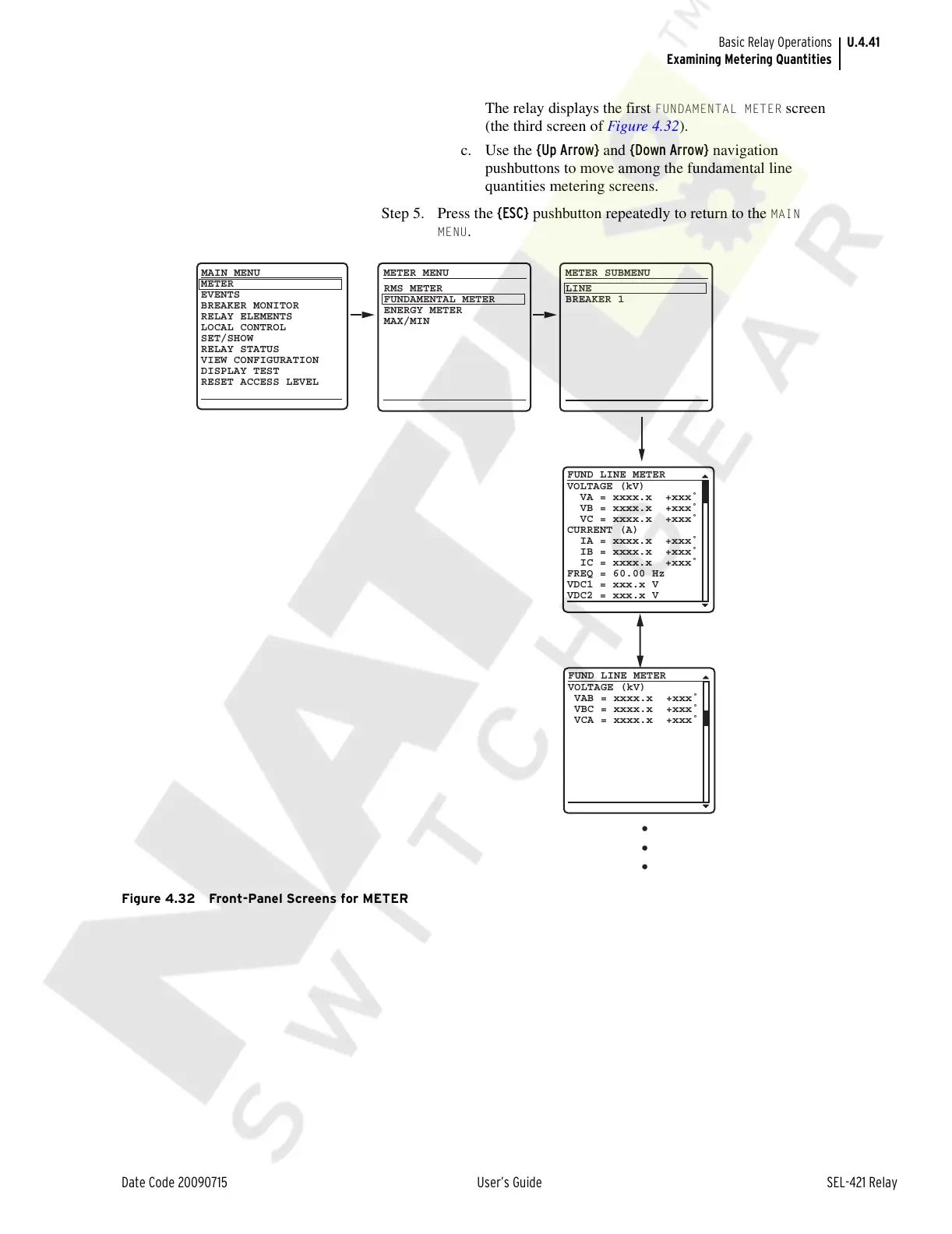
The relay displays the first FUNDAMENTAL METER screen
(the third screen of Figure 4.32).
c. Use the {Up Arrow} and {Down Arrow} navigation
pushbuttons to move among the fundamental line
quantities metering screens.
Step 5. Press the {ESC} pushbutton repeatedly to return to the
MAIN
MENU
.
Figure 4.32 Front-Panel Screens for METER
VOLTAGE (kV)
VA = xxxx.x +xxx˚
VB = xxxx.x +xxx˚
VC = xxxx.x +xxx˚
CURRENT (A)
IA = xxxx.x +xxx˚
IB = xxxx.x +xxx˚
IC = xxxx.x +xxx˚
FREQ = 60.00 Hz
VDC1 = xxx.x V
VDC2 = xxx.x V
FUND LINE METER
VOLTAGE (kV)
VAB = xxxx.x +xxx˚
VBC = xxxx.x +xxx˚
VCA = xxxx.x +xxx˚
FUND LINE METER
METER
EVENTS
BREAKER MONITOR
RELAY ELEMENTS
LOCAL CONTROL
SET/SHOW
RELAY STATUS
VIEW CONFIGURATION
DISPLAY TEST
RESET ACCESS LEVEL
MAIN MENU
METER MENU
RMS METER
FUNDAMENTAL METER
ENERGY METER
MAX/MIN
METER SUBMENU
LINE
BREAKER 1
•
•
•
Courtesy of NationalSwitchgear.com



 To Next Page