U.5.13
Date Code 20090715 User’s Guide SEL-421 Relay
Front-Panel Operations
Front-Panel Menus and Screens
EXAMPLE 5.3 Monitoring Test Modes With Display Points
This example uses the Relay Word bit TESTFM (Fast Meter test
running) to activate a front-panel display point that alerts an on-site
operator that the relay is in Fast Meter test mode.
In the Front Panel settings (SET F), enter the following after the line 10
prompt:
10: TESTFM,,“FAST METER TEST!!!!”
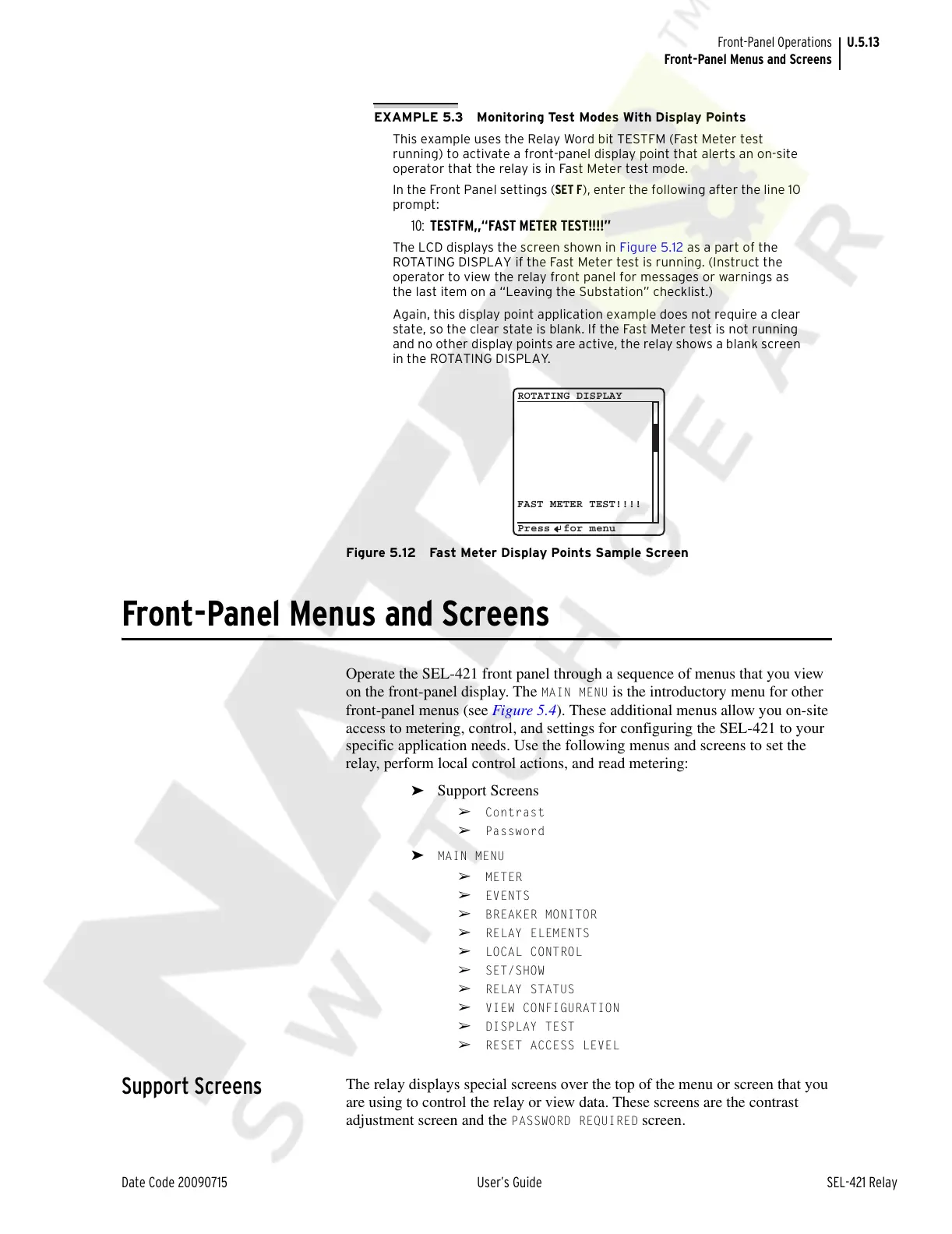
The LCD displays the screen shown in Figure 5.12 as a part of the
ROTATING DISPLAY if the Fast Meter test is running. (Instruct the
operator to view the relay front panel for messages or warnings as
the last item on a “Leaving the Substation” checklist.)
Again, this display point application example does not require a clear
state, so the clear state is blank. If the Fast Meter test is not running
and no other display points are active, the relay shows a blank screen
in the ROTATING DISPLAY.
Figure 5.12 Fast Meter Display Points Sample Screen
Front-Panel Menus and Screens
Operate the SEL-421 front panel through a sequence of menus that you view
on the front-panel display. The
MAIN MENU is the introductory menu for other
front-panel menus (see Figure 5.4). These additional menus allow you on-site
access to metering, control, and settings for configuring the SEL-421 to your
specific application needs. Use the following menus and screens to set the
relay, perform local control actions, and read metering:
➤ Support Screens
➢ Contrast
➢ Password
➤ MAIN MENU
➢ METER
➢ EVENTS
➢ BREAKER MONITOR
➢ RELAY ELEMENTS
➢ LOCAL CONTROL
➢ SET/SHOW
➢ RELAY STATUS
➢ VIEW CONFIGURATION
➢ DISPLAY TEST
➢ RESET ACCESS LEVEL
Support Screens
The relay displays special screens over the top of the menu or screen that you
are using to control the relay or view data. These screens are the contrast
adjustment screen and the
PASSWORD REQUIRED screen.
FAST METER TEST!!!!
ROTATING DISPLAY
Press for menu
Courtesy of NationalSwitchgear.com



 To Next Page