U.3.16
SEL-421 Relay User’s Guide Date Code 20090715
PC Software
Analyze Events
Directly underneath the right side of the equation, you can choose operations
to include in the RVALUE. These operations include basic logic functions,
rising and falling edge triggers, expression compares, and math functions.
For more information on programming SEL
OGIC control equations, see
Section 3: SEL
OGIC Control Equation Programming in the Reference Manual.
Analyze Events
ACSELERATOR QuickSet has integrated analysis tools that help you retrieve
information about protection system operations quickly and easily. Use the
protection system event information that the SEL-421 stores to evaluate the
performance of a protection system.
Event Waveforms
The SEL-421 records power system events for all trip situations and for other
operating conditions that you program with SEL
OGIC control equations (see
SEL
OGIC Control Equation ER on page A.3.4).
The relay provides two types of event data captures: high-resolution
oscillography that uses raw sample per second data and event report
oscillography that uses filtered sample per cycle data. See Triggering Data
Captures and Event Reports on page A.3.4 and Generating an Event on
page U.4.42 for information on recording events.
Use
ACSELERATOR QuickSet to view high resolution and event report
oscillograms, phasor diagrams, harmonic analyses, and settings.
Read History
You can retrieve event files stored in the relay and transfer these files to your
PC. For information on the types of event files and data capture, see
Triggering Data Captures and Event Reports on page A.3.4.
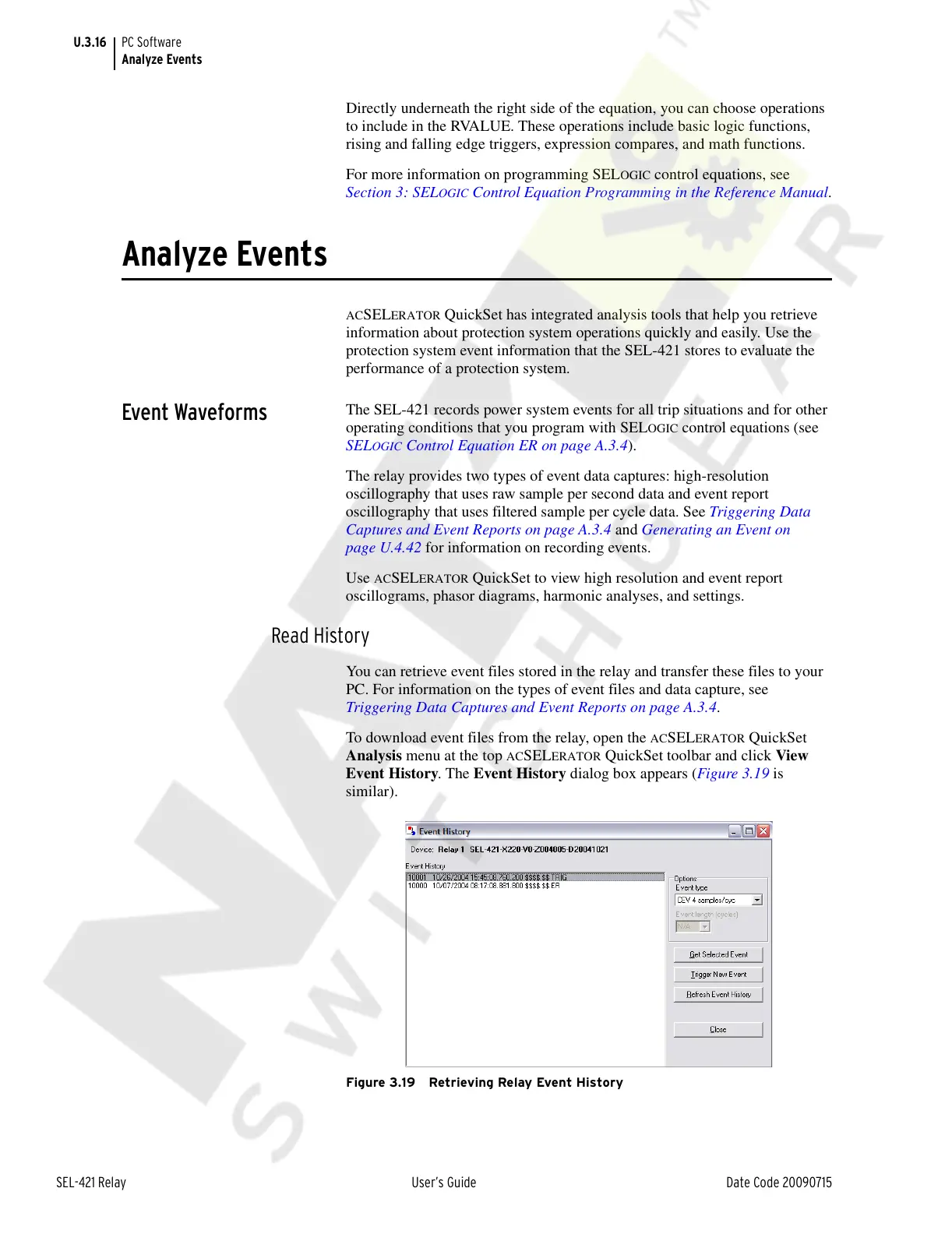
To download event files from the relay, open the
ACSELERATOR QuickSet
Analysis menu at the top
ACSELERATOR QuickSet toolbar and click View
Event History. The Event History dialog box appears (Figure 3.19 is
similar).
Figure 3.19 Retrieving Relay Event History
Courtesy of NationalSwitchgear.com



 To Next Page