U.3.13
Date Code 20090715 User’s Guide SEL-421 Relay
PC Software
Create and Manage Relay Settings
Configuring the Part Number
Perform the following steps to configure the part number:
Step 1. Select the Settings menu on the
ACSELERATOR QuickSet top
toolbar and click New, Open, or Read to start the Relay
Editor (see Settings Menu on page U.3.10).
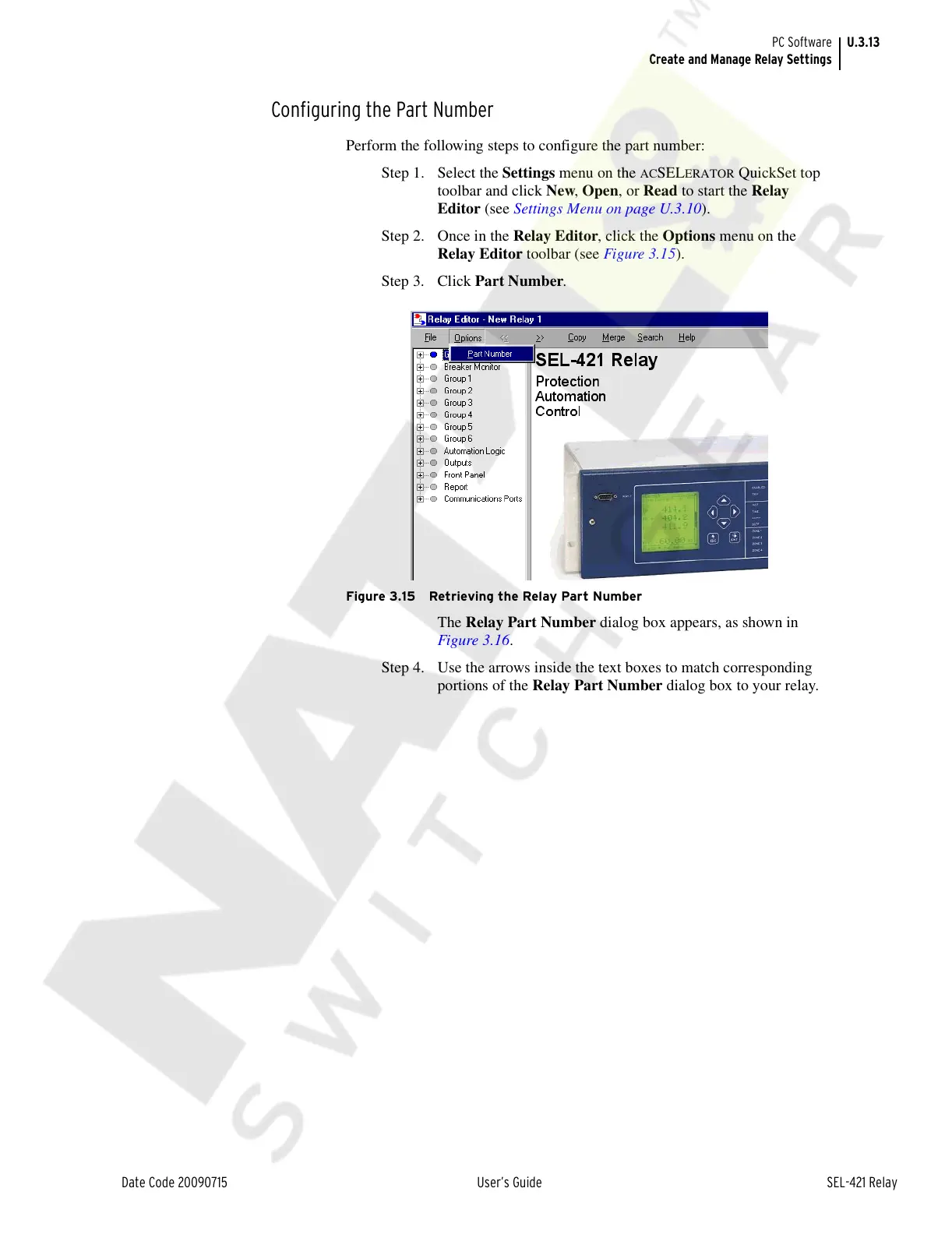
Step 2. Once in the Relay Editor, click the Options menu on the
Relay Editor toolbar (see Figure 3.15).
Step 3. Click Part Number.
Figure 3.15 Retrieving the Relay Part Number
The Relay Part Number dialog box appears, as shown in
Figure 3.16.
Step 4. Use the arrows inside the text boxes to match corresponding
portions of the Relay Part Number dialog box to your relay.
Courtesy of NationalSwitchgear.com



 To Next Page