U.4.24
SEL-421 Relay User’s Guide Date Code 20090715
Basic Relay Operations
Making Simple Settings Changes
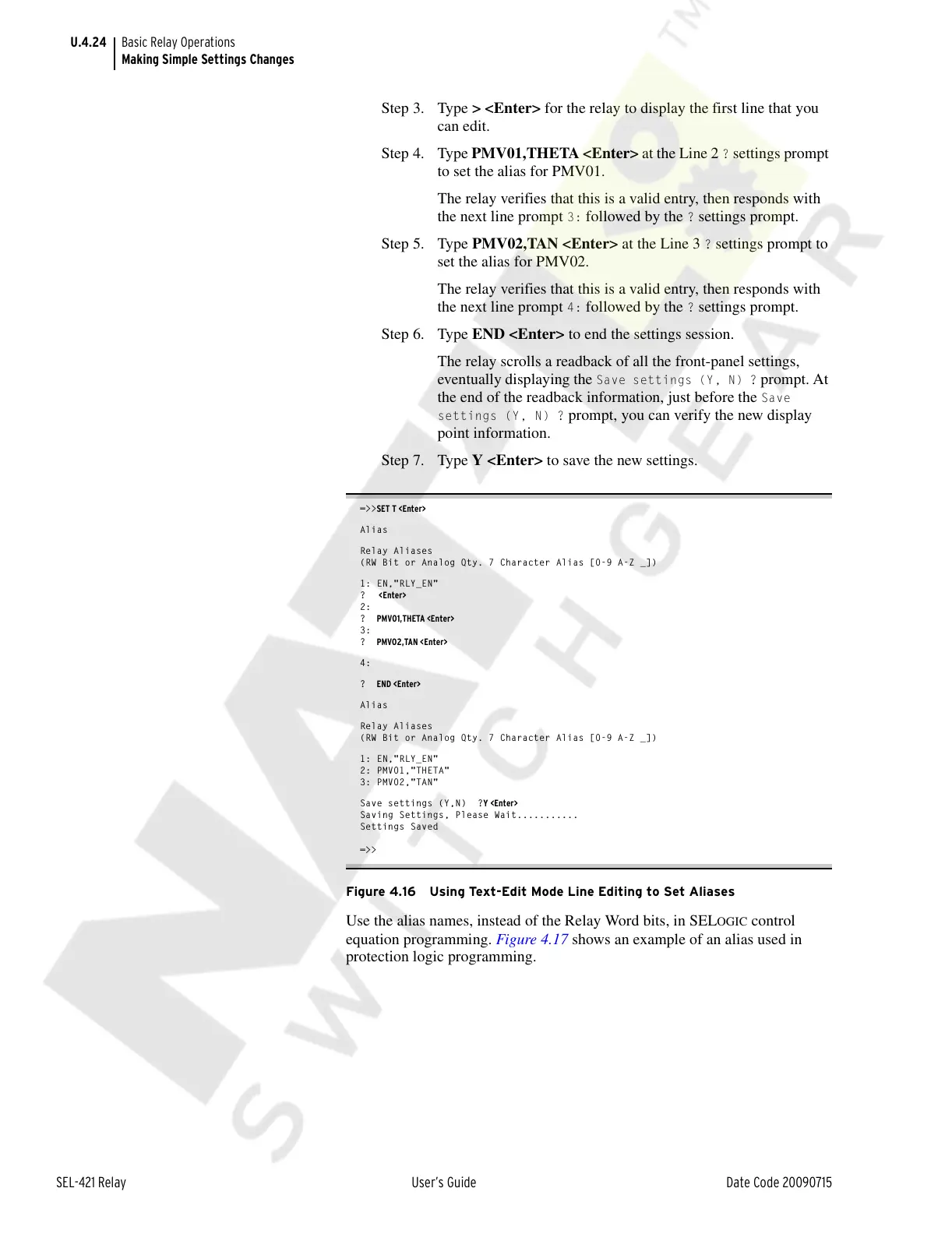
Step 3. Type > <Enter> for the relay to display the first line that you
can edit.
Step 4. Type PMV01,THETA <Enter> at the Line 2
? settings prompt
to set the alias for PMV01.
The relay verifies that this is a valid entry, then responds with
the next line prompt
3: followed by the ? settings prompt.
Step 5. Type PMV02,TAN <Enter> at the Line 3
? settings prompt to
set the alias for PMV02.
The relay verifies that this is a valid entry, then responds with
the next line prompt
4: followed by the ? settings prompt.
Step 6. Type END <Enter> to end the settings session.
The relay scrolls a readback of all the front-panel settings,
eventually displaying the
Save settings (Y, N) ? prompt. At
the end of the readback information, just before the
Save
settings (Y, N) ?
prompt, you can verify the new display
point information.
Step 7. Type Y <Enter> to save the new settings.
=>>SET T <Enter>
Alias
Relay Aliases
(RW Bit or Analog Qty. 7 Character Alias [0-9 A-Z _])
1: EN,"RLY_EN"
? <Enter>
2:
? PMV01,THETA <Enter>
3:
? PMV02,TAN <Enter>
4:
? END <Enter>
Alias
Relay Aliases
(RW Bit or Analog Qty. 7 Character Alias [0-9 A-Z _])
1: EN,"RLY_EN"
2: PMV01,"THETA"
3: PMV02,"TAN"
Save settings (Y,N) ?Y <Enter>
Saving Settings, Please Wait...........
Settings Saved
=>>
Figure 4.16 Using Text-Edit Mode Line Editing to Set Aliases
Use the alias names, instead of the Relay Word bits, in SELOGIC control
equation programming. Figure 4.17 shows an example of an alias used in
protection logic programming.
Courtesy of NationalSwitchgear.com



 To Next Page