U.5.2
SEL-421 Relay User’s Guide Date Code 20090715
Front-Panel Operations
Front-Panel Layout
Front-Panel Layout
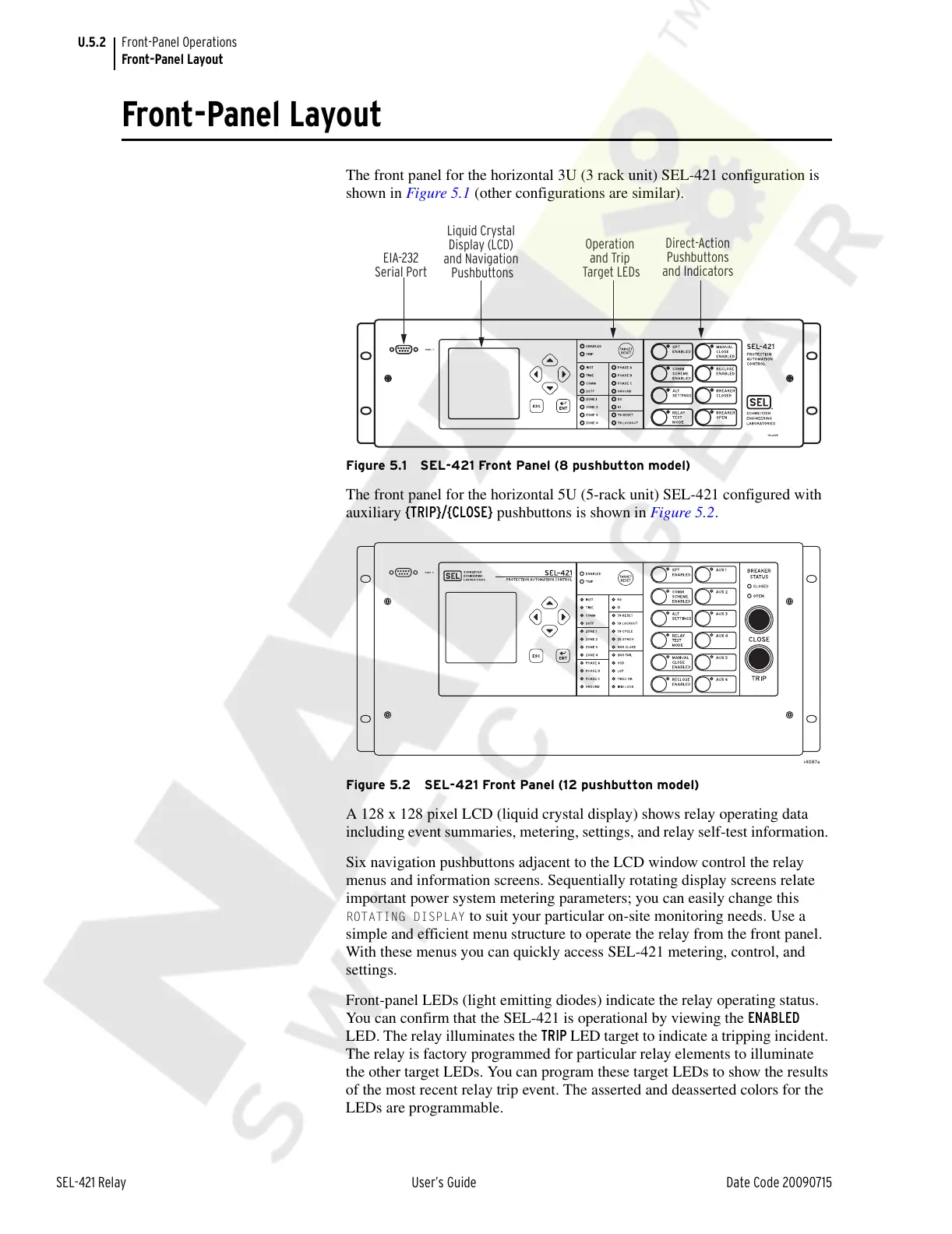
The front panel for the horizontal 3U (3 rack unit) SEL-421 configuration is
shown in Figure 5.1 (other configurations are similar).
Figure 5.1 SEL-421 Front Panel (8 pushbutton model)
The front panel for the horizontal 5U (5-rack unit) SEL-421 configured with
auxiliary {TRIP}/{CLOSE} pushbuttons is shown in Figure 5.2.
Figure 5.2 SEL-421 Front Panel (12 pushbutton model)
A 128 x 128 pixel LCD (liquid crystal display) shows relay operating data
including event summaries, metering, settings, and relay self-test information.
Six navigation pushbuttons adjacent to the LCD window control the relay
menus and information screens. Sequentially rotating display screens relate
important power system metering parameters; you can easily change this
ROTATING DISPLAY to suit your particular on-site monitoring needs. Use a
simple and efficient menu structure to operate the relay from the front panel.
With these menus you can quickly access SEL-421 metering, control, and
settings.
Front-panel LEDs (light emitting diodes) indicate the relay operating status.
You can confirm that the SEL-421 is operational by viewing the ENABLED
LED. The relay illuminates the TRIP LED target to indicate a tripping incident.
The relay is factory programmed for particular relay elements to illuminate
the other target LEDs. You can program these target LEDs to show the results
of the most recent relay trip event. The asserted and deasserted colors for the
LEDs are programmable.
EIA-232
Serial Port
Liquid Crystal
Display (LCD)
and Navigation
Pushbuttons
Operation
and Trip
Target LEDs
Direct-Action
Pushbuttons
and Indicators
Courtesy of NationalSwitchgear.com



 To Next Page