U.4.25
Date Code 20090715 User’s Guide SEL-421 Relay
Basic Relay Operations
Making Simple Settings Changes
=>>SET L <Enter>
Protection 1
1: PLT02S := PB2_PUL AND NOT PLT02 #COMM SCHEME ENABLED
? > <Enter>
9:
? THETA:=I01FA <Enter>
10:
? TAN:=SIN(THETA)/COS(THETA) <Enter>
11:
? END <Enter>
Protection 1
.
.
.
Save settings (Y,N) ?Y <Enter>
Saving Settings, Please Wait...........
Settings Saved
=>>
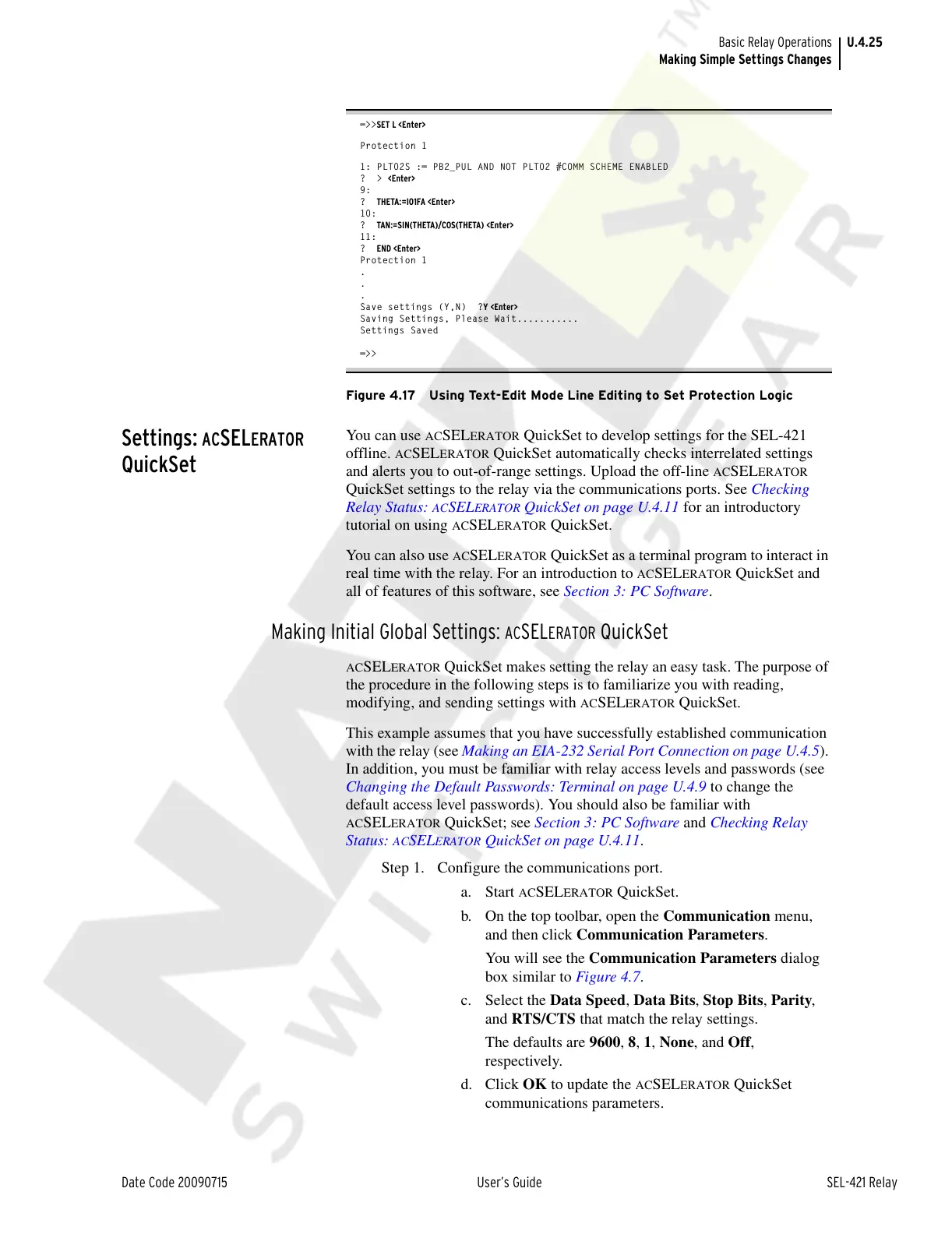
Figure 4.17 Using Text-Edit Mode Line Editing to Set Protection Logic
Settings: ACSELERATOR
QuickSet
You can use ACSELERATOR QuickSet to develop settings for the SEL-421
offline.
ACSELERATOR QuickSet automatically checks interrelated settings
and alerts you to out-of-range settings. Upload the off-line
ACSELERATOR
QuickSet settings to the relay via the communications ports. See Checking
Relay Status:
ACSELERATOR QuickSet on page U.4.11 for an introductory
tutorial on using
ACSELERATOR QuickSet.
You can also use
ACSELERATOR QuickSet as a terminal program to interact in
real time with the relay. For an introduction to
ACSELERATOR QuickSet and
all of features of this software, see Section 3: PC Software.
Making Initial Global Settings: ACSELERATOR QuickSet
ACSELERATOR QuickSet makes setting the relay an easy task. The purpose of
the procedure in the following steps is to familiarize you with reading,
modifying, and sending settings with
ACSELERATOR QuickSet.
This example assumes that you have successfully established communication
with the relay (see Making an EIA-232 Serial Port Connection on page U.4.5).
In addition, you must be familiar with relay access levels and passwords (see
Changing the Default Passwords: Terminal on page U.4.9 to change the
default access level passwords). You should also be familiar with
ACSELERATOR QuickSet; see Section 3: PC Software and Checking Relay
Status:
ACSELERATOR QuickSet on page U.4.11.
Step 1. Configure the communications port.
a. Start
ACSELERATOR QuickSet.
b. On the top toolbar, open the Communication menu,
and then click Communication Parameters.
You will see the Communication Parameters dialog
box similar to Figure 4.7.
c. Select the Data Speed, Data Bits, Stop Bits, Parity,
and RTS/CTS that match the relay settings.
The defaults are 9600, 8, 1, None, and Off,
respectively.
d. Click OK to update the
ACSELERATOR QuickSet
communications parameters.
Courtesy of NationalSwitchgear.com



 To Next Page