U.3.9
Date Code 20090715 User’s Guide SEL-421 Relay
PC Software
Create and Manage Relay Settings
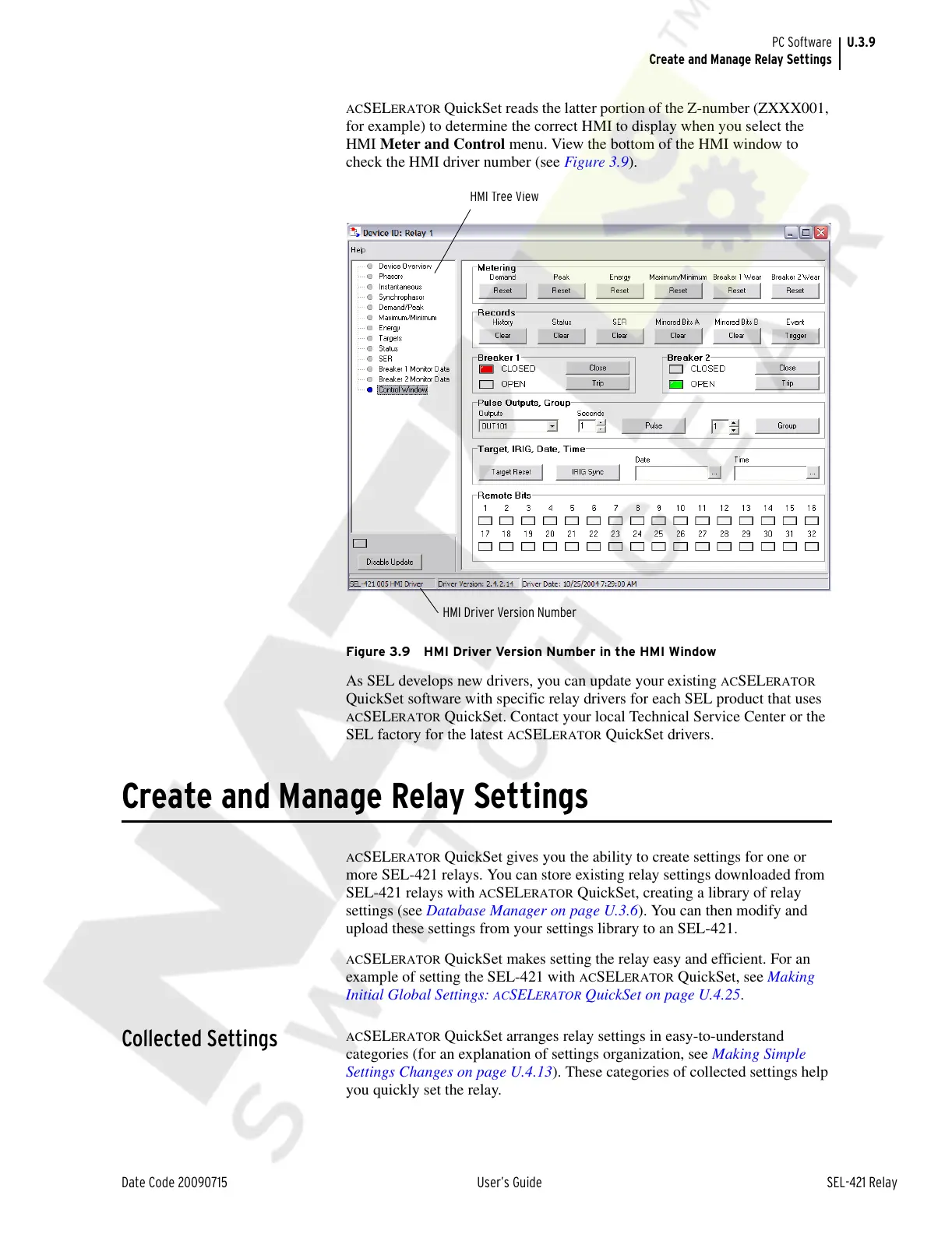
ACSELERATOR QuickSet reads the latter portion of the Z-number (ZXXX001,
for example) to determine the correct HMI to display when you select the
HMI Meter and Control menu. View the bottom of the HMI window to
check the HMI driver number (see Figure 3.9).
Figure 3.9 HMI Driver Version Number in the HMI Window
As SEL develops new drivers, you can update your existing ACSELERATOR
QuickSet software with specific relay drivers for each SEL product that uses
ACSELERATOR QuickSet. Contact your local Technical Service Center or the
SEL factory for the latest
ACSELERATOR QuickSet drivers.
Create and Manage Relay Settings
ACSELERATOR QuickSet gives you the ability to create settings for one or
more SEL-421 relays. You can store existing relay settings downloaded from
SEL-421 relays with
ACSELERATOR QuickSet, creating a library of relay
settings (see Database Manager on page U.3.6). You can then modify and
upload these settings from your settings library to an SEL-421.
ACSELERATOR QuickSet makes setting the relay easy and efficient. For an
example of setting the SEL-421 with
ACSELERATOR QuickSet, see Making
Initial Global Settings:
ACSELERATOR QuickSet on page U.4.25.
Collected Settings
ACSELERATOR QuickSet arranges relay settings in easy-to-understand
categories (for an explanation of settings organization, see Making Simple
Settings Changes on page U.4.13). These categories of collected settings help
you quickly set the relay.
HMI Driver Version Number
HMI Tree View
Courtesy of NationalSwitchgear.com



 To Next Page