U.3.6
SEL-421 Relay User’s Guide Date Code 20090715
PC Software
Settings Database Management and Drivers
Terminal Logging
When you check the Terminal Logging item in the Communication menu,
ACSELERATOR QuickSet records communications events and errors in a log.
Click Communication > Connection Log to view the log.
Clear the log by selecting Communication > Clear Connection Log.
Settings Database Management and Drivers
Database Manager
ACSELERATOR QuickSet uses a relay database to save relay settings.
ACSELERATOR QuickSet contains sets of all settings files for each relay that
you specify in the Database Manager. See Virtual File Interface on
page R.5.11 for a list of the settings files in the SEL-421.
Choose appropriate storage backup methods and a secure location for storing
your relay database files. Use the File > Active Database menu to retrieve a
relay database from computer memory.
Relay Database
The default relay database file already configured in ACSELERATOR QuickSet
is Relay.rdb. This database may contain example settings files for the SEL
products with which you can use
ACSELERATOR QuickSet.
Perform the following steps to access and/or modify the database:
Step 1. Open the Database Manager.
Step 2. Click File > Database Manager in the
ACSELERATOR
QuickSet top toolbar.
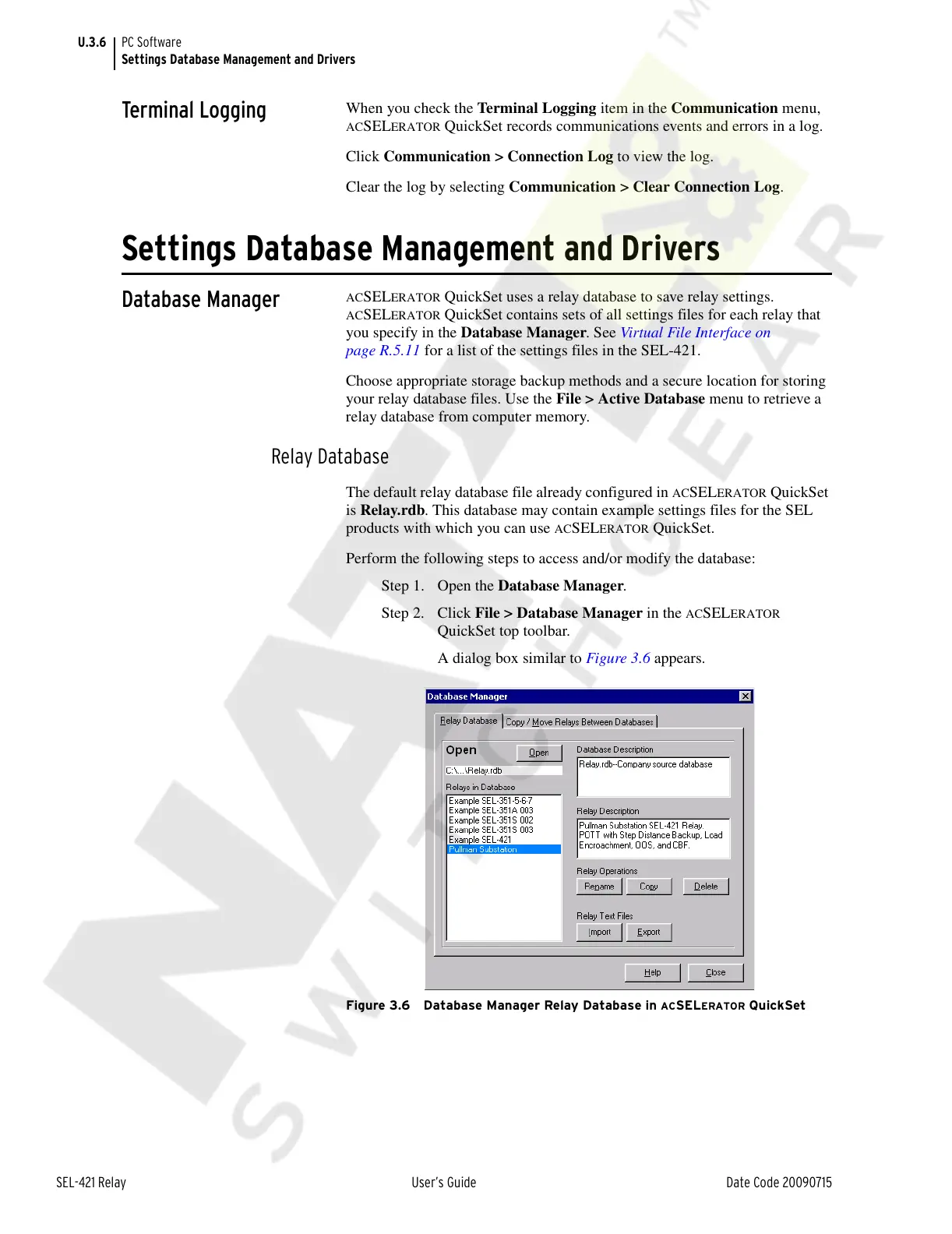
A dialog box similar to Figure 3.6 appears.
Figure 3.6 Database Manager Relay Database in ACSELERATOR QuickSet
Courtesy of NationalSwitchgear.com



 To Next Page