U.3.5
Date Code 20090715 User’s Guide SEL-421 Relay
PC Software
Communications Setup
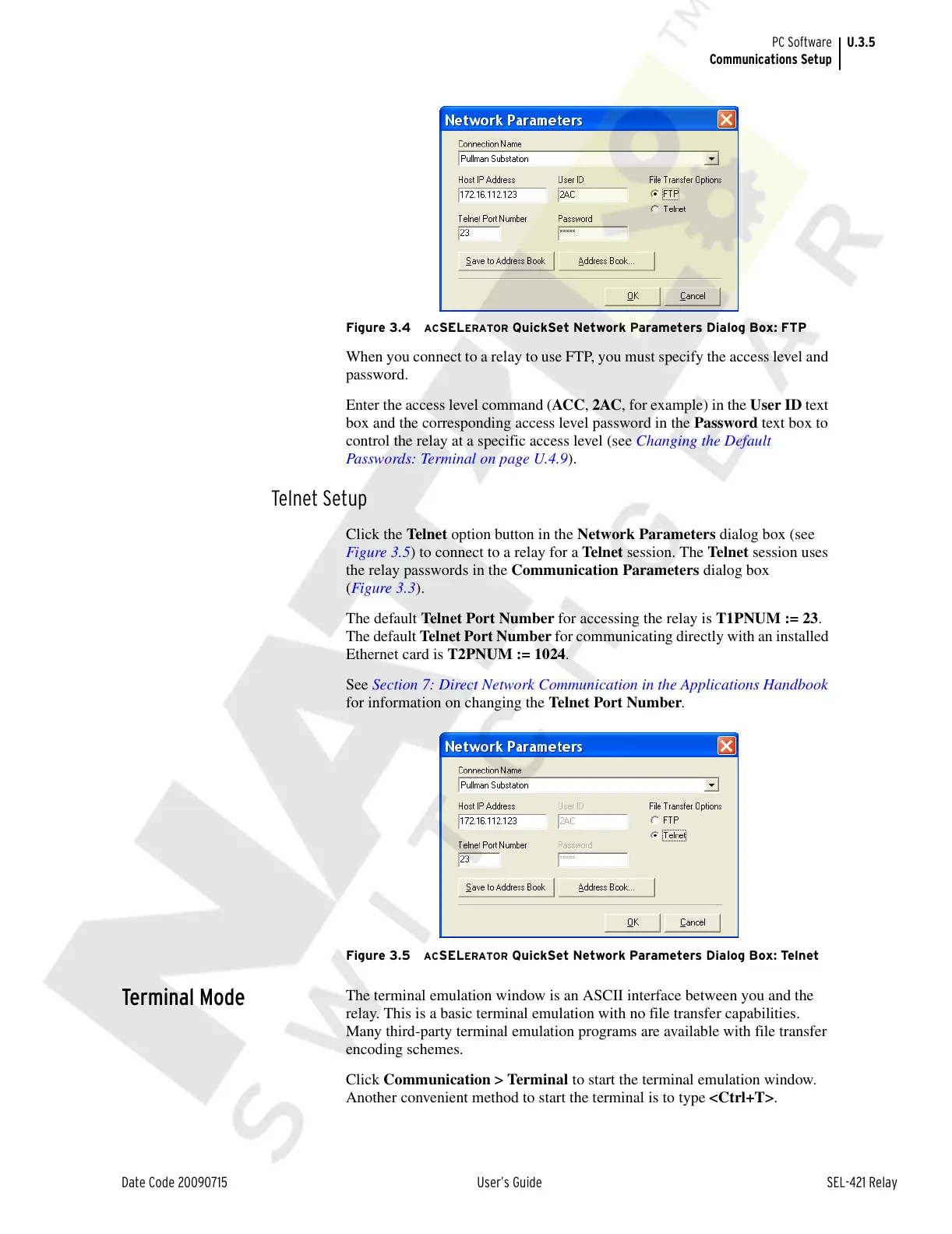
Figure 3.4 ACSELERATOR QuickSet Network Parameters Dialog Box: FTP
When you connect to a relay to use FTP, you must specify the access level and
password.
Enter the access level command (ACC, 2AC, for example) in the User ID text
box and the corresponding access level password in the Password text box to
control the relay at a specific access level (see Changing the Default
Passwords: Terminal on page U.4.9).
Telnet Setup
Click the Telnet option button in the Network Parameters dialog box (see
Figure 3.5) to connect to a relay for a Teln et session. The Telnet session uses
the relay passwords in the Communication Parameters dialog box
(Figure 3.3).
The default Telnet Port Number for accessing the relay is T1PNUM := 23.
The default Telnet Port Number for communicating directly with an installed
Ethernet card is T2PNUM := 1024.
See Section 7: Direct Network Communication in the Applications Handbook
for information on changing the Telnet Port Number.
Figure 3.5 ACSELERATOR QuickSet Network Parameters Dialog Box: Telnet
Terminal Mode
The terminal emulation window is an ASCII interface between you and the
relay. This is a basic terminal emulation with no file transfer capabilities.
Many third-party terminal emulation programs are available with file transfer
encoding schemes.
Click Communication > Terminal to start the terminal emulation window.
Another convenient method to start the terminal is to type <Ctrl+T>.
Courtesy of NationalSwitchgear.com



 To Next Page