U.3.4
SEL-421 Relay User’s Guide Date Code 20090715
PC Software
Communications Setup
Communications Setup
ACSELERATOR QuickSet uses the relay communications ports to
communicate with the SEL-421. Configure the
ACSELERATOR QuickSet
Communication Parameters menu settings to communicate effectively with
the relay.
You can also use a basic terminal emulation window any time you run
ACSELERATOR QuickSet. Use the Communication menu to view and clear a
Connection Log. For a step-by-step procedure using
ACSELERATOR
QuickSet to communicate with the relay, see Checking Relay Status:
ACSELERATOR QuickSet on page U.4.11.
Communication
Parameters
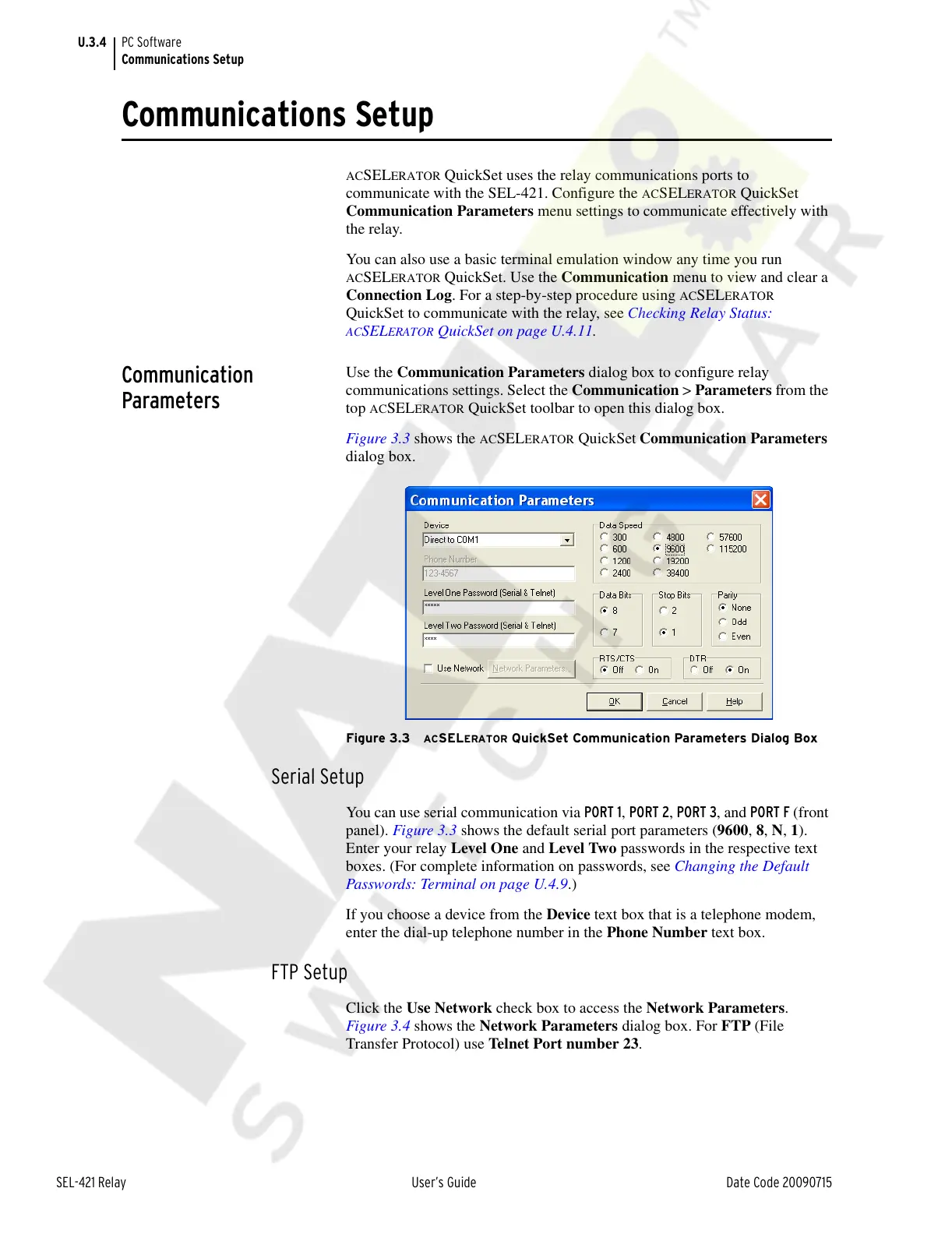
Use the Communication Parameters dialog box to configure relay
communications settings. Select the Communication > Parameters from the
top
ACSELERATOR QuickSet toolbar to open this dialog box.
Figure 3.3 shows the
ACSELERATOR QuickSet
Communication Parameters
dialog box.
Figure 3.3 ACSELERATOR QuickSet Communication Parameters Dialog Box
Serial Setup
You can use serial communication via PORT 1, PORT 2, PORT 3, and PORT F (front
panel). Figure 3.3 shows the default serial port parameters (9600, 8, N, 1).
Enter your relay Level One and Level Two passwords in the respective text
boxes. (For complete information on passwords, see Changing the Default
Passwords: Terminal on page U.4.9.)
If you choose a device from the Device text box that is a telephone modem,
enter the dial-up telephone number in the Phone Number text box.
FTP Setup
Click the Use Network check box to access the Network Parameters.
Figure 3.4 shows the Network Parameters dialog box. For FTP (File
Transfer Protocol) use Telnet Port number 23.
Courtesy of NationalSwitchgear.com



 To Next Page