U.4.49
Date Code 20090715 User’s Guide SEL-421 Relay
Basic Relay Operations
Reading Oscillograms, Event Reports, and SER
Step 4. Get the event.
a. Select Binary COMTRADE in the Event Type dialog
box.
b. Highlight the event you want to view and click the Get
Selected Event button.
c. After getting the event
ACSELERATOR QuickSet
prompts you to save the event file (.DAT) in a directory.
d. Click Analysis > View Event Files and select the saved
event file (.DAT).
e. Press Open.
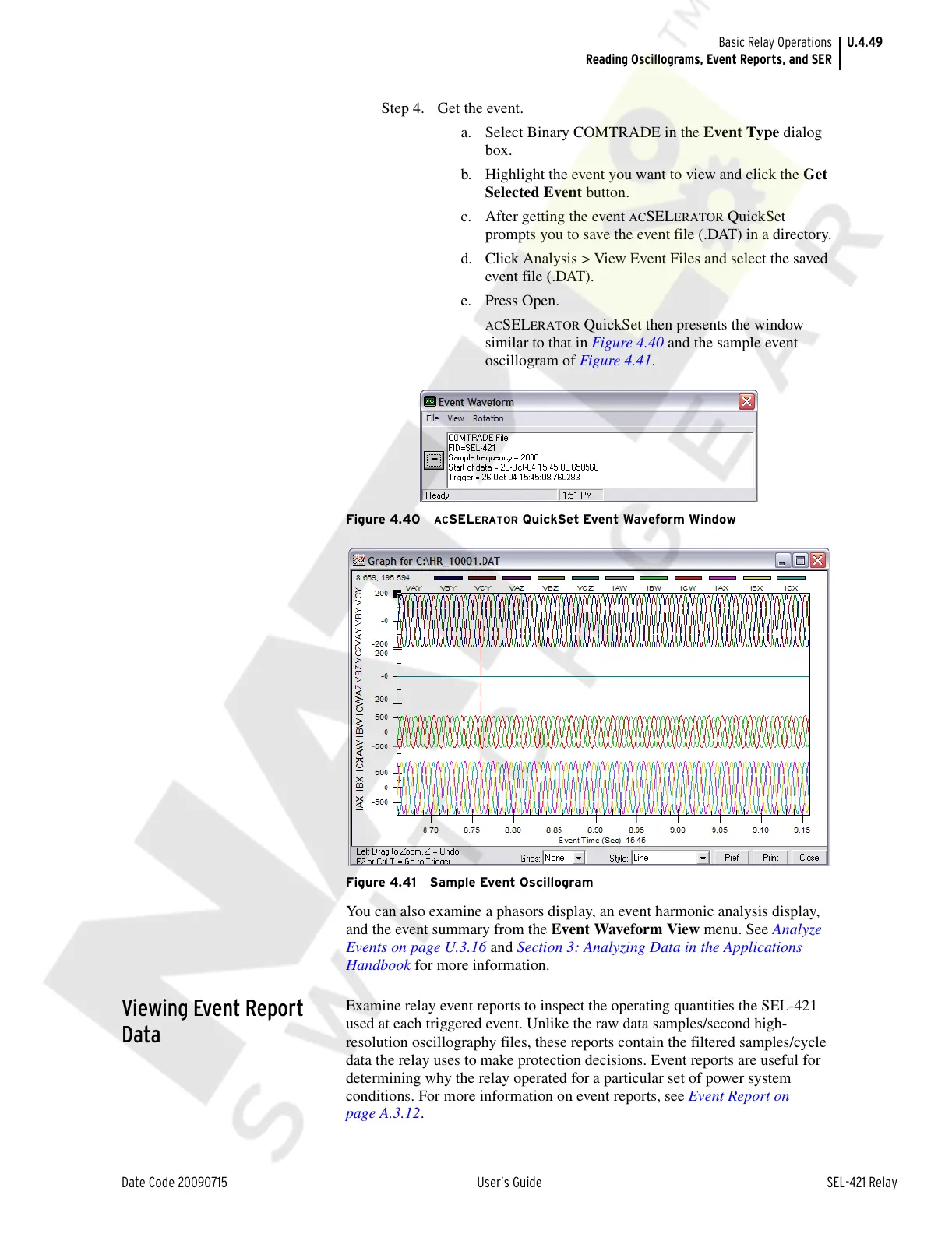
ACSELERATOR QuickSet then presents the window
similar to that in Figure 4.40 and the sample event
oscillogram of Figure 4.41.
Figure 4.40 ACSELERATOR QuickSet Event Waveform Window
Figure 4.41 Sample Event Oscillogram
You can also examine a phasors display, an event harmonic analysis display,
and the event summary from the Event Waveform View menu. See Analyze
Events on page U.3.16 and Section 3: Analyzing Data in the Applications
Handbook for more information.
Viewing Event Report
Data
Examine relay event reports to inspect the operating quantities the SEL-421
used at each triggered event. Unlike the raw data samples/second high-
resolution oscillography files, these reports contain the filtered samples/cycle
data the relay uses to make protection decisions. Event reports are useful for
determining why the relay operated for a particular set of power system
conditions. For more information on event reports, see Event Report on
page A.3.12.
Courtesy of NationalSwitchgear.com



 To Next Page