U.5.33
Date Code 20090715 User’s Guide SEL-421 Relay
Front-Panel Operations
Front-Panel Menus and Screens
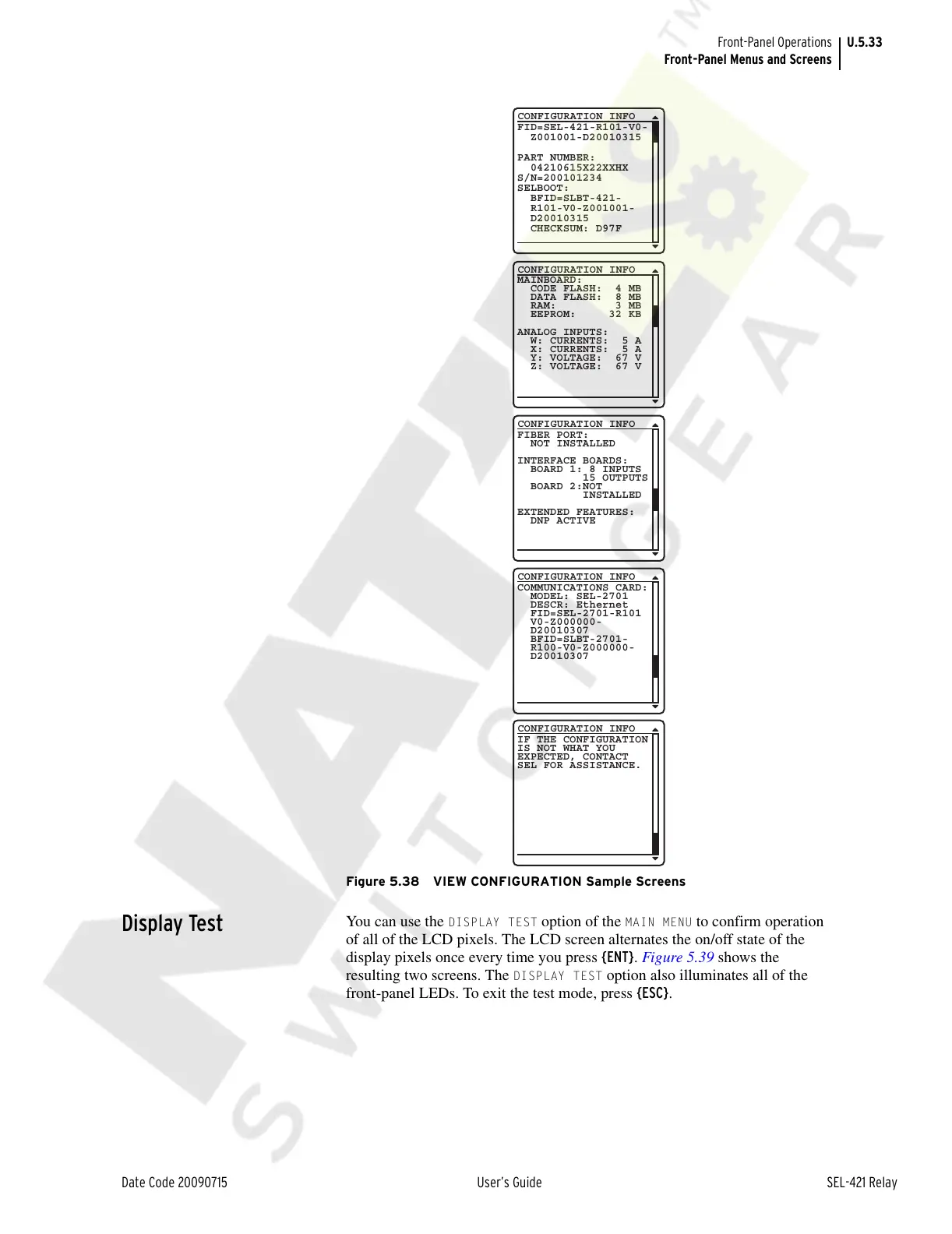
Figure 5.38 VIEW CONFIGURATION Sample Screens
Display Test
You can use the DISPLAY TEST option of the MAIN MENU to confirm operation
of all of the LCD pixels. The LCD screen alternates the on/off state of the
display pixels once every time you press {ENT}. Figure 5.39 shows the
resulting two screens. The
DISPLAY TEST option also illuminates all of the
front-panel LEDs. To exit the test mode, press {ESC}.
FID=SEL-421-R101-V0-
Z001001-D20010315
PART NUMBER:
04210615X22XXHX
S/N=200101234
SELBOOT:
BFID=SLBT-421-
R101-V0-Z001001-
D20010315
CHECKSUM: D97F
CONFIGURATION INFO
FIBER PORT:
NOT INSTALLED
INTERFACE BOARDS:
BOARD 1: 8 INPUTS
15 OUTPUTS
BOARD 2:NOT
INSTALLED
EXTENDED FEATURES:
DNP ACTIVE
CONFIGURATION INFO
COMMUNICATIONS CARD:
MODEL: SEL-2701
DESCR: Ethernet
FID=SEL-2701-R101
V0-Z000000-
D20010307
BFID=SLBT-2701-
R100-V0-Z000000-
D20010307
CONFIGURATION INFO
IF THE CONFIGURATION
IS NOT WHAT YOU
EXPECTED, CONTACT
SEL FOR ASSISTANCE.
CONFIGURATION INFO
MAINBOARD:
CODE FLASH: 4 MB
DATA FLASH: 8 MB
RAM: 3 MB
EEPROM: 32 KB
ANALOG INPUTS:
W: CURRENTS: 5 A
X: CURRENTS: 5 A
Y: VOLTAGE: 67 V
Z: VOLTAGE: 67 V
CONFIGURATION INFO
Courtesy of NationalSwitchgear.com



 To Next Page