Operation - Work application
6 - 83
830 / 07.2012
Original operating instructions
Control unit
SENNEBOGEN
generator
(optional)
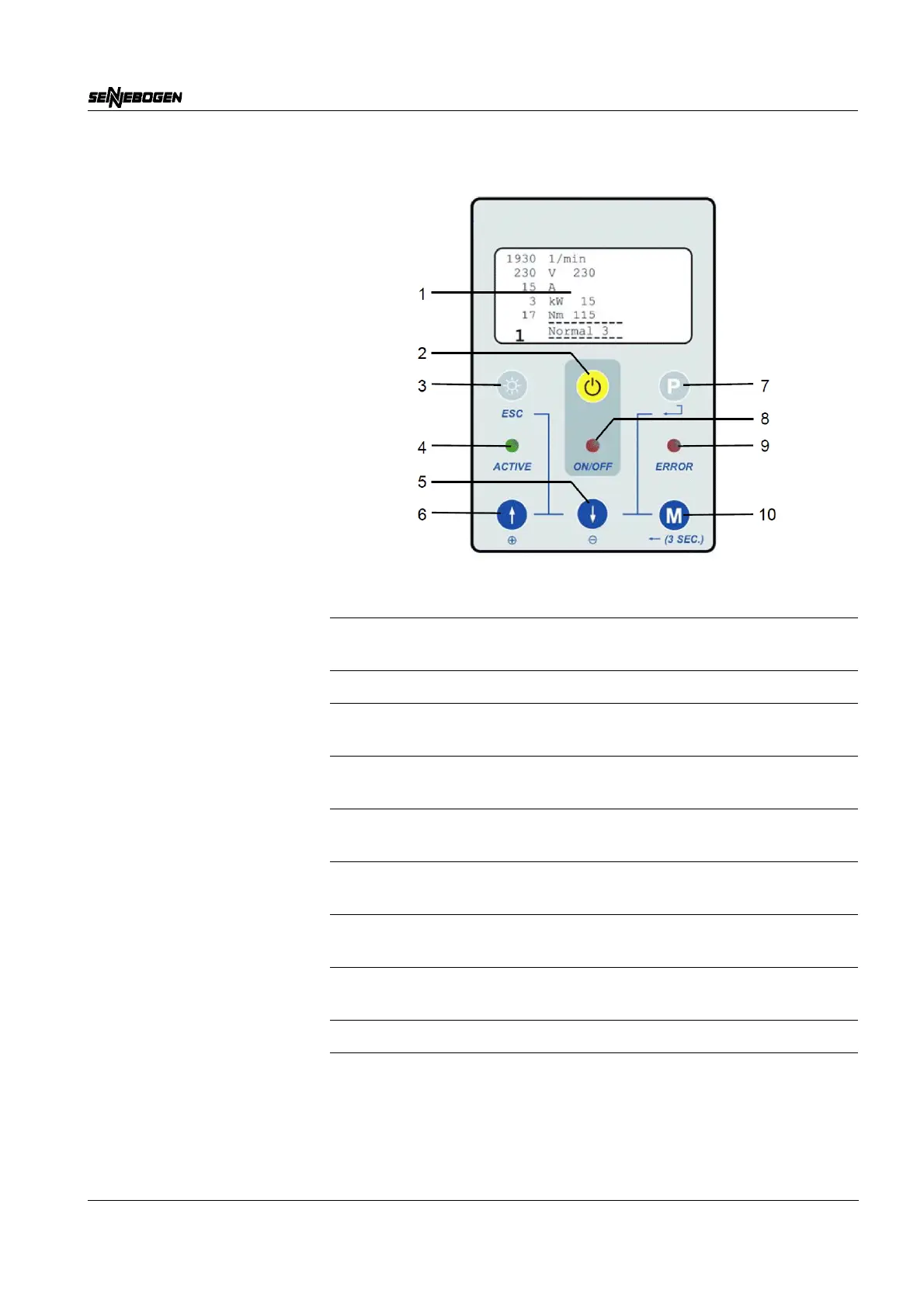
Overview of the control unit
Designation Function
Graphic display (1) Displays system and operating data and
error messages.
“Magnet” button (2) Switches the magnet on and off.
“Display” button (3) Adjusts the display brightness and the back
lighting.
“ACTIVE” LED (4) Lights up when the system is ready for
operation.
“Minus” button (5) - Reduces values.
- Displays the previous page.
“Plus” button (6) - Increases values.
- Displays the subsequent page.
“Program selection”
button (7)
Selects a pre-set program.
“ON/OFF” LED (8) Lights up when the magnetic plate is
switched on.
“ERROR” LED (9) Lights up when there is a fault.
“Menu” button (10) Toggles between programming and
diagnostic mode (press and hold the button
for three seconds).



 To Next Page