2-10
PDW-700/V1 (E)
Update Procedure
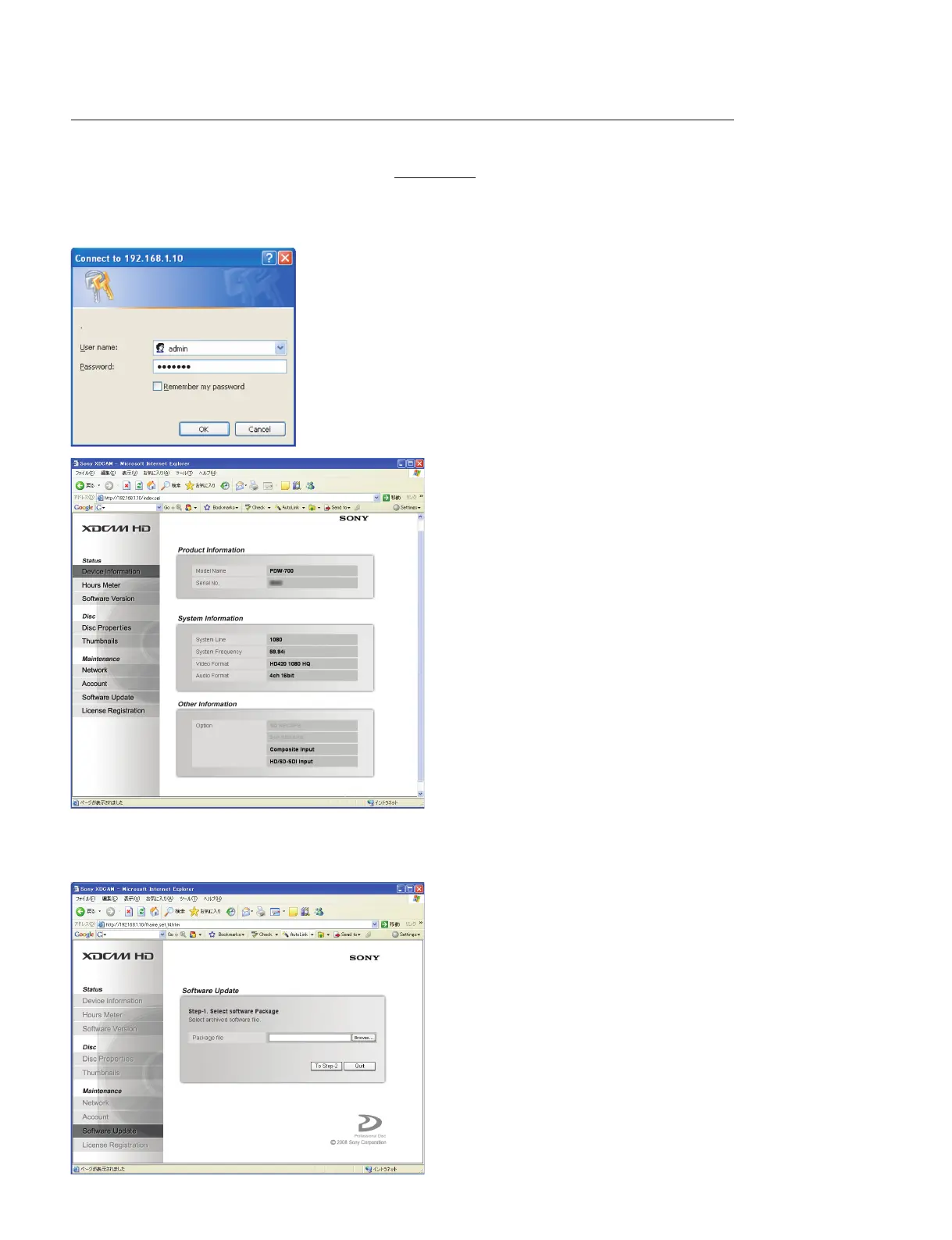
1. Start up the Internet Explorer, and enter “http://192.168.1.10” in the Address bar. (Where the under-
lined part is the IP address of the camcorder.)
2. Enter “admin” for User name and “pdw-700” for Password. Then click “OK”.
The XDCAM top page appears.
3. Click “Software Update” on the Maintenance menu in the left frame.
4. Click “Browse” and select the firmware package file copied in step 5 of “Preparation”.
5. Click “To Step-2”.



 To Next Page