2-11
PDW-700/V1 (E)
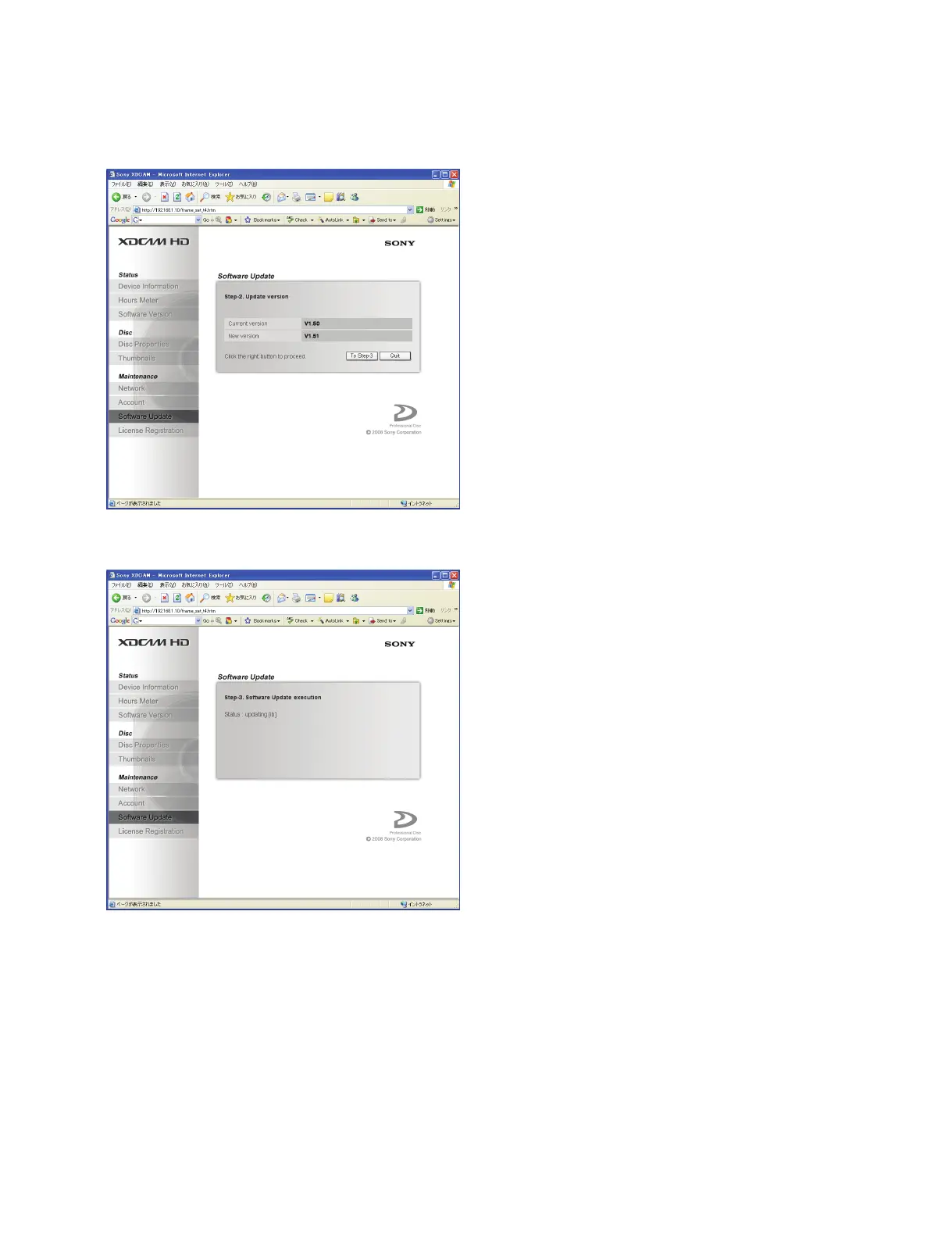
6. The current version firmware and new version firmware appears.
When the firmware update is click “To Step-3”.
7. The update starts, and it changes the following display.
8. When the status turns to “Finished”, check that each firmware program is properly updated or not.
(OK or NG)
n
If no change is observed on the download menu for 20 minutes or any firmware program is marked
“NG”, the update is failed. In this case, return to step 2 in “Preparation”. If the update is failed again,
contact your local Sony Sales Office/Service Center.



 To Next Page