Printer Status MTConnect System Activation
Page 147
© Copyright 2021 Stratasys. All rights reserved.
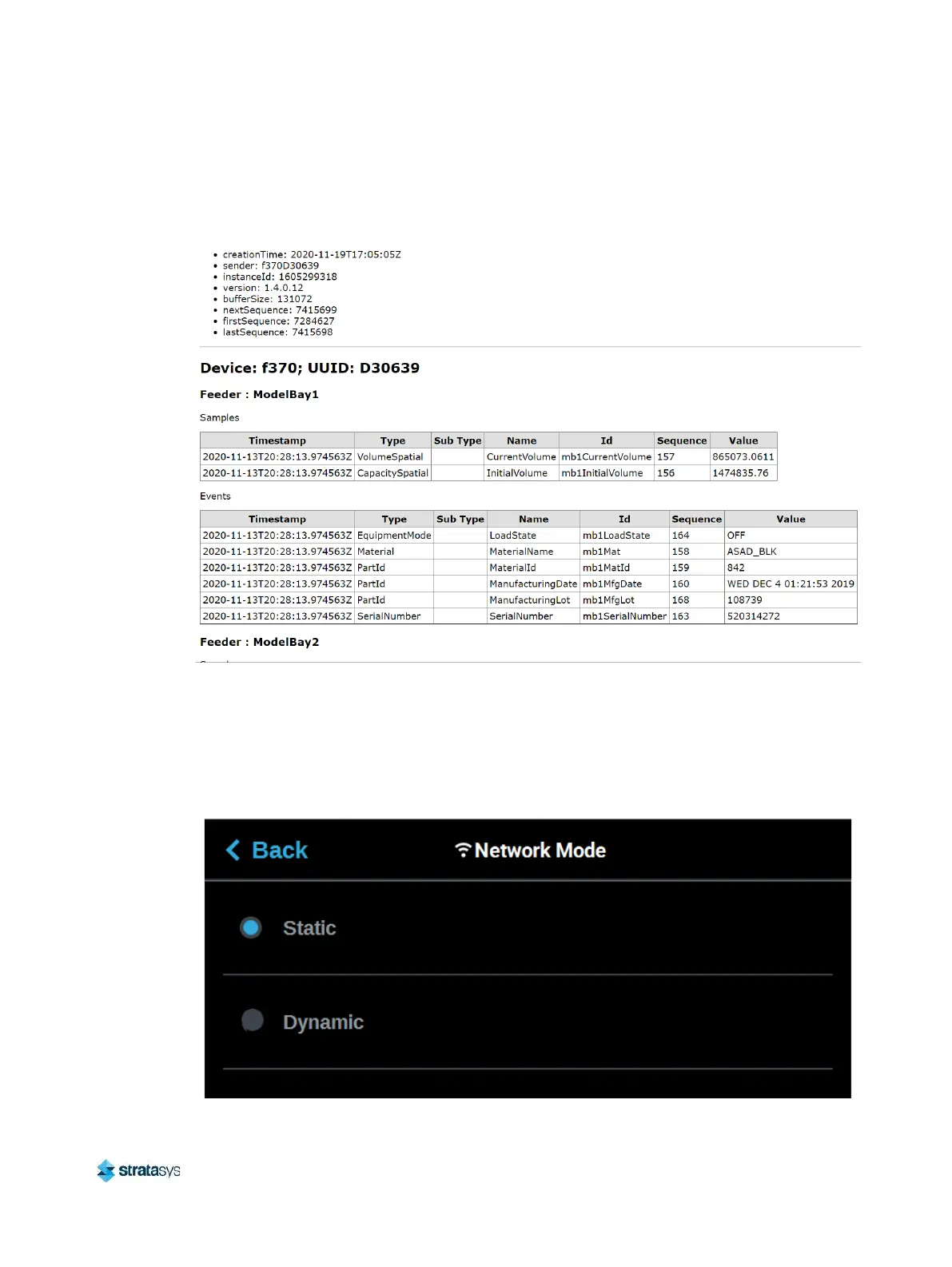
7. Change “probe” to “current” (http://xxx.xxx.xxx.xxx:5000/current) will return the current
MTConnect data for the system.
Figure 44: MTConnect Data
8. You can still view the device information and current MTConnect data by using a web
browser as a client and the system’s IP address even if the printer is not on a network. You
can do this by directly connecting a computer to the printer with a Crossover Cable
connected to the Ethernet Ports. Ensure the Static radio button is selected on the Network
Mode window.
Figure 45: Static Network
.




 To Next Page