Printer Status MTConnect System Activation
Page 148
© Copyright 2021 Stratasys. All rights reserved.
9. Connect a computer to the printer at the ethernet ports using a crossover cable.
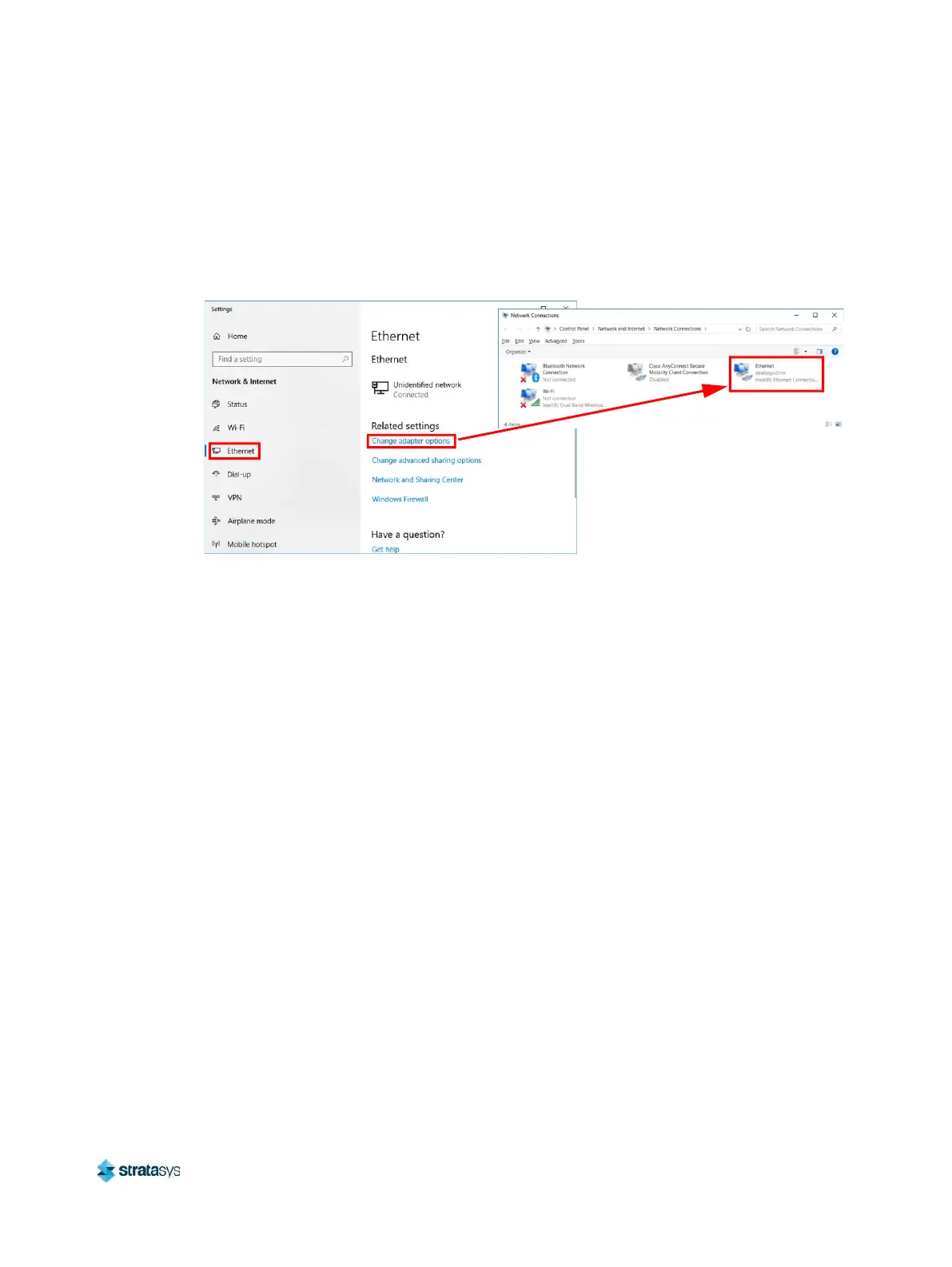
10. Navigate to the computer’s Ethernet Network Settings and select “Change Adapter
Options”.
11. Right click on Ethernet and select Properties.
Figure 46: Locate Ethernet Settings
12. In the Ethernet Properties screen, using the images below as a general guide, set the “IP
address” to match the printer’s, EXCEPT change the last triplet to another number
between 1 and 255.
13. Set the “Subnet mask” to match the printer and click OK.














 To Next Page